201.13.6 Lines tab
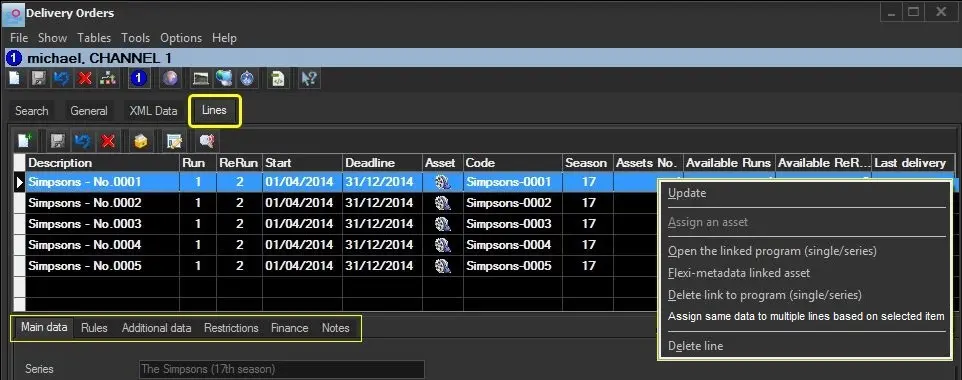
Under the "Lines" tab you are required to input the breakdown of the Delivery Order in question, detailing every line related to the delivery of a particular single/season program. For each line the following data columns are displayed:
Bms_ott_properties
Description - Description of the order line.
Run - Number of Runs set for the order line.
ReRun - Number of ReRuns set for the order line.
Start - Date the order line's license starts.
Deadline - Date the order line's license ends.
Asset - Indicates if the order line is linked to an asset.
Code - Specified the code of the asset linked to the order line.
Season - If the linked asset is a season episode, specifies the season number
Assets No. - Indicates the number of assets linked to the order line.
Available Runs - Displays the number of Runs available.
Available ReRuns - Displays the number of ReRuns available.
Last delivery - Displays the date the Delivery workflow has been launched for the last time.
In order to manage a line, create a new line or open an existing line by double click on it, it allows to manage information across all the available tabs:
Main
Additional data
Finance
Rules
Notes
Restrictions
Once all the required tabs have been compiled, press the [Save] button to store the order line in the system database.
 Bms_ott_properties