59.2.32.2 Cloud-devices
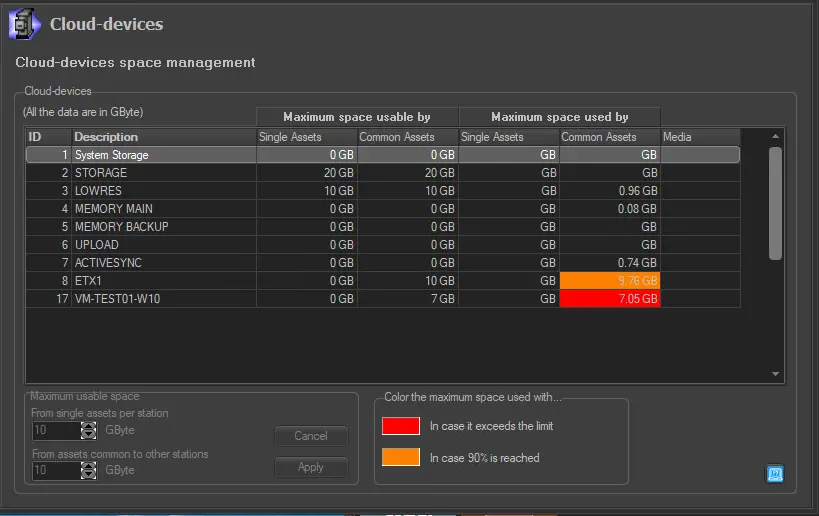
In this section, a list of the broadcasting station's metadevices is displayed, it is possible to set the maximum usable space for both the station's assets and shared assets, as well as see which is their currently used space:
Cloud-devices
The metadevices maximum usable space for single and common assets is calculated based on the space occupied by various metadevices and the size of information converted in GB (Giga Byte).
NB: Cloud-devices settings can be changed by pressing the right mouse button over them.
It's also possible to highlight, with a custom color, the cell of the table referred to a specific metadevice's single assets or shared assets, in case the used space reaches the 90% of the maximum usable space or in case it exceeds the limit.
The color can be set clicking on the colored box inside "Color the maximum space used with..." section.
 Cloud-devices