95 Etere Time Delay Service
Etere TimeDelay Service module relies on one or more instances of its service to record sequences of files in a folder, acquired from any device input (SDI, NDI, etc.).
Each file will have the date and time UTC in its name, in order to be used by any application from the recording folder, and every service instance can be configured separately.
Installation
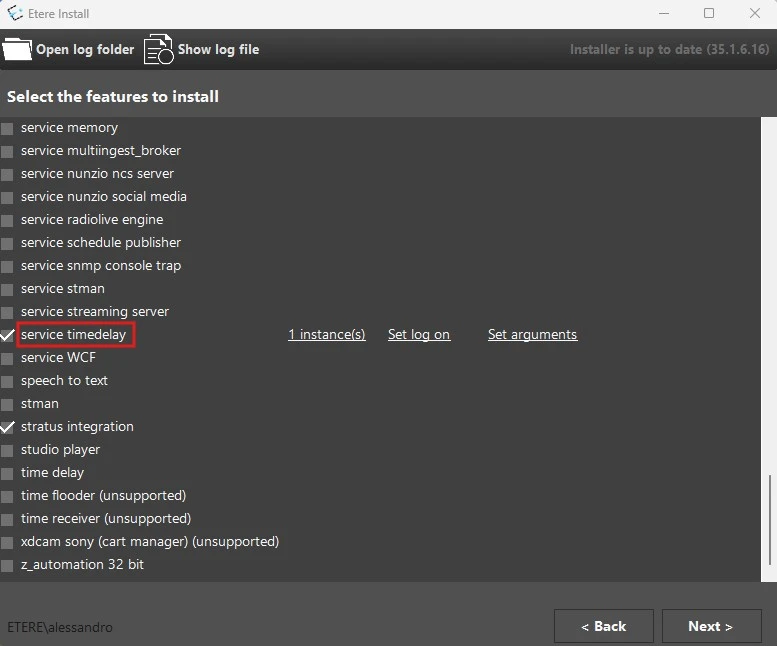
In Etere Update module, select the feature service timedelay, choose the number of instances to install and set the log on.
No need to set arguments.
timedelay_install
Licenses
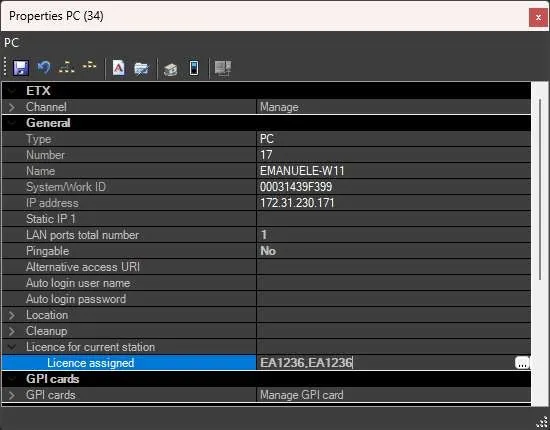
Etere TimeDelay Service needs one EA1236 license for each instance on each workstation.
So for example, if 3 Etere Time Delay services are installed in a PC, in the related etere resource (Resources editor) > License for the current station > License, must be assigned the licenses writing this: EA1236,EA1236,EA1236
Note: - The EA1236 license is checked when the service instance is started, not during installation or configuration.
timedelay_license
Setup
Open Etere Time Delay Setup. The list of installed TimeDelay services on the current machine is located on left panel, with additional start and stop options for each instance, while the configuration for any service instance will appear on the right panel, pressing "edit" on the desired instance.
Source
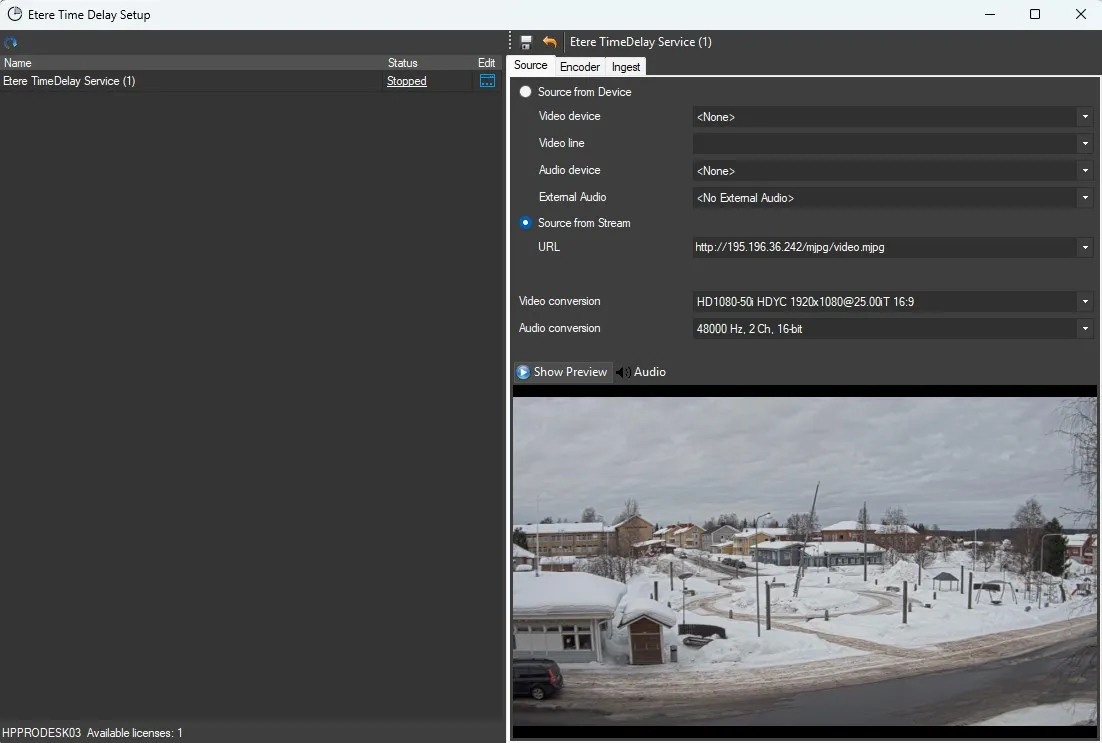
Set the source to be ingested by the TimeDelay instance.
It is possible to use also UDP, RTSP, RTMP or HTTP sources.
You can also enable the audio and video preview, clicking on Show Preview and Audio buttons, but be aware that this may conflict with the service acquisition if it is running.
timedelay_source
Encoder
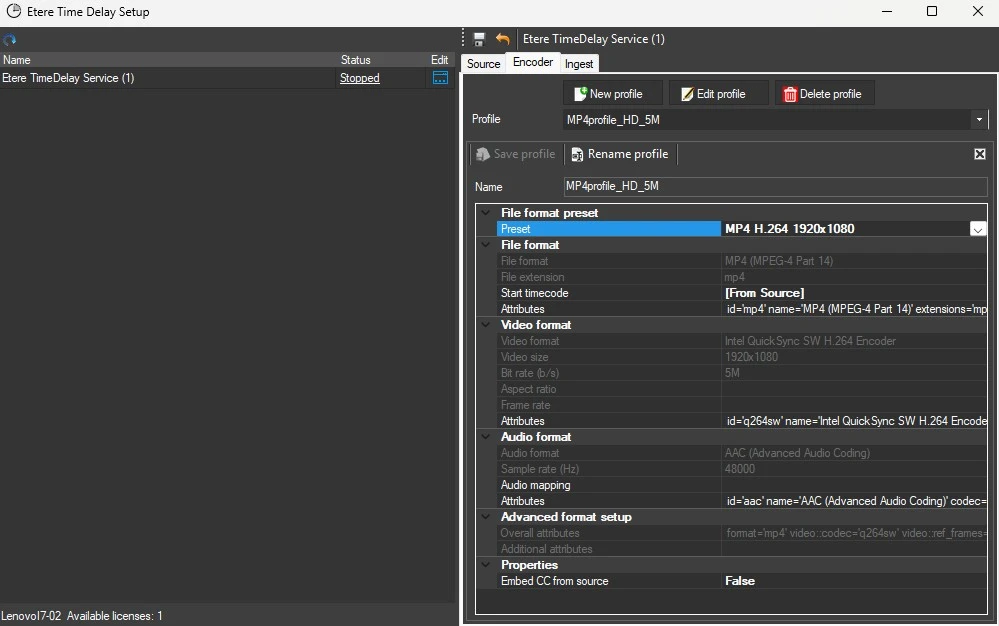
Set the profile to be used to encode files by the TimeDelay instance.
Here you can create, modify and delete encoding profiles, common to all TimeDelay service instances, and set a profile to be used by the selected instance.
timedelay_encoder
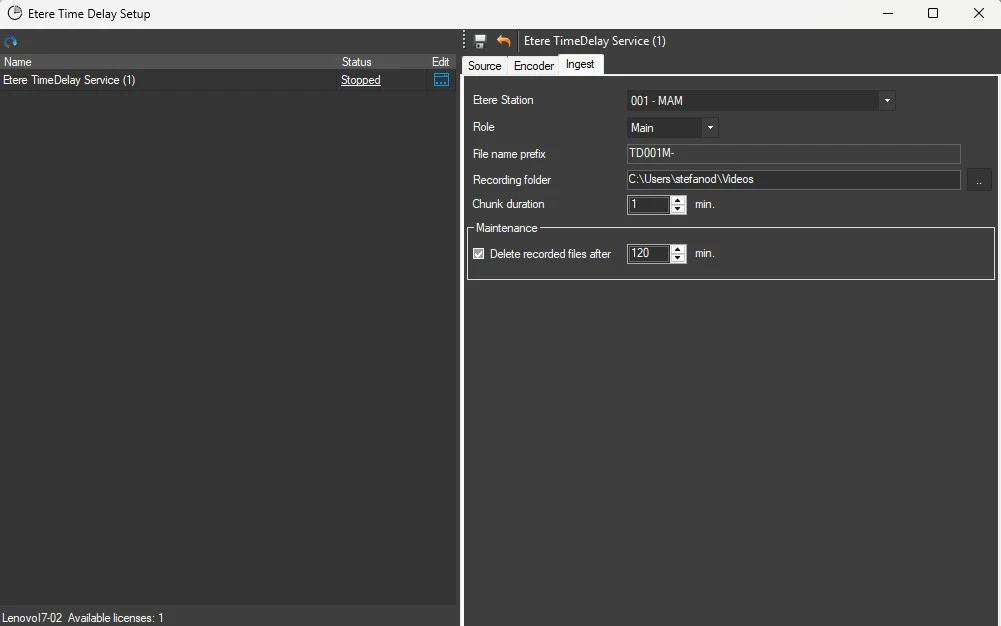
Ingest parameters
Etere station and role: Select the station for which the files are recorded and if the selected instance runs as main or backup. This is also used to make the file name prefix.
File name prefix: Set the prefix for the names of the files recorded. These files will be named with this prefix, then the starting date and time in UTC, and the extension set in the Encoder section.
E.g.: TD001M-20250515Z09183000.mp4, where:
• TD001M- is the default prefix, made by the station number (001) and the letter that identifies the role (M for Main, B for Backup).
• 20250515Z09183000 is the date and time referred to the start of the recording, expressed in UTC format.
Recording folder: The folder where the files recorded will be saved.
Chunk duration: The duration of each recorded file.
Delete recorded files after: If enabled, each time a recording start, the service will look for the files older than the amount of time set and will delete them.
timedelay_ingest
Start and stop recording
The service begins to record continuously when it's started. It stops encoding a file once the chunk duration is reached, then it creates another file. To stop the recording process, simply stop the service.
Logs
The logs of the service instances will be written in the Etere log folder, under the user.001 folder, with these names:
timedelayservice.timedelay service (X).001.MACHINE_NAME.TimeDelay.log
timedelayservice.timedelay service (X).001.MACHINE_NAME. TimeDelayEncoding.log
where:
• timedelay service (X) is the instance (eg: timedelay service (1), timedelay service (2), etc,),
• MACHINE_NAME is the name of the PC where the services run.
 timedelay_install
 timedelay_licence
 timedelay_source
 timedelay_encoder
 timedelay_ingest