4.5.2.3 Asset
The Asset Tab allows you to add, modify or remove assets linked to the order line.
assign_an_asset
If there is no asset linked to the line, use the Add Asset button to open the asset search and choose the asset to assign.
Note: The search finds only assets belonging to the type specified in General tab.
Search_Asset
Select an asset from the search results and click the Insert button to link it to the order line or click New asset button to create a new one. In the latter case, the user is redirected to the New asset page, opened in a new browser tab.
Once added, two actions can be done on the asset: Edit it, specifying the Rotation % and some notes, or remove the association to the line.
Edit_Remove_asset
When the Edit option is selected, the following fields will appear in a new window:
edit_asset
• Rotation %: Enter the percentage to the asset intended to be used during the rotation. This percentage would dictate how frequently the asset would be used compared to other assets.• Notes: Enter a brief description to identify the changes.
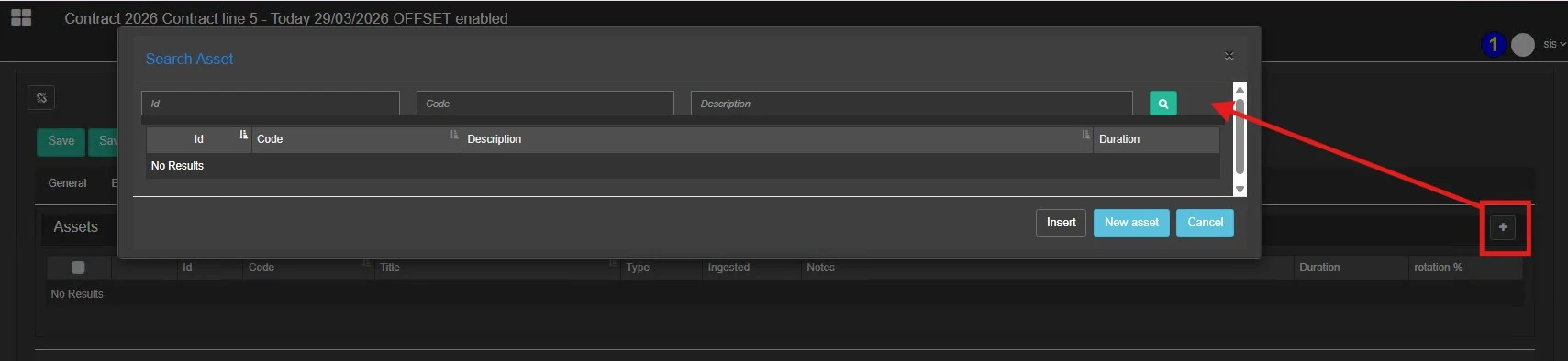 Assign_an_Asset
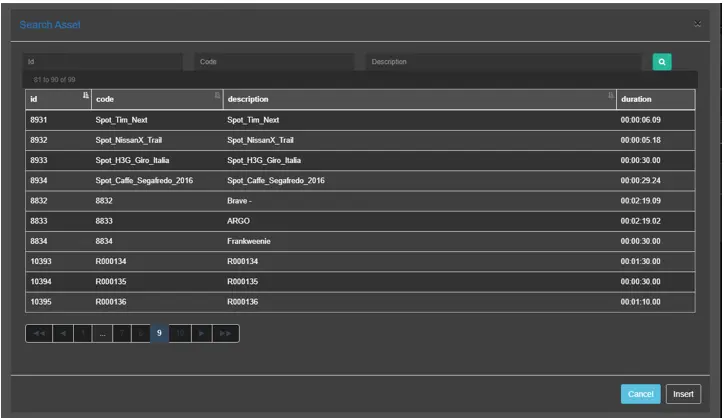 Search_Asset
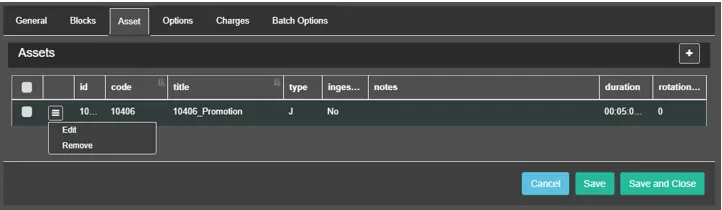 Edit_Remove_asset
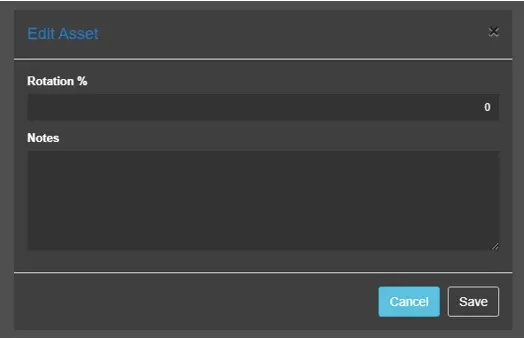 edit_asset