84.2.2.6 Daily crowding
The Daily Crowding function allows to compute and display the commercial crowding statistics of the selected scheduling day.
We can distinguish from two different Commercial/Daily Crowding:
1. for the Italian Broadcasting Companies;
2. for Broadcasting Companies which belong to the 27 European Country except for Italy.
The involved EU countries are: Austria, Belgium, Bulgaria, Croatia, Republic of Cyprus, Czech Republic, Denmark, Estonia, Finland, France, Germany, Greece, Hungary, Ireland, Italy, Latvia, Lithuania, Luxembourg, Malta, Netherlands, Poland, Portugal, Romania, Slovakia, Slovenia, Spain and Sweden.
Regarding the second point, Etere Daily Crowding Manager is aligned with the latest Revised Audiovisual Media Service Directive Document, which direct the Quantitative Rules (Amount of Advertising) as per Article 19 to 23.
This is one of the few areas of the new Directive, where rules are made more flexible for broadcasters and they enhance more flexibility in advertising time calculation as per Article 23.1.
The current situation is like a maximum of 20% of advertising per hour of broadcasting time (12 minutes).
As per the Revised AVMSD, the new directive allows a maximum of 20% of broadcasting time across two time periods:
• from 6:00 to 18:00: 20% or 144 minutes aired at the discretion of the sales house during this time window;
• from 18:00 to 00:00: 20% or 72 minutes aired at the discretion of the sales house during this time window.
• between 00:01 and 05:59: there is no limit on advertising time.
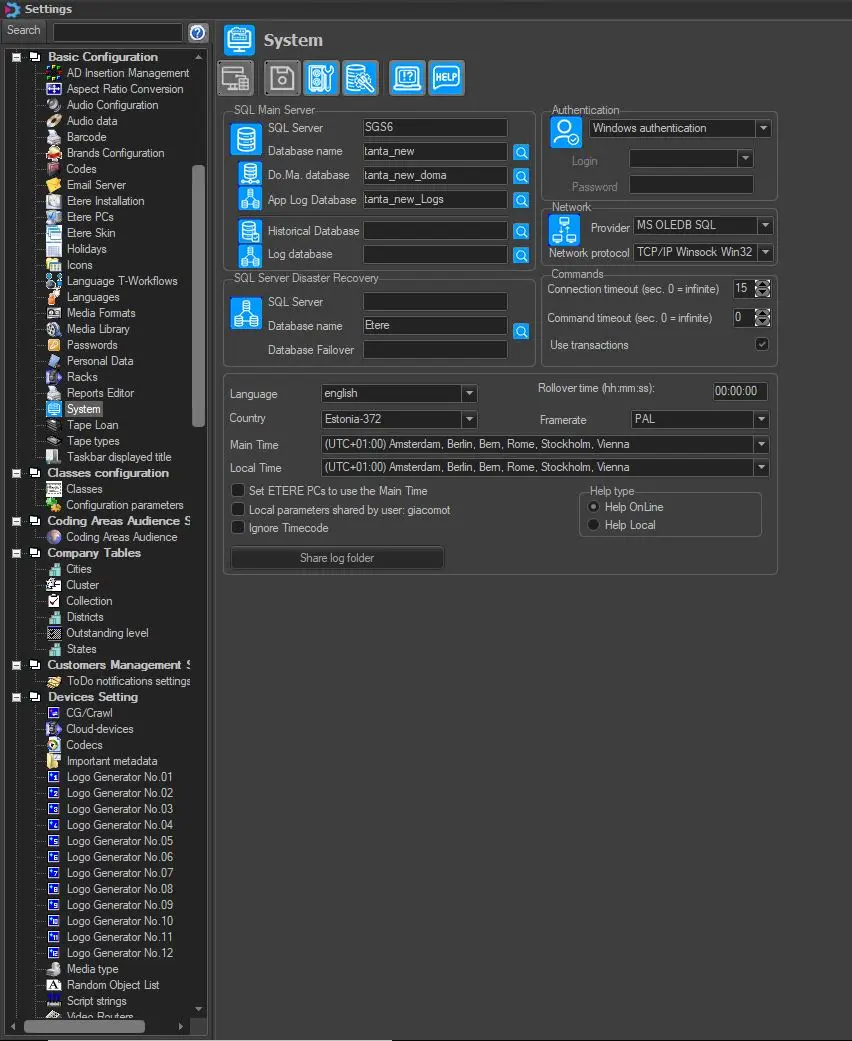
In order to start using the Daily Crowding Manager we need to go to:
Etere Configuration > Settings > System > Country
and set the proper origin Country just by selecting it from the related Combo Box.
settings_country
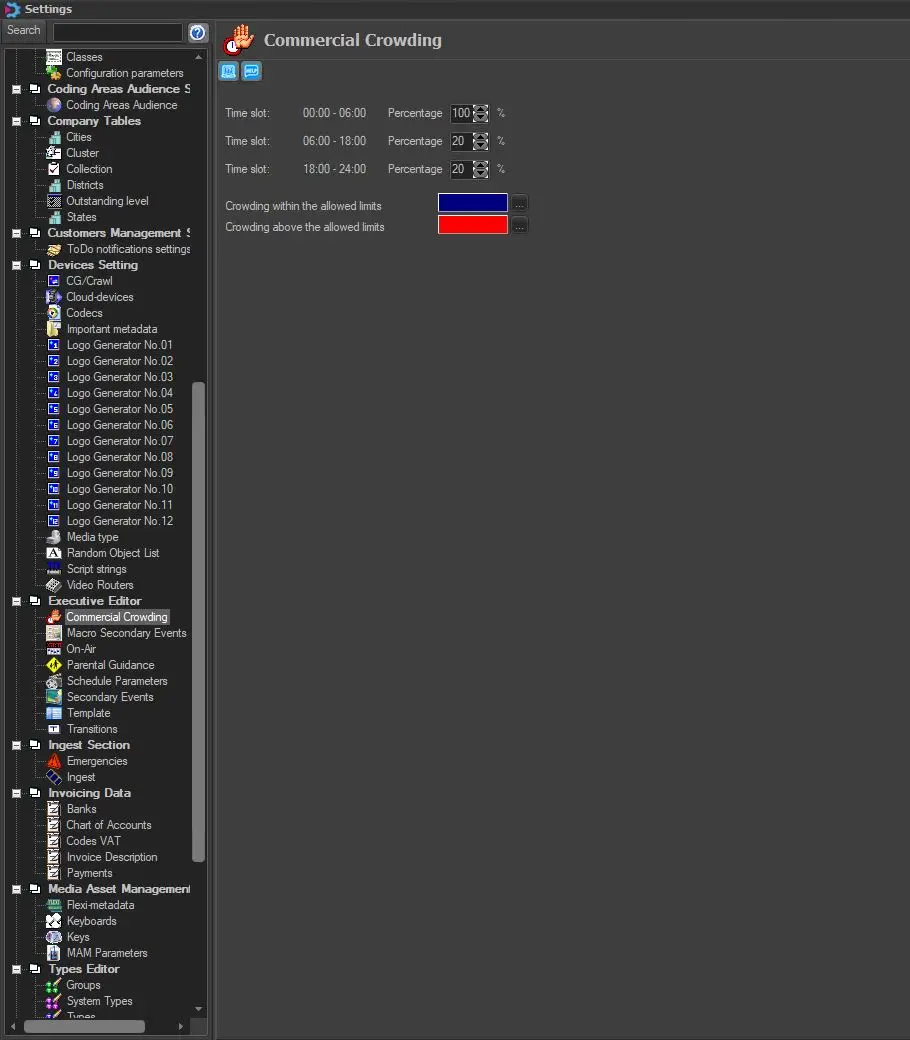
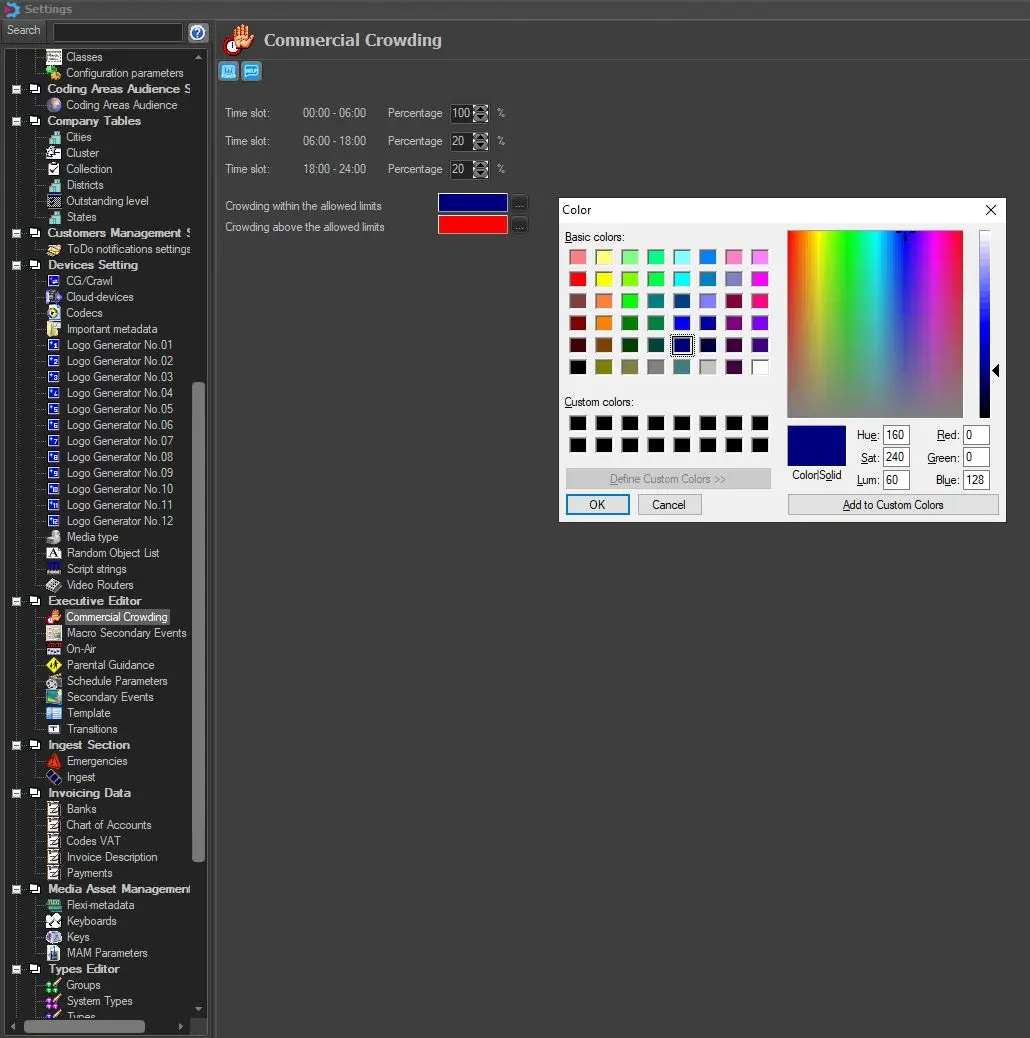
After that, we can configure some settings, such as the given Percentage and the related Colours, just by going to:
Etere Configuration > Settings > Executive Editor > Commercial Crowding
crawding_settings
crawding_settings_colors
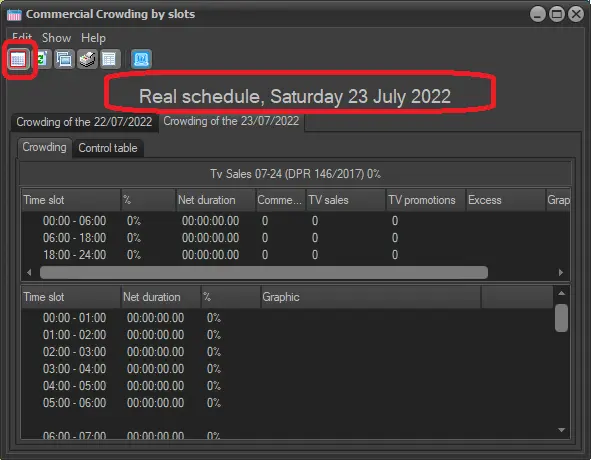
After that, we can recall the Daily Crowding Manager form anytime, just by going to:
Etere Executive Editor > Functions > Daily Crowding
daily_crowd_function
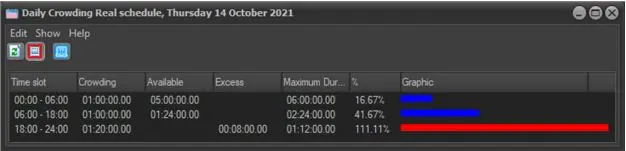
and the given form would eventually appear, showing the new 3 Daily Crowding Slots, with their total duration, their percentage and their related graphics.
crowding_graph
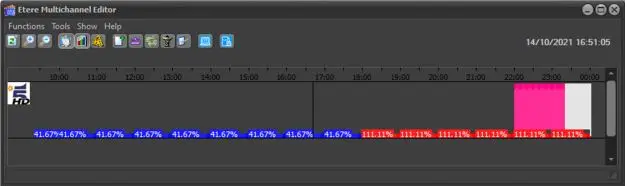
It's worth mentioning that the given function is available in Etere Multichannel Editor as well.
multi_channel_graph
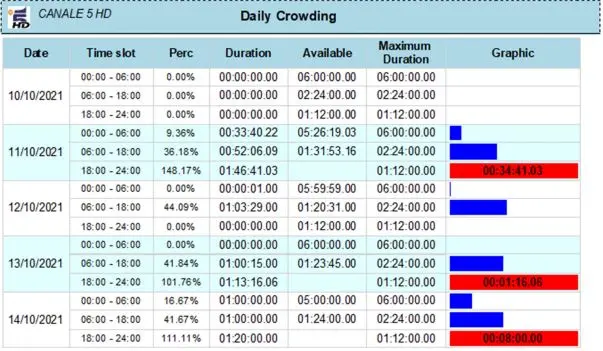
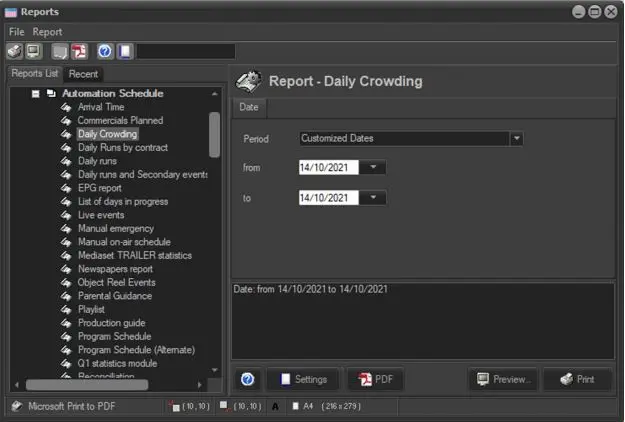
In addition, is possible to extract the Daily Crowding data as Etere Report just by going to:
Etere Scheduling > Reports > Automation Schedule > Daily Crowding
and extract the given Report just by selecting a proper Date Range.
crowd_report_settings
crowd_report
We can use the Refresh button to update all the displayed information;
and we can use the Stay on Top button, to keep the "Daily Crowding" window on top of other windows.
If we want to recalculate the Daily Crowding for another Schedule Date, we just need to open up the schedule for that day and restart the Daily Crowding Manager again.
 crowding_graph
 crowd_report
 crawding_settings
 crawding_settings_colors
 crowd_report_settings
 settings_country
 multi_channel_graph
 schedule_day_crowding