59.3.9.120 Set Subtitle flag and page number
Action Description
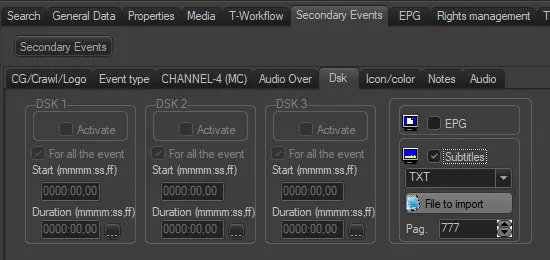
The "Set Subtitle flag and page number" action allows the user to enable the subtitle flag on Asset form > Secondary Events > DSK, meaning that subtitles are available on the asset and specify the type and the page number. The action does not perform any check or import, so subtitles must be managed previously with other processes (manual or T-Workflow actions).
Subtitle_asset_form
Action Parameters
Name: Insert a description of the action
Subtitle: Select the subtitle type from the dropdown list
Page n.: Insert the page number configured for subtitles
How to use it
"Set Subtitle flag and page number" actions can be used (in the T-Workflow designer) to, for example, indicate that subtitles have been imported from an external source.
 4897_Subtitle_asset_form