User Interface
88.2.1 Recording tab
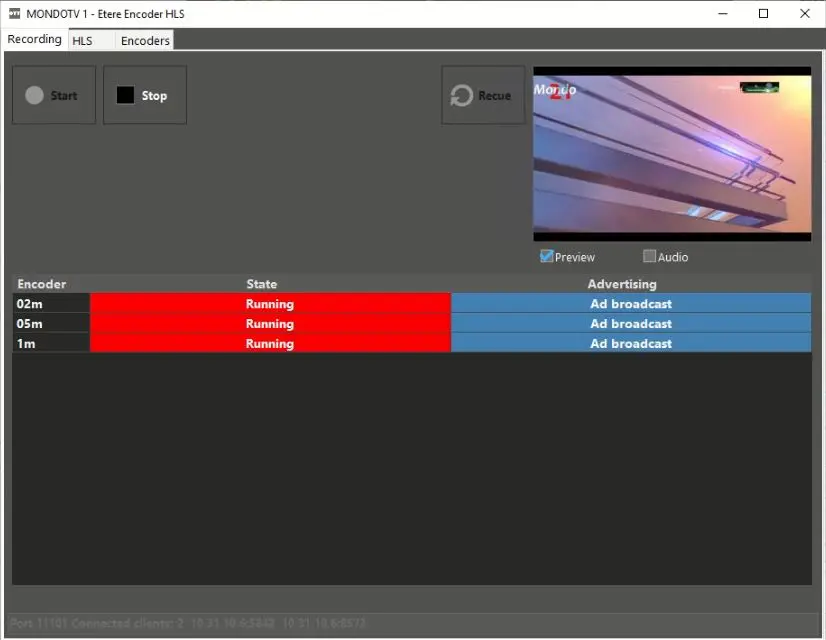
In Recording tab, it control the Start and Stop of the recording process.
Etere_encoder_hls_recording
Column - Encoder
Description : This column displays the list of encoders configured in the system.
Column - State
Description : It displays the state of the encoder. The encoder could be running, stopped, or in error state.
Column - Advertising
Description : This column indicate if an advertising slot is in progress and cueing in related HLS playlists.
In this tab, user can re-cue the encoding with the <Recue> button when changes has been made to the settings. The re-cue would take place when the encoding is stopped.
 Etere_encoder_hls_recording