72.2.3.11 Create a Billboard
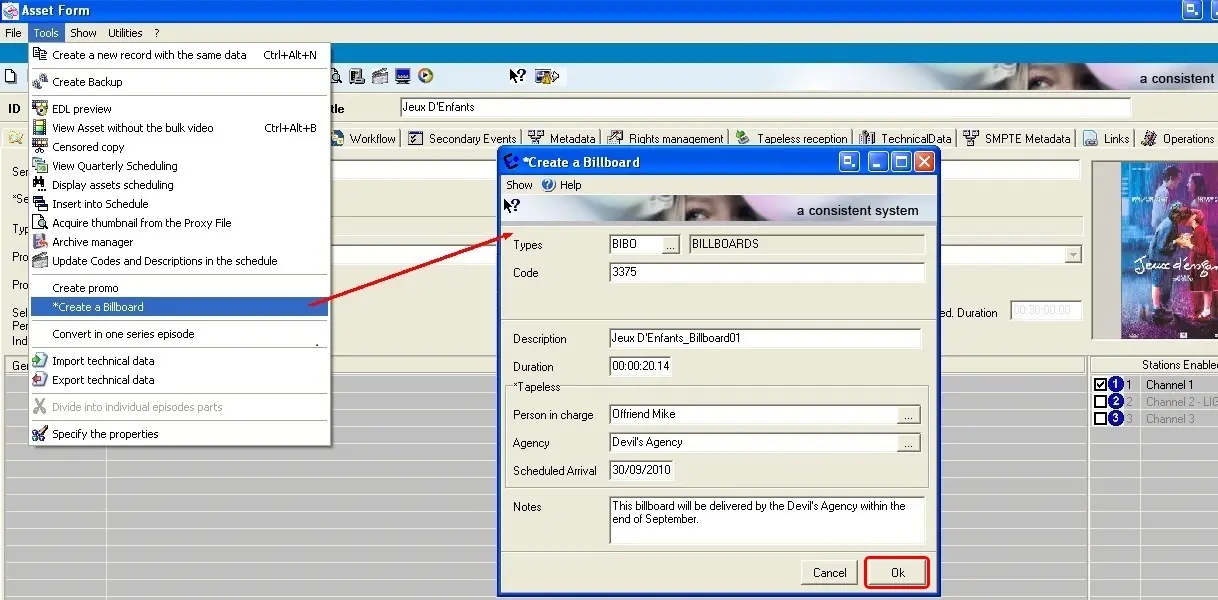
A billboard is a promotion for a certain program (e.g.: 'this program is brought by...'), it is sent on-air just before, currently with, or just after the related program. Etere permits operators to easily create a billboard just by compiling the following simple form:
Create a Billboard
•Types: Select a type amongst the ones present in the list, only those types with a 'billboard' property enabled will be displayed.
•Code: Indicate the asset code to be assigned to the billboard,
•Description: Enter a brief description for the new billboard,
•Duration: Insert the expected duration of the billboard asset.
•Tapeless: Specify the person in charge of receiving the asset as well as the agency that will deliver at a certain scheduled date (using Etere Tapeless Reception).
•Notes: Here the operator can Include any further information related to the asset.
Once the form is compiled, just press the 'Ok' button to confirm the operation and save the billboard into the Etere database.
Billboard Structure
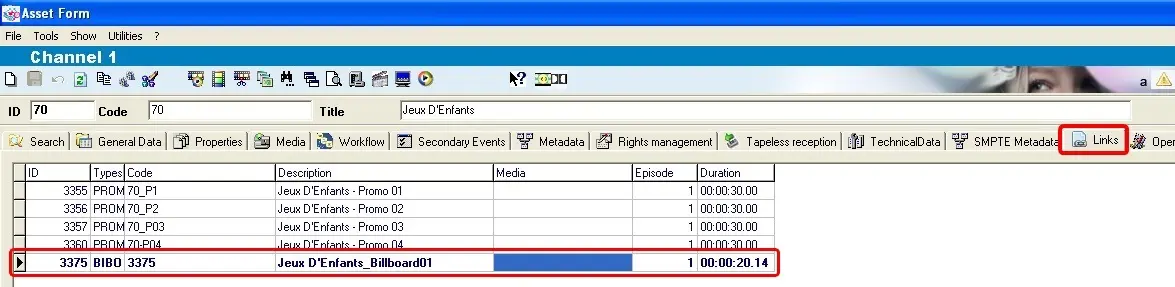
The new 'billboard' will be associated as a 'child' to the asset under the Links tab, from which it will be accessible by making double-click on it:
Billboard Structure
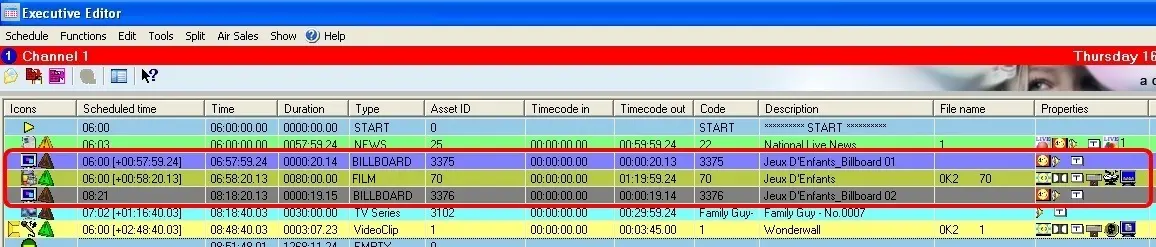
Scheduling Billboards
Each time a billboard is scheduled (e.g.: using Executive Editor), Etere will check if it's scheduled just before, in the middle or just after the program to which it is related, and in case it doesn't, the operator will be altered with a warning:
Scheduling Billboards
the image above illustrates two billboards scheduled just before and just after respectively a certain program.
 Scheduling_Billboards
 Create_a_Billboard
 Billboard_Structure