84.4.4.41 STANDARD > TANGO TXT
Export Scope
The Export_Standard_Tango export a text file containing all booking transactions from WIN and NBN for agencies to view the bookings.
Export Parameters
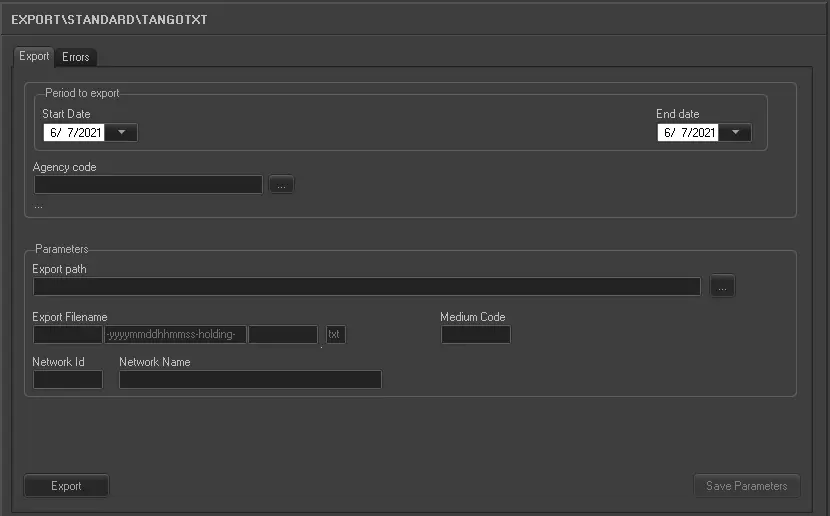
Export_standard_tango_txt
Period to export
Start date, End date -
Specify the start data and end date to export bookings within the date range.
Agency code - Enter the agency code to be exported.
Parameters
Export path - Specify the location path to create the export text file. You can use the browse button to select a path in the network drive.
Export filename - Enter the name of the text file to be created after the export. The middle portion of the file name indicate the date and time when the file is exported. The trailing “holding” in the file name enable agencies to identify the exported text file.
Medium code - Specify the code block used in the medium.
Network ID - Specify the network identity of the workstation where the export process is executed.
Network name - Specify the name of the network where the workstation is connected to.
Launch the Export
Once all the parameters and period to export are fulfilled, save the parameters settings and click the <Export> button to start the export.
 5105_Export_standard_tango_txt