59.2.6.6 Email Server
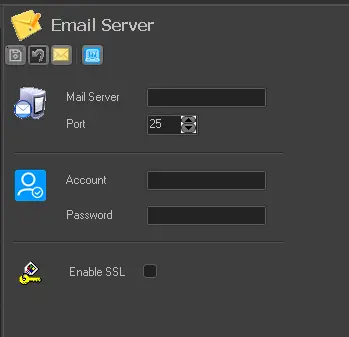
The "Email Server" section allows setting the information required by Etere for sending emails, for example, with attached reports (configured in the Reports editor section). Parameters that are available in this section include:
Email_Server
Mail server: Indicate the server (e.g. SMTP) to be used for sending emails.
Port: Specify the network port to be used by the email server.
Account / Password: This parameter indicates if the email server requires a login account and password to access the email server.
Enable SSL: If the email server requires SSL (Secure Sockets Layer) encryption, this parameter must be enabled.
Upon configuration, the Email Server must be started by SQL Admin user to function properly.
Test Send email
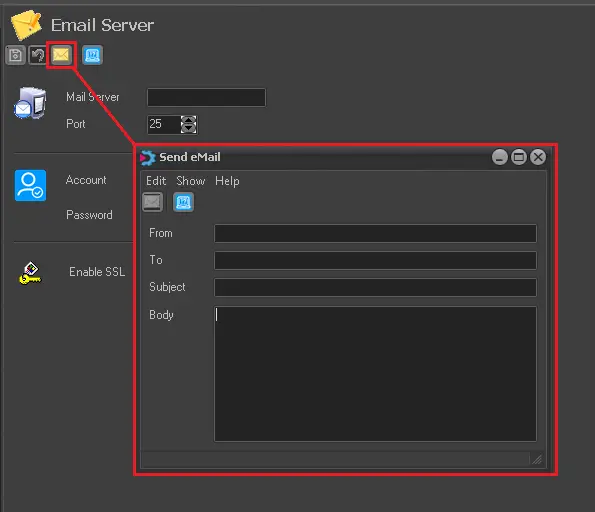
After entering all the parameters, you can click on the "Send email" icon to test the connection to the designated email server.
Send_email
•Enter the source and target email addresses
•Enter a subject
•Enter the email text in the field Body
Next, click the "Send” icon to establish the connection.
 Email_Server
 Send_email