Logo Generator
59.2.35.2 MTX Editor
The "Editor" tab allows operators to manage logos stored in MTX devices enabled (as explained in chapter Configuring MTX resources) for either the current station or any station.
Editor tab
For instance, if working in "channel 01", it is possible to modify only those logos assigned to the channel in question (e.g. MTX1, MTX2, MTX5):
MTX_Logo_Management
The MTX Editor tab allows configuring MTX objects as described in the following sections of the MTX chapter:
Creating Graphic objects
Creating Text objects
Creating Clock objects
Note:
Please note that every time a graphic/crawl is created or modified from the "MTX Editor" tab, changes are applied across all MTX resources configured in the system (e.g. MTX01, MTX02, MTX03, etc.).
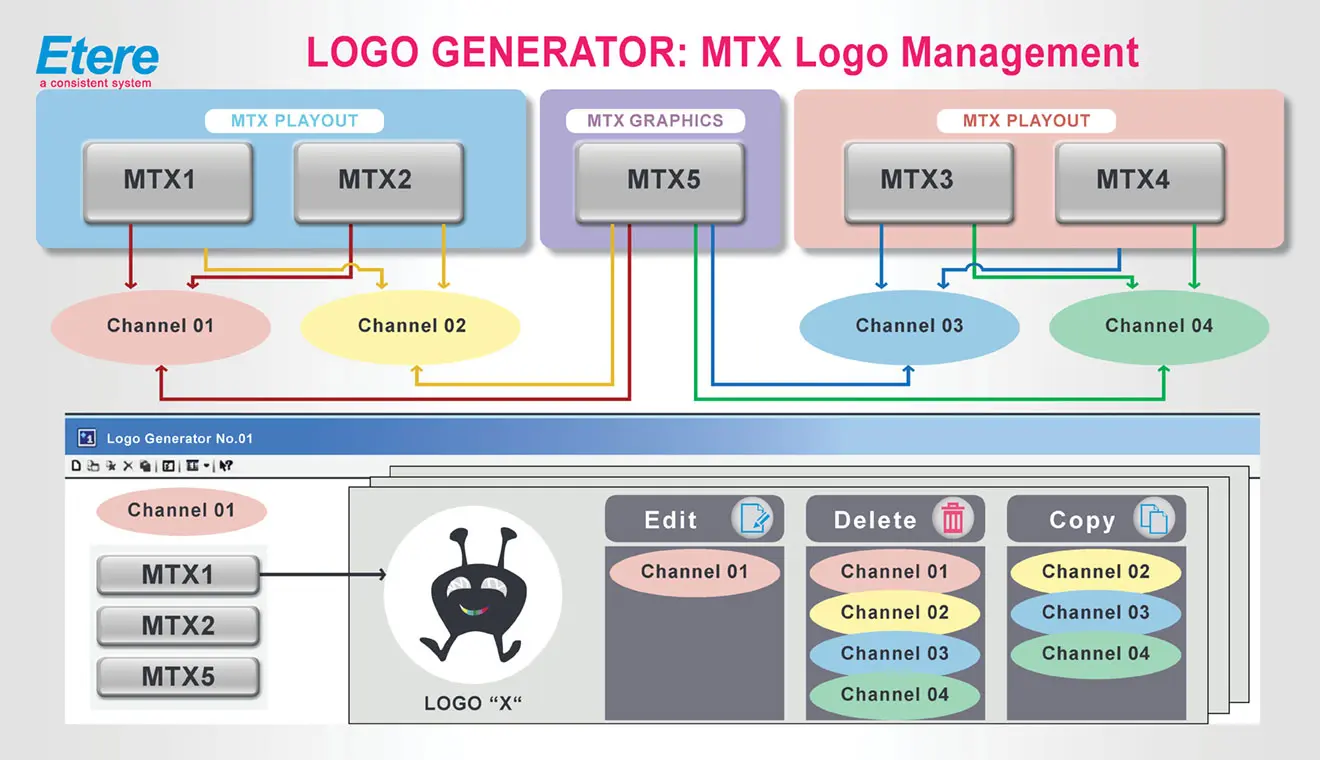 MTX_Logo_Management
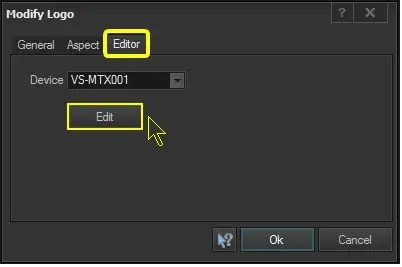 configuration_devices_logo_mtxeditor