59.2.33.3 Codecs Replacement
Replacing a codec is a sensitive task since codecs are widely configured across various Etere modules. In these terms, if the station plans to change its media management from one codec (e.g. IMX30) to another (e.g. IMX50), it will be required to follow the procedure detailed below:
1. ENABLE THE NEW CODEC
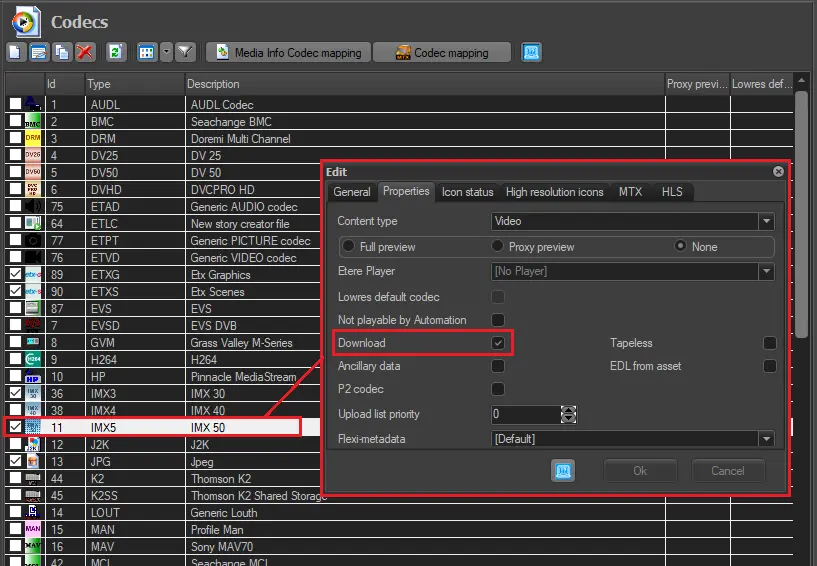
Open the "Etere Configuration > Settings > Device Settings > Codecs" section and activate the new codec (e.g. IMX50) ensure to enable its "Download" option:
ENABLE_THE_NEW_CODEC
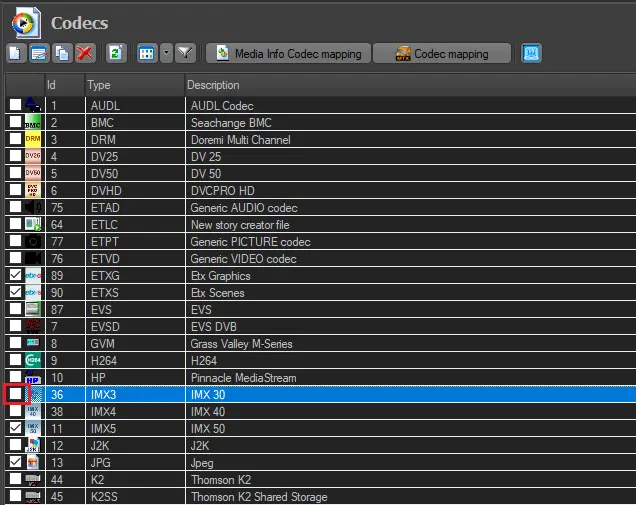
Optionally, the old codec (e.g. IMX30) can be disabled by "unchecking" it from the list, as shown below.
uncheck_old_codec
2. CHANGE THE INGEST CODEC
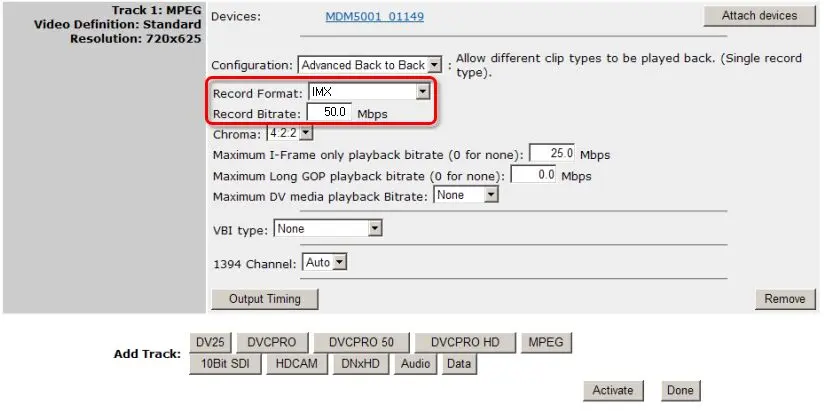
Make sure that the device (e.g. Omneon MediaDeck) used for capturing media has been configured to ingest contents using the new codec (e.g. IMX50), for example:
CHANGE_THE_INGEST_CODEC
Once the record format has been set/verified, it is required to update this change across the related Etere resources by following the next steps:
i. Launch the "Etere Configuration > Resources" module.
ii. Select the encoder of the video server's related resource.
iii. Right-click and select the "properties", set the "codec" to the new codec (e.g. IMX50):
set_the_codec
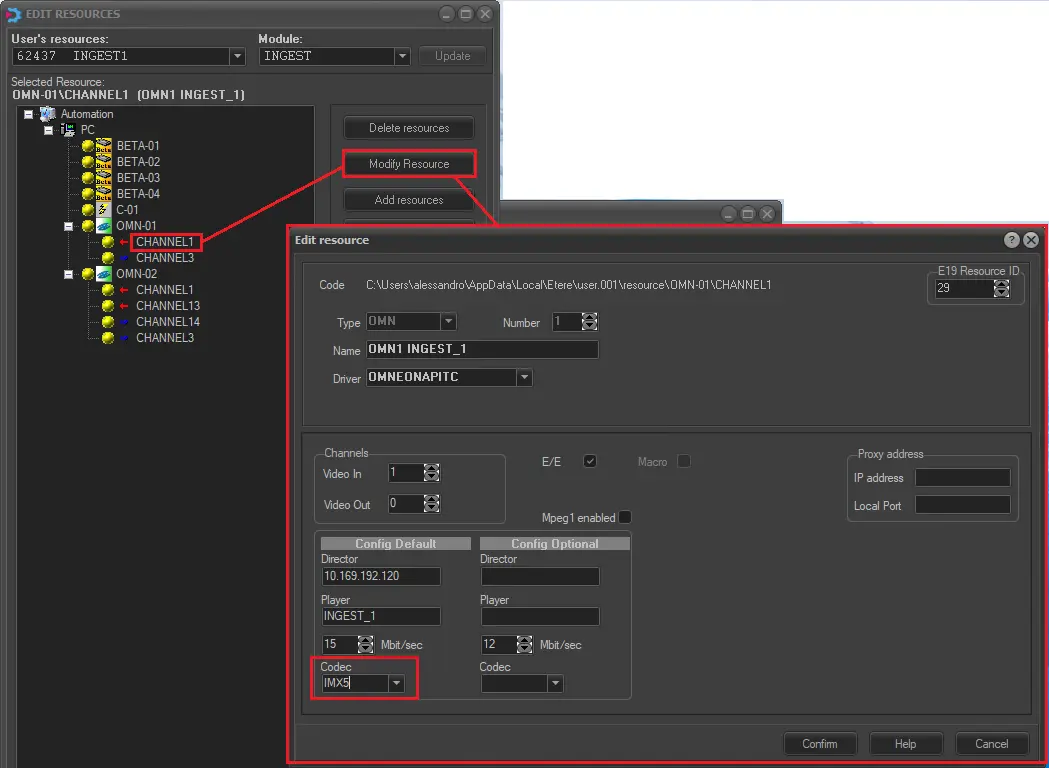
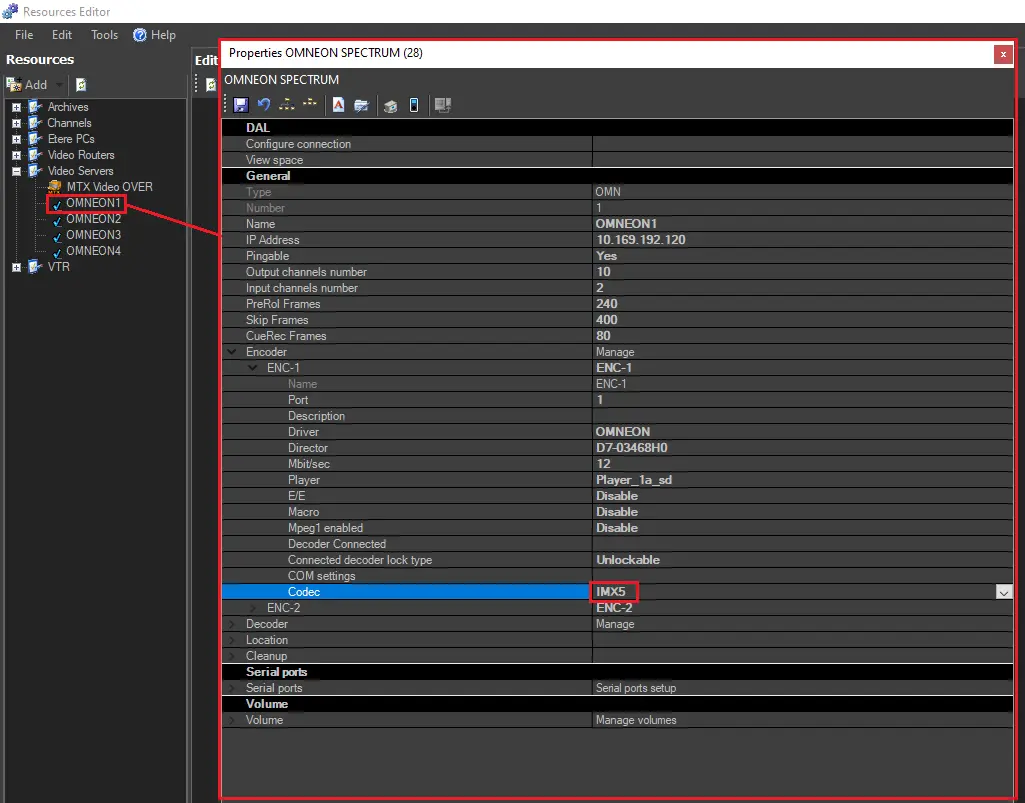
iv. Launch the "Etere Configuration > Resources Editor" module.
v. Select the video server's related resource and open its "properties".
vi. Set the "codec" to the new (e.g. IMX50).
new_codec
3. UPDATE ALL RELATED MEDIA POOLS
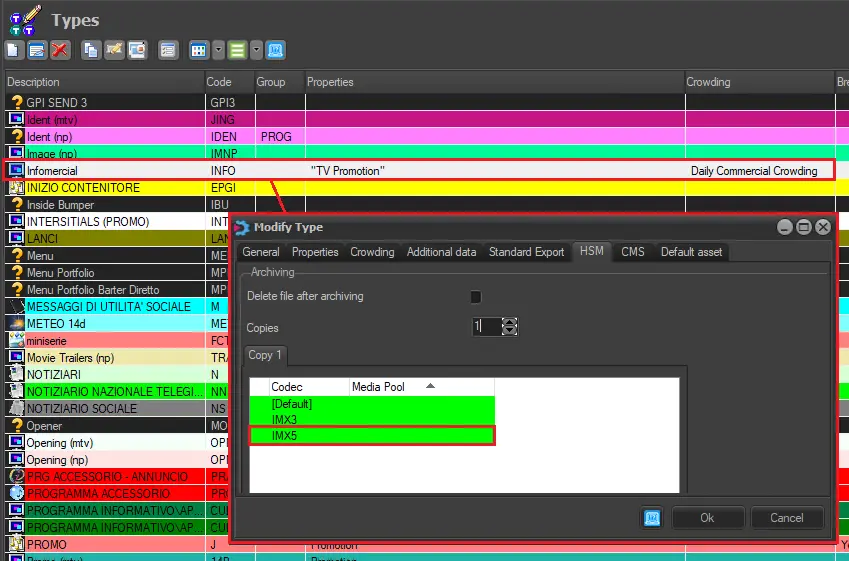
Under the "Etere Configuration > Settings > Types editor > Types > HSM" section, add the new codec (e.g. IMX50) for all the types and link it to an appropriate media pool:
UPDATE_ALL_RELATED_MEDIA_POOLS
4. UPDATE ALL RELATED T-workflows
Now you can modify all T-workflows containing actions specifically related to the old codec (e.g. IMX30). It is important to note that changing T-workflows is a VERY SENSITIVE operation; it is recommended that the modification be performed by experienced staff.
Follow the procedure below to update the T-workflows:
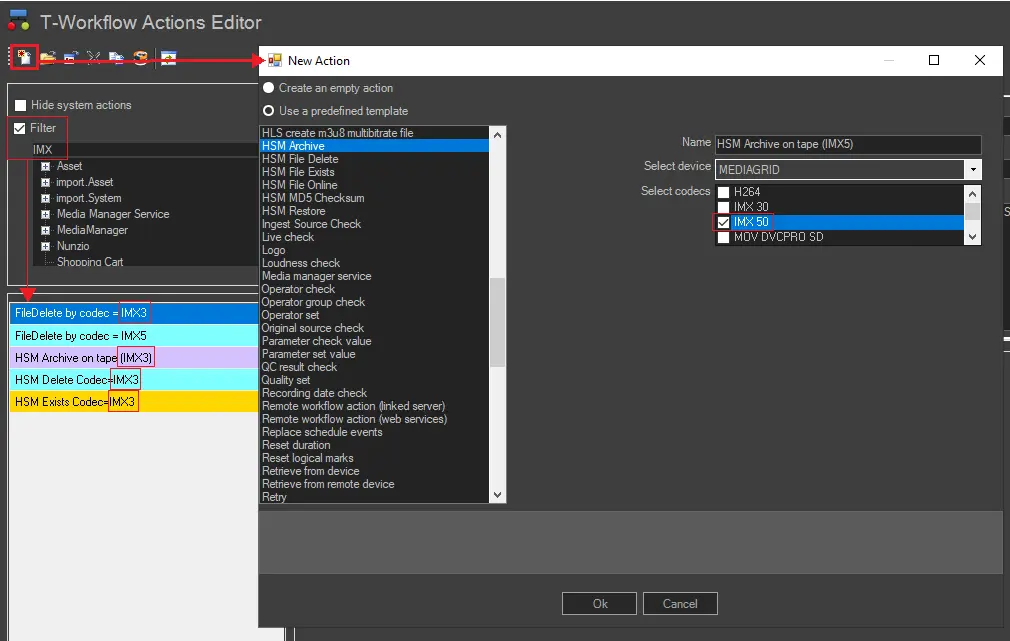
i. Search for all those T-workflow actions related to the old codec (e.g. IMX30) to determine new actions to be created:
UPDATE_ALL_RELATED_T-T-workflowS
ii. Based on "old" T-workflow actions, Create all the required T-workflow actions for the new codec (e.g. "HSM Archive IMX50", "HSM Restore IMX50", "File Exist in HSM Codec=IMX50", etc).
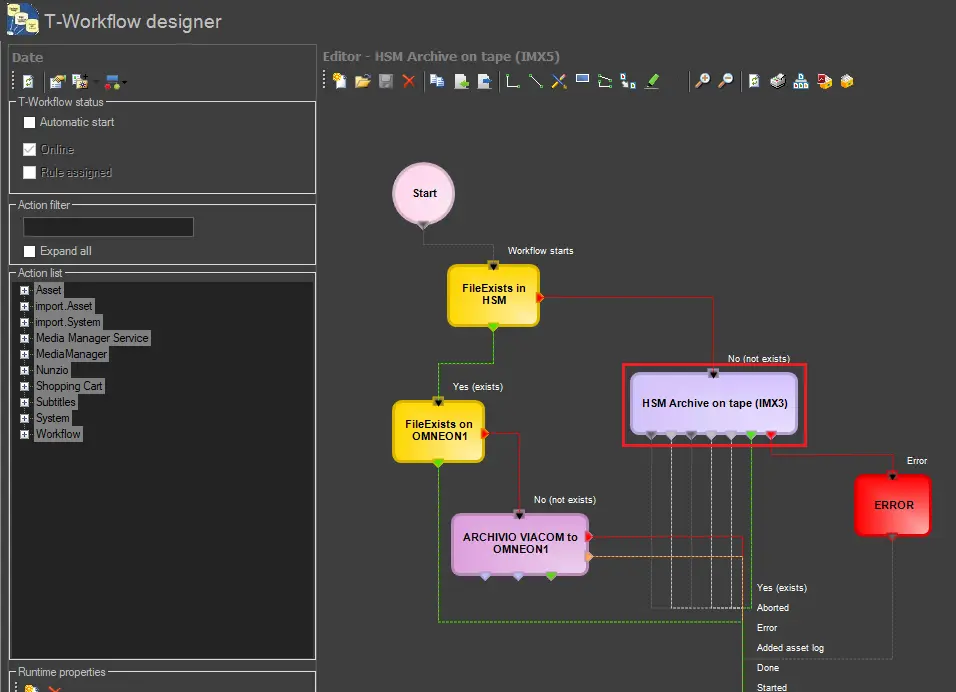
iii. Replaced old T-workflow actions with new T-workflow actions. (e.g. "restore from video server", "partial restore", "create proxy from archive", etc):
partial_restore
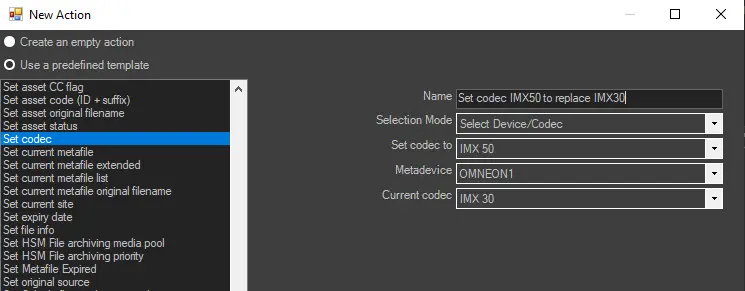
5. UPDATE ALL RELATED ASSETS
Use a "Set codec" T-workflow action to replace the old codec with the new one:
Set_codec_
6. OTHER REQUIRED UPDATES
If the old codec (e.g. IMX30) has been used as a filter, updating the related filters across all modules (e.g. Etere CMS, Etere ActiveSync, etc.) is necessary.
NB: The procedure detailed in this chapter can be applied to almost all standard codecs (e.g. IMX50, XDCAM, DVCPRO, etc.). For information on how to change to other codecs, please contact Etere's customer support service.
 ENABLE_THE_NEW_CODEC
 uncheck_old_codec
 CHANGE_THE_INGEST_CODEC
 set_the_codec
 new_codec
 UPDATE_ALL_RELATED_MEDIA_POOLS
 UPDATE_ALL_RELATED_T-T-workflowS
 partial_restore
 Set_codec_