4.5.2.2 Blocks
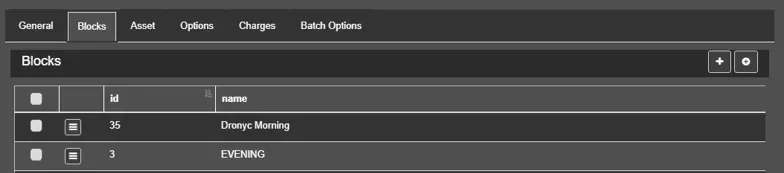
In the Blocks tab, you can assign blocks to the contract line and specify on which ones the linked asset should be scheduled.
Blocks
You can select already present blocks with the checkboxes on the left of the table and use the Select segments option to specify on which segments of the block the asset should be scheduled, or use the Remove option to unlink the blocks from the line.
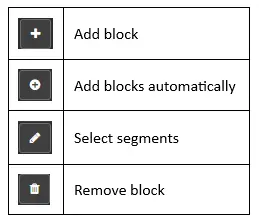
Alternatively, use the buttons provided on the right corner for similar functions.
buttons
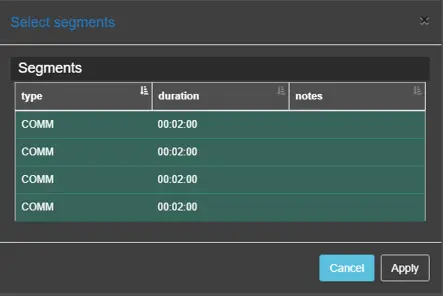
• Add block: Add a new block to the order line, choosing from the available blocks. In order to be added to the contract line, the blocks have to contain segments of the same type specified in the order line and must be scheduled within the line's validity range of days.• Select segments: It displays all segments in the block and allows to choose the ones where the asset will be scheduled.
Select Segments
• Add block automatically: Adds automatically new blocks to the lines, according to the scheduling rules, range of days and times, type and availability.
 Blocks
 buttons
 Select_Segments