201.2.1.11 Restrictions
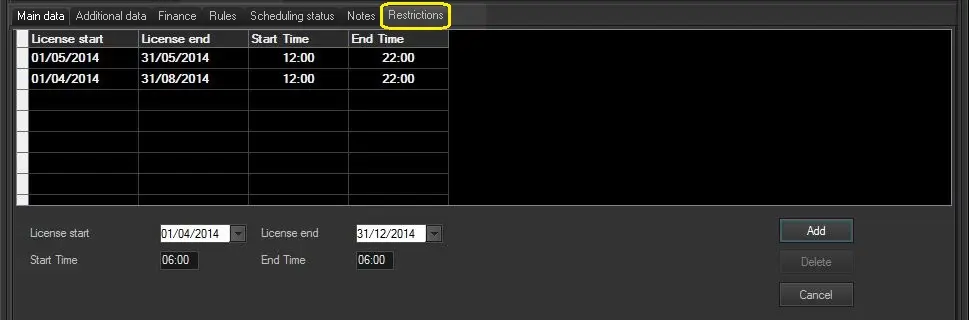
The "Restrictions" tab allows defining one or more date ranges for which purchased content (i.e. single/season program) is licensed for used (e.g. transmitted), and the exact time slot for each period.
Press the [Add] button to define a new restriction including the following data:
Bms_ott_properties_03
Parameter - License start
Description : Date on which the licensed date range starts. This date must be within the line's validity period.
Parameter - License end
Description : Date on which the licensed date range ends. This date must be within the line's validity period.
Parameter - Start time
Description : Time at which the licensed time slot starts.
Parameter - End time
Description : Time at which the licensed time slot ends.
To modify existing restriction, click on the entry and make the changes, click on the [Add] button to update changes. In addition, use the [Cancel] button to undo last changes made to restrictions, and use the [Delete] button to remove obsolete restriction.
 Bms_ott_properties_03