84.4.5.25 STANDARD > IMAGINE > DB
Import Scope
The Imagine DB Import function imports asset forms from a Imagine Database to an Etere Database.
Importing parameters
In the parameters you need to specify:
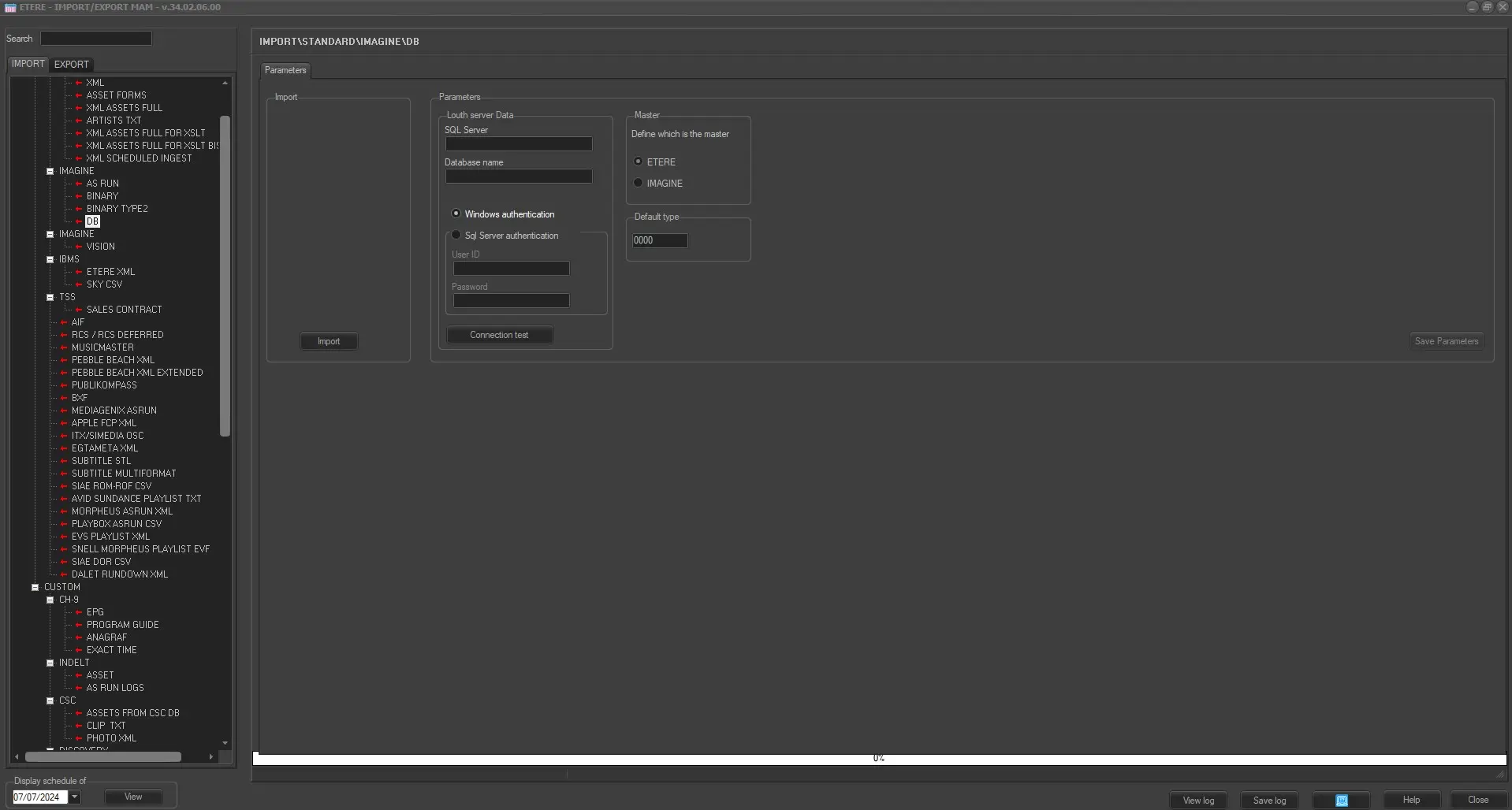
Import_standard_louth_db
Import
It launches the import from the Imagine database according to connection parameters specified below.
Parameters
•SQL Server name and the Database name: Indicate the name of the Imagine database and the SQL Server where the database resides.
•Authentication method: Specify if the connection will be authenticated, either using the Windows credentials or specific SQL username and password.
•Connection test: Use it to verify the connection to the Imagine server after selected the authentication method.
Master
•Define master database: Define the master database to determine which assets are imported:
- ETERE: Only assets NOT presented in Etere are imported.
- Imagine: All assets are imported and any assets that already exist in the Etere database are overwritten.
•Default type: Specify the default type code to be assigned to new assets created by Etere.
Launch the import
Once the import has been configured, it can be started just by pressing the <Import> button, once the import has finished, it will be possible to display the schedule of the related day to verify and/or approve the import operation.
 IMPORT_IMAGINE_DB