Etere Nunzio
12.7 MOS Gateway Monitor
The Activity Monitor MOS Gateway monitor console displays all the incoming and outgoing activities between NCS Server and MOS Devices configured on the MOS Gateway.
Activity monitor MOS Gateway 1
In the Activity Monitor Console, you can understand the activities in one glance:
- The red icon beside the NCS Server indicates the server is switched off;
- The red icon beside the MOS Device indicates there is an unknown connection between the device and the server;
- In the line data, the red icon indicates the connection cannot be established;
- On the top panel, click on the Enable Timer update icon to promptly trigger the auto-update. The icon would change to green when activated;
- To turn off the timely update, click on the green icon to revert the setting or click on the icon to switch to Manual refresh.
MOS Gateway Monitoring
In the MOS Gateway Main tab, you can monitor the MOS device's status in the network.
Activity monitor MOS Gateway 2
The status of prompter devices.
Activity monitor MOS Gateway 3
The status of CG devices.
Activity monitor MOS Gateway 4
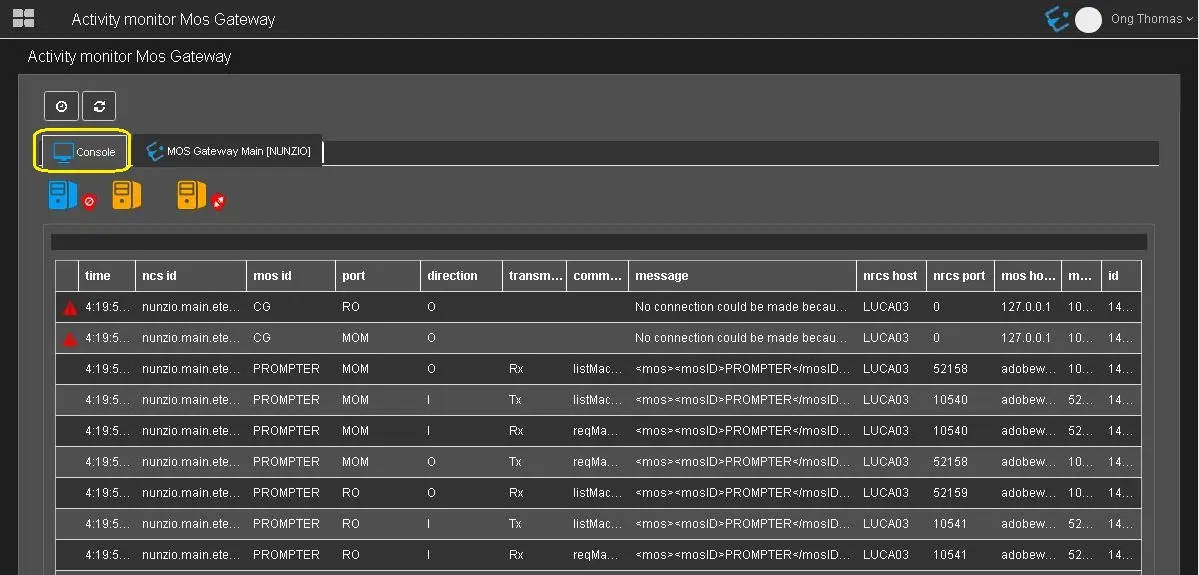 Activity_monitor_MOS_Gateway_1
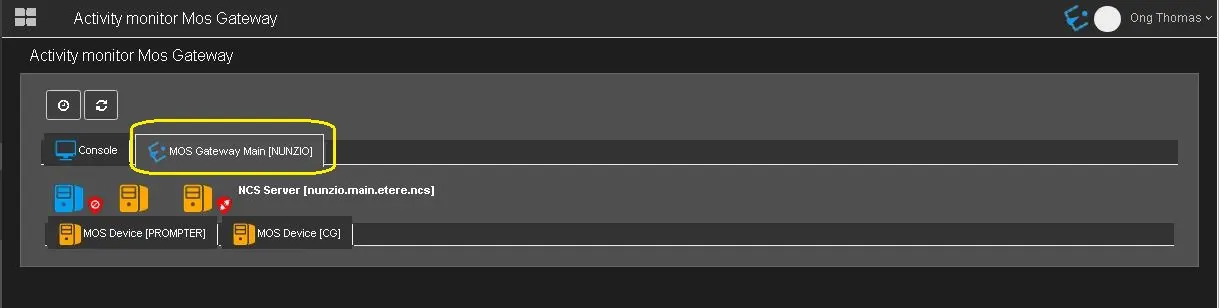 Activity_monitor_MOS_Gateway_2
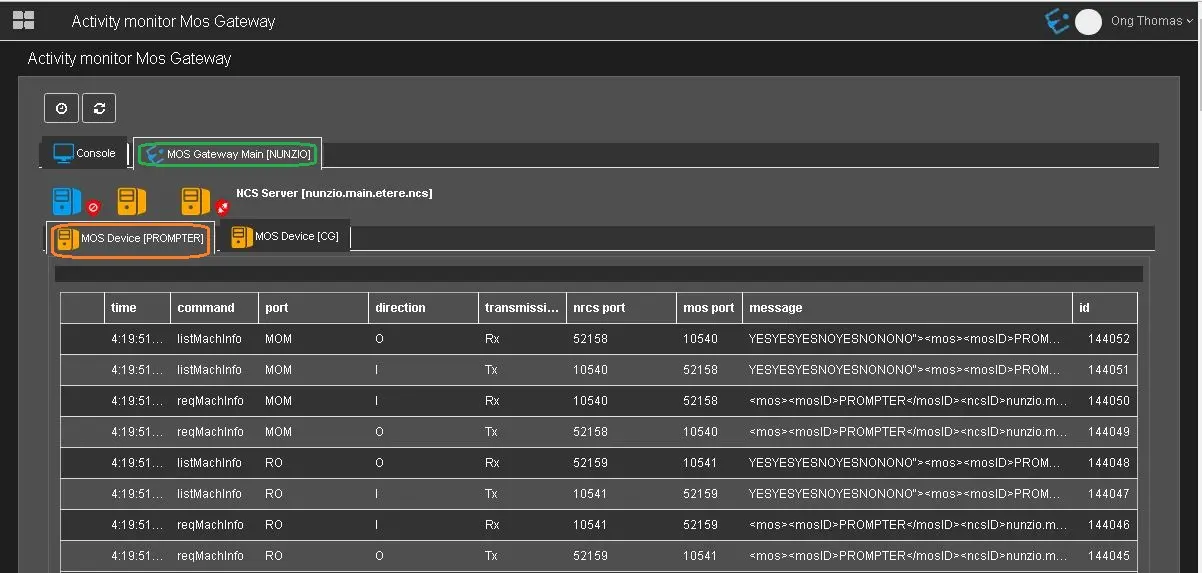 Activity_monitor_MOS_Gateway_3
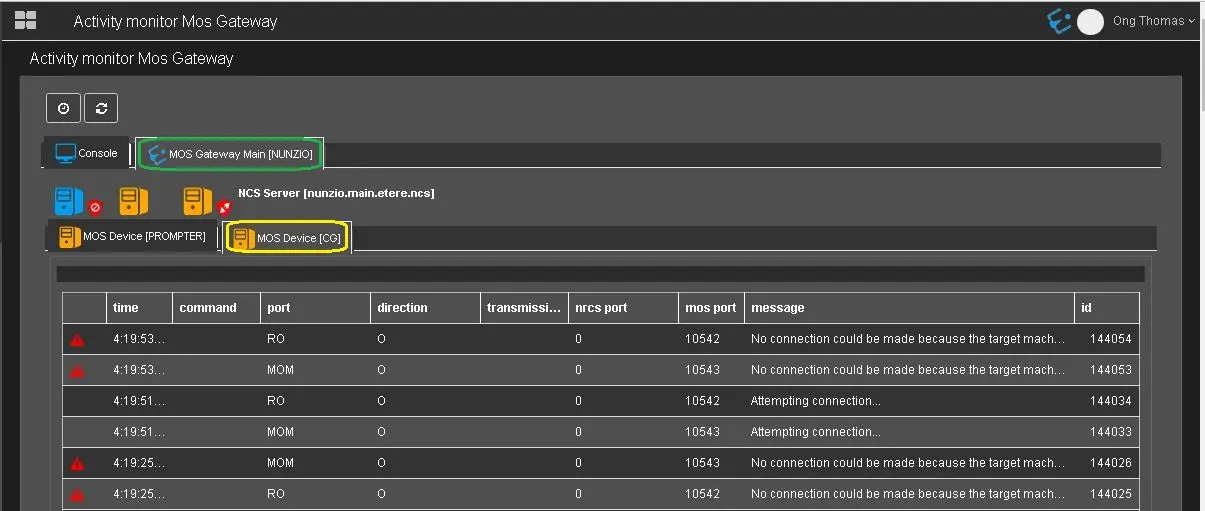 Activity_monitor_MOS_Gateway_4