201.2.2.4 Automate Recalculate Rights
Rights Assignment
The definition of “Rights” referred to the appearances of season of programs scheduled within dedicated period, where Run type (R) and ReRun type (RR) are displayed correctly in “Current right” and “Correct right” columns respectively. E.g. RR scheduled after R is a correct rights, where RR scheduled before R is an incorrect rights.
The screenshot below illustrate the incorrect rights assigned.
Incorrect_rights
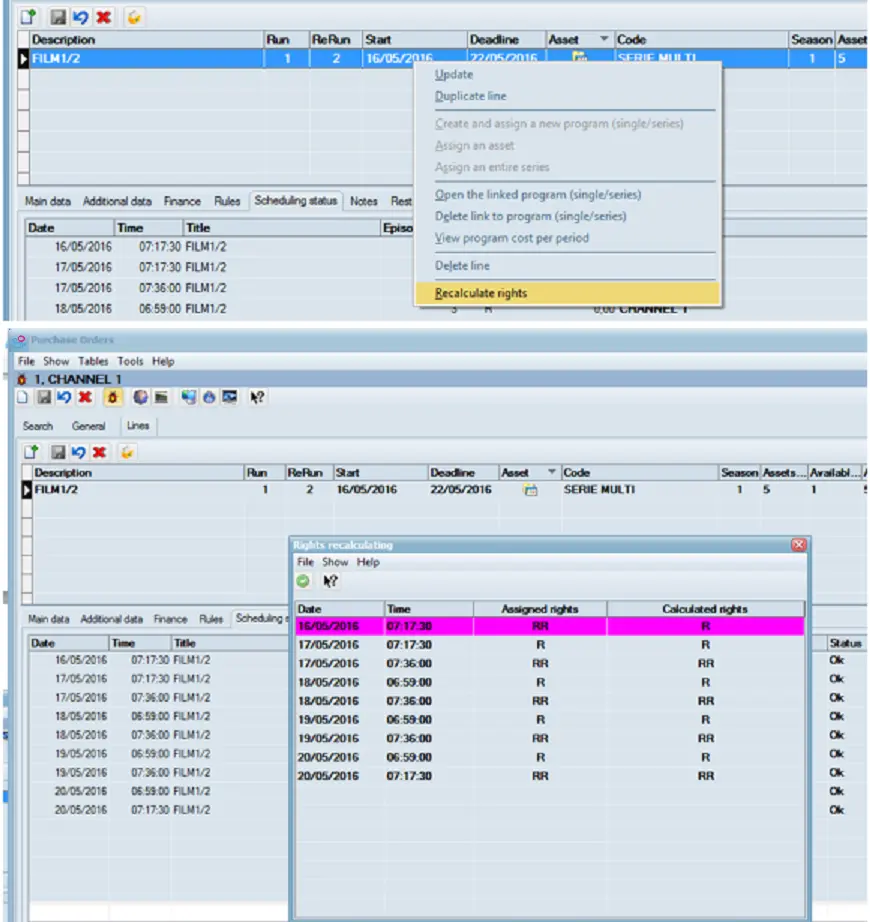
The incorrect rights assignment would be detected when trigger the “recalculate rights” function as shown below, where 'RR' was wrongly scheduled before 'R'.
Recalculate_rights
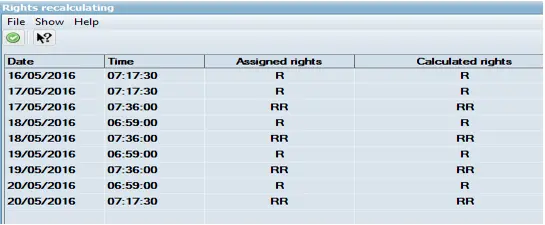
Upon completion of recalculate rights, the run status appeared in “Assigned rights” and “Calculated rights” columns are in-sync. With this feature, it allows processing to continue without a need to reschedule.
Auto_recalculate_result
NB: When preforming recalculate rights after the schedule amendment, the process would take into consideration the cancellation of events and calculate the correct rights for all events.
Automated Recalculate Rights
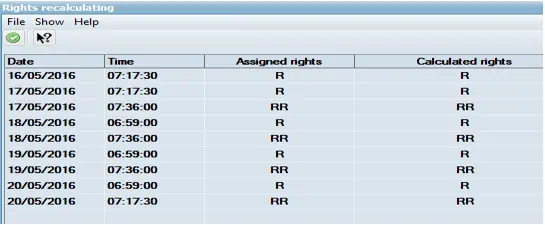
As illustrated, an icon is provided to automate the recalculate rights feature to speed up the operations. The results are similar to manual recalculation of rights.
Auto_recalculate_rights
Auto_recalculate_result_1
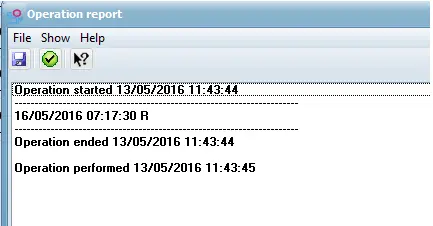
The changes made by the manual / automated recalculate rights are captured in the operation report for audit and security purposes.
Auto_recalculate_report
 Auto_recalculate_report
 Auto_recalculate_result
 Recalculate_rights
 Auto_recalculate_rights
 Auto_recalculate_result_1
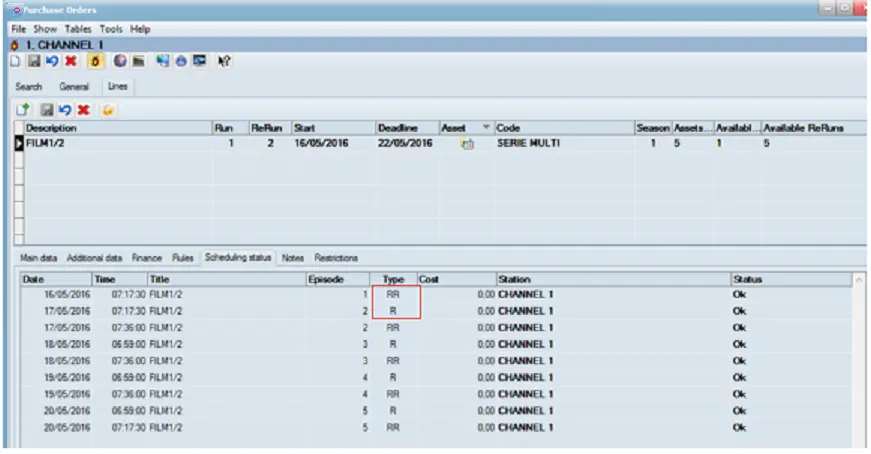 Incorrect_rights