15.10 System Reports
The Reports section allows the generation of reports for tracking system activities.
Reports
ETERE RIGHTS
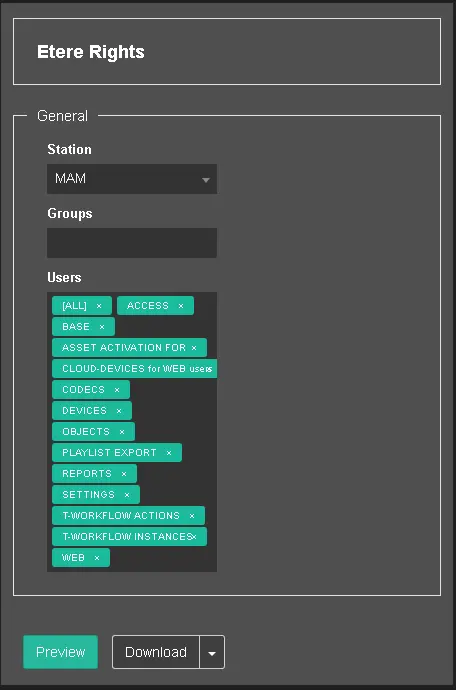
This report generates all user permissions assigned to a specific group of users in the particular station; you can double-click on Etere Rights to view all parameters.
Etere Rights
- Station: Select one of the stations from the list, e.g. MAM, ETX, NUNZIO, etc.;
- Group: Select one named group from the list, e.g. Administrator, Everyone, etc. You can select more than one group to be included in the report;
- Users: This field display all available user rights and settings in the station; you can click the “x” button in each location to exclude the setting in the report;
Upon fulfilling the parameters, click <Preview> to glance at the report or click <Download> to generate the report in one of the available formats, e.g., PDF, Excel, CSV, Word, XML, or MHTML format.
LOG OF ACCESS
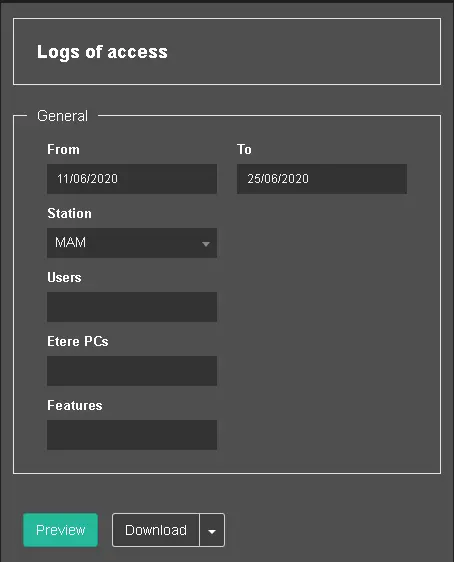
This report extracts user access information from a specific Etere station within a specific period.
Logs of Access
- From – To: Specify the start date and end date to extract the log information;
- Station: Select one of the stations from the list, e.g. MAM, ETX, NUNZIO, etc.;
- Users: Select the user(s) who access to the station. More than one user can be selected;
- Etere PCs: Select the name of Etere PC(s) to extract the log information. More than one Etere PC can be selected;
- Features: Select the Etere feature(s) to be included in the report. More than one feature can be selected.
Upon fulfilling the parameters, click <Preview> to glance at the report or click <Download> to generate the report in one of the available formats, e.g., PDF, Excel, CSV, Word, XML, or MHTML format.
SERVICE ACCESS COUNT
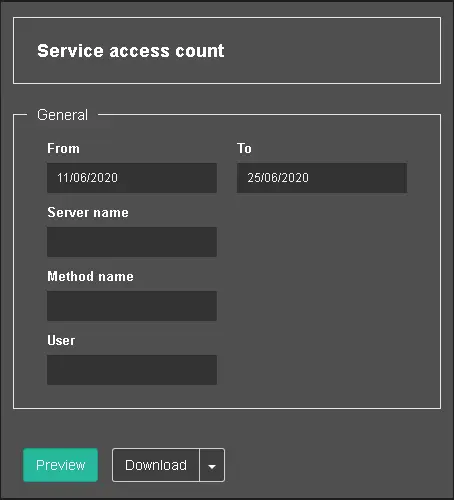
This report calculates the number of access to the service in the server.
Service Access Count
- From – To: Set the start date and end date to extract the access count;
- Server Name: Enter the name of the server;
- Method Name: Specify the method to extract the count;
- User: Specify a user name;
Upon fulfilling the parameters, click <Preview> to glance at the report or click <Download> to generate the report in one of the available formats, e.g. PDF, Excel, CSV, Word, XML, or MHTML format.
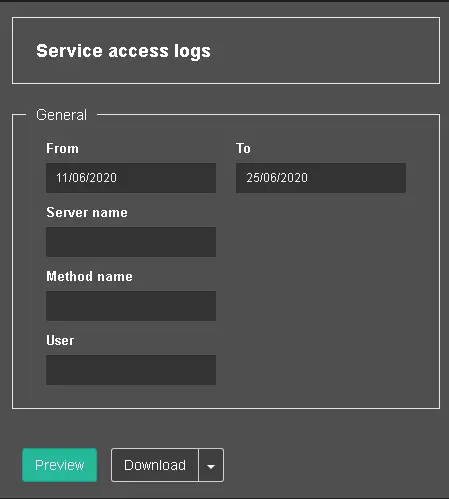
SERVICE ACCESS LOGS
This report extract log data about user access to the service on the server.
Service Access Logs
- From – To: Set the start date and end date to extract the access log;
- Server Name: Enter the name of the server;
- Method Name: Specify the method to extract the count;
- User: Specify a user name.
Upon fulfilling the parameters, click <Preview> to glance at the report or click <Download> to generate the report in one of the available formats, e.g. PDF, Excel, CSV, Word, XML, or MHTML format.
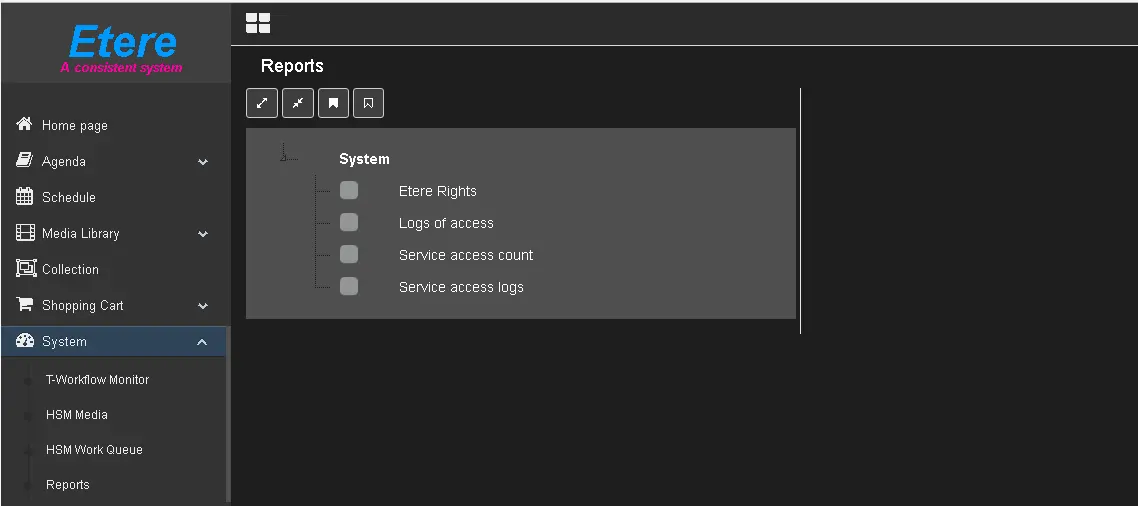 Reports
 Etere_Rights
 Logs_of_Access
 Service_Access_Count
 Service_Access_Logs