59.3.15.1 Google Speech Recognition
The Google Speech Recognition is deployed into Subtitles Management in MAM; it allows you to perform auto-translation when managing closed captions. This feature requires Etere license EA6763 to be activated. Moreover, you are required to maintain an active Google account with valid payment options to use the speech recognition feature.
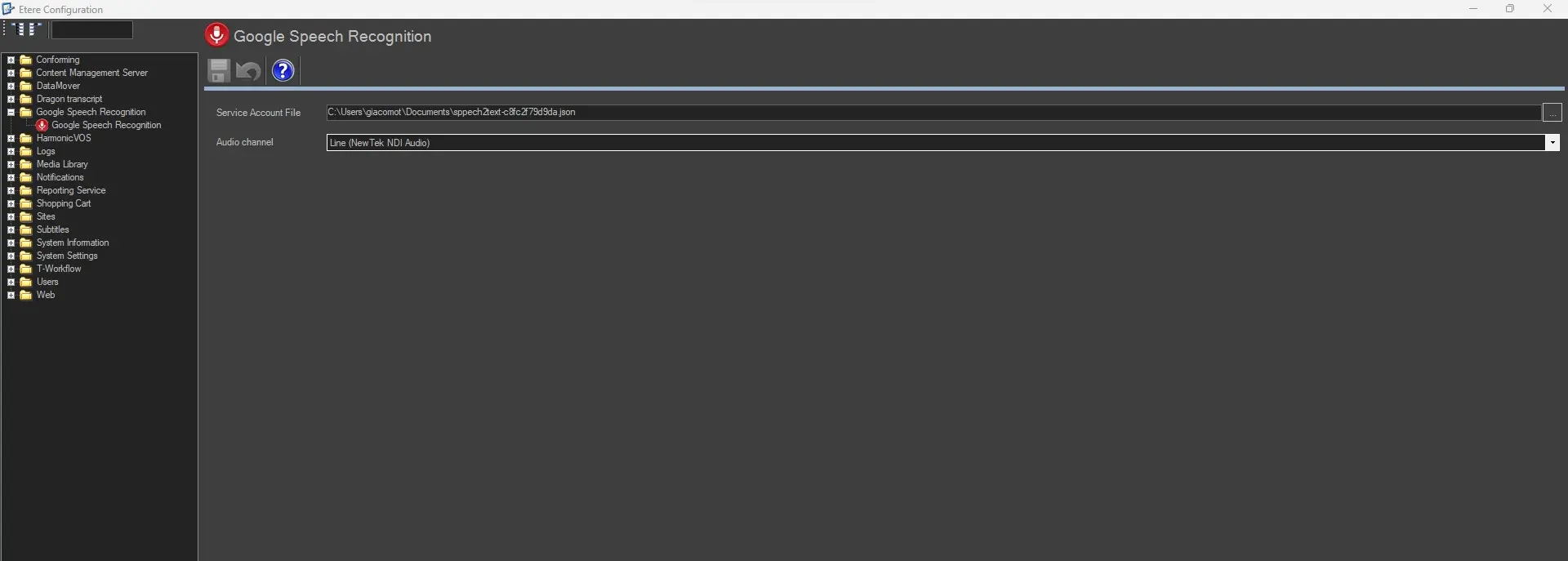
google_speech_settings
The given feature can be accessed in:
Etere Configuration > Configuration Editor > Google Speech Recognition
Configure the parameters settings to use this feature in Subtitles Management:
- Service Account File: Enter the file name of the "Google Service Account" file; the file extension must be ".json”. The service account file must be accessible from all workstations requiring the Google Speech Recognition feature.
- Audio Channel: Select the audio input for the audio channel, including BMD (Blackmagic Design) card audio.
WARNING: Google Speech Recognition works only if the workstation is connected to the internet. Moreover, component "lib_audio64" (which contains NAudio.dll) must be installed during the installation of the Etere Configuration module.
 google_speech_settings