59.3.9.59 Logo
Action Description
The Logo template allows the creation of an action that will permit the creation of an asset form, the logo(s) to be displayed during its on-air transmission.
Action Parameters
The fields to be compiled when creating the action are detailed below:
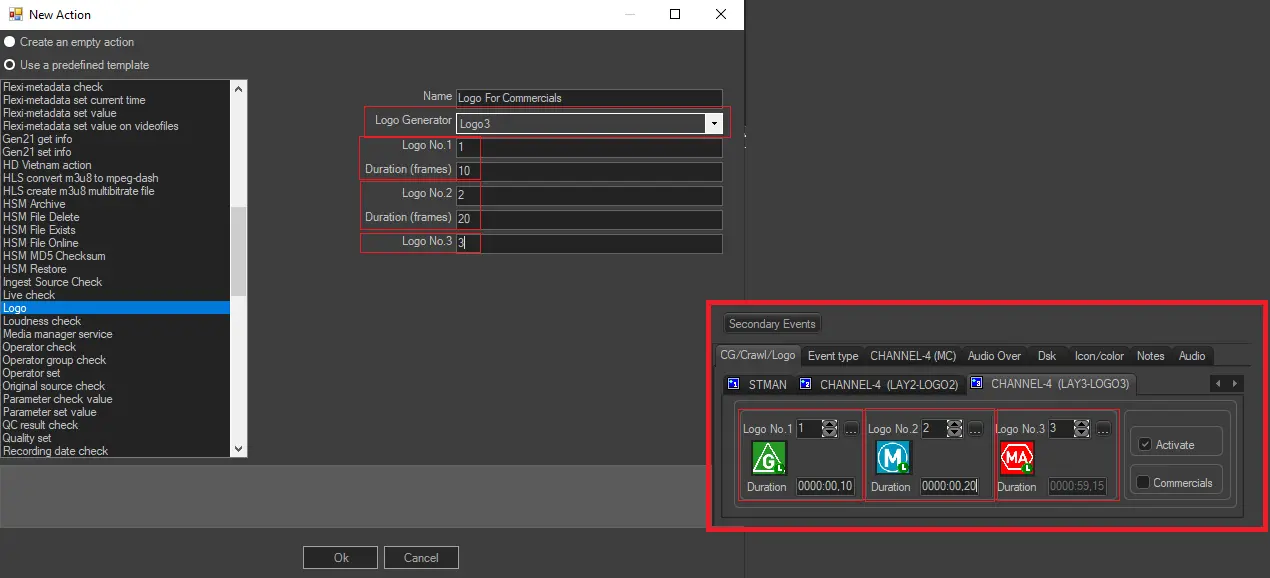
•Name: Enter a title for the action (e.g. 'set logo1'),
•Logo Generator: Indicate the Logo Generator (i.e. the layer of a logo-insertion device) to be set. Only the first four logo generators (1,2,3 or 4) are supported by this action; therefore, if the station uses other logo generators (i.e. 5-12) for the asset in question, the action will return a negative output.
•Logo 1: Specify the logo to be assigned as the starting logo and its duration (in frames).
•Logo 2: Specify the logo to be assigned as the middle logo and its duration (in frames).
•Logo 3: Specify the logo to be assigned as the ending logo (its duration will be automatically calculated as the remaining time).
How to use it
Create a "Logo" action taking into account the logo generators currently enabled for the station:
Logo_action_included_into_a_T-workflow
Once created, the "Logo" action can be included in a T-workflow to be subsequently attached to the asset for which the logos will be set, for example, depending on their audio track format:
3737_Logo
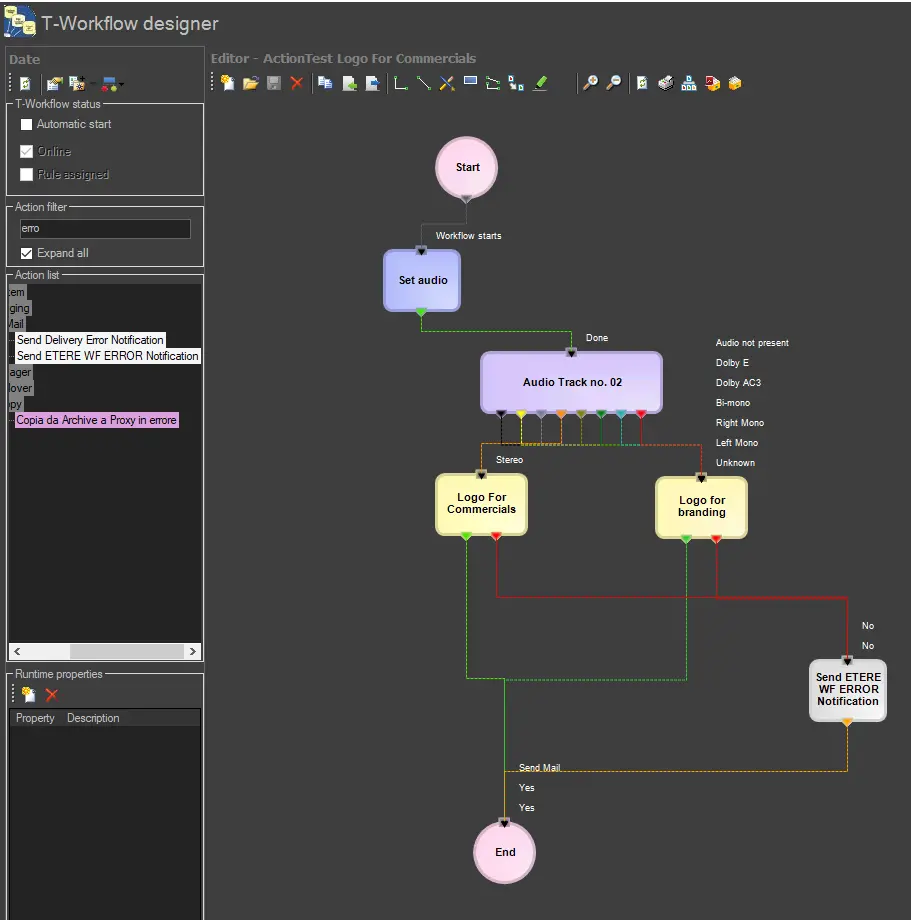 Logo_action_included_into_a_T-workflow
 3737_Logo