65.1.2.11 How to configure a DSK
In Etere ETX, it is possible to configure DSK.
DSK stand for Down Stream Keyer and in a Broadcasting Production Center, they exist as external stand-alone downstream keyers for inserting titles/subtitles and GFX.
In the Etere Ecosystem DSK can accept either SDI or NDI inputs, and it is possible to assign/use up to three DSKs simultaneously.
etere_dsk_configuration
The configuration of a DSK is basically the same as the channel's live input, as explained in chapter 65.1.2.7 Master Control channel. The difference is that, instead of a video signal, the signal with the subtitles/GFX must be set.
Please note that whenever the DSK configuration is made on the ETX channel, depending on how many of them have been configured, they will be shown in the Etere Master Control Panel as a button that any operator can manually trigger.
etere_mcp_dsk
Etere Automation can control the DSK.
Using_dsk
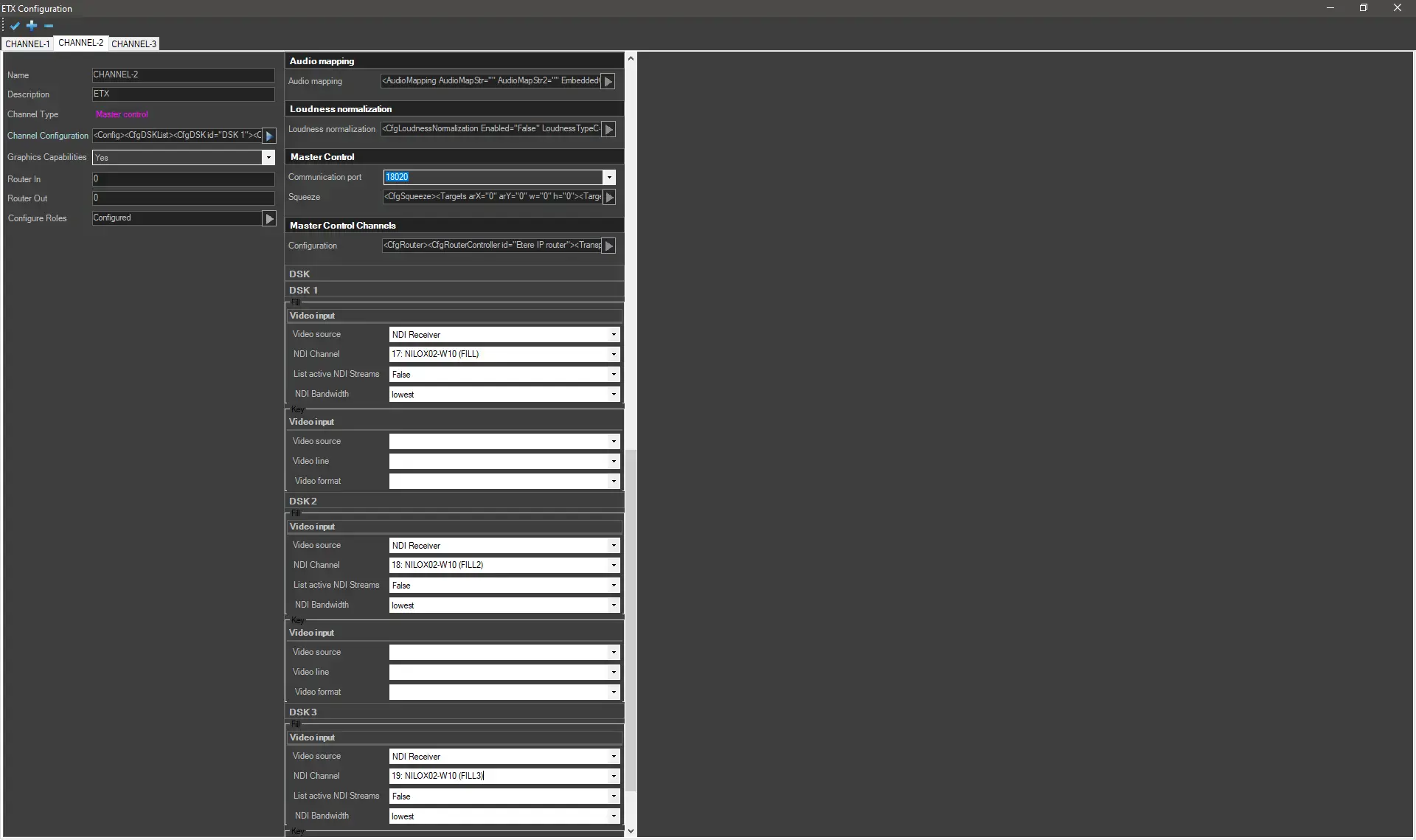 etere_dsk_configuration
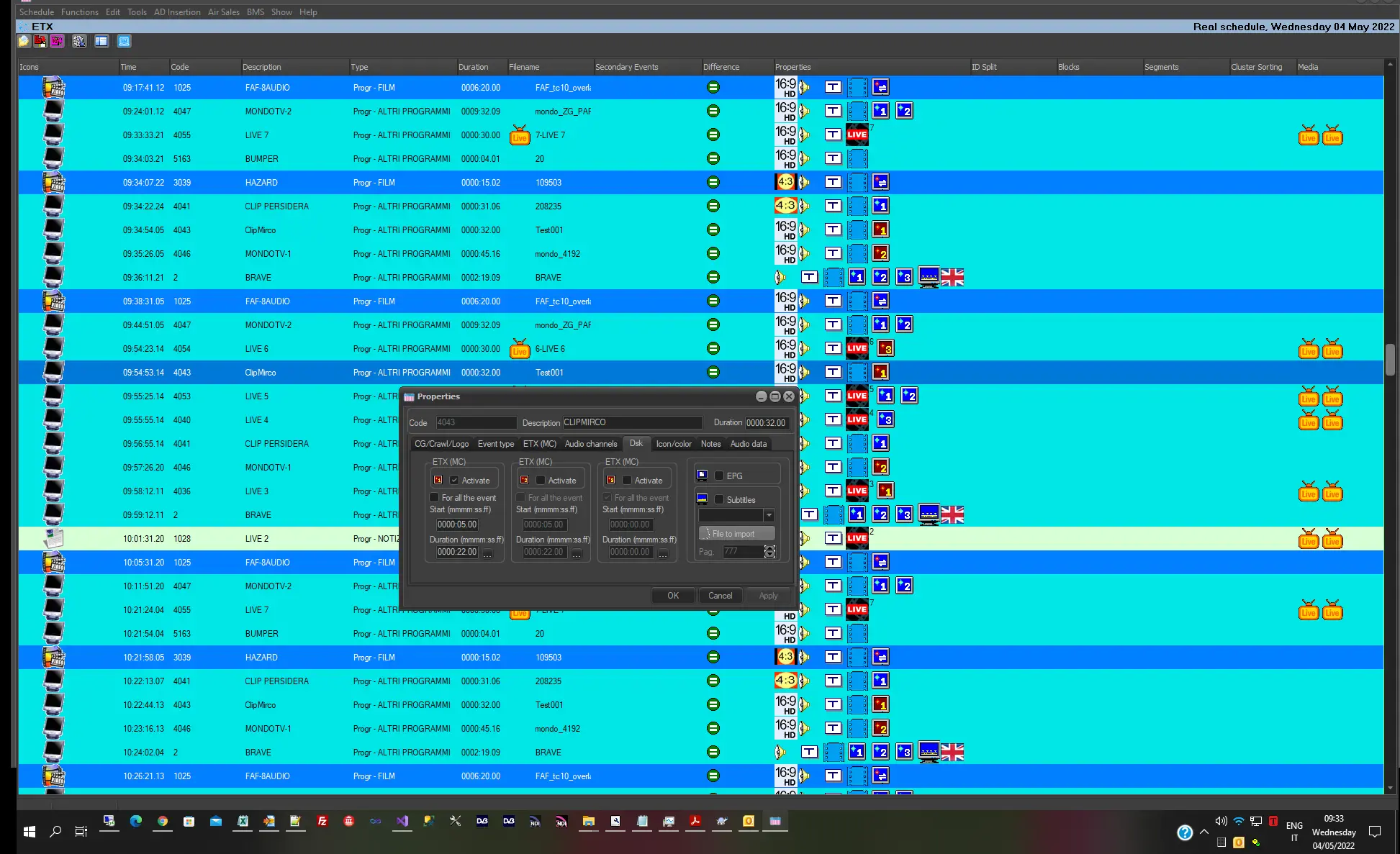 Using_dsk
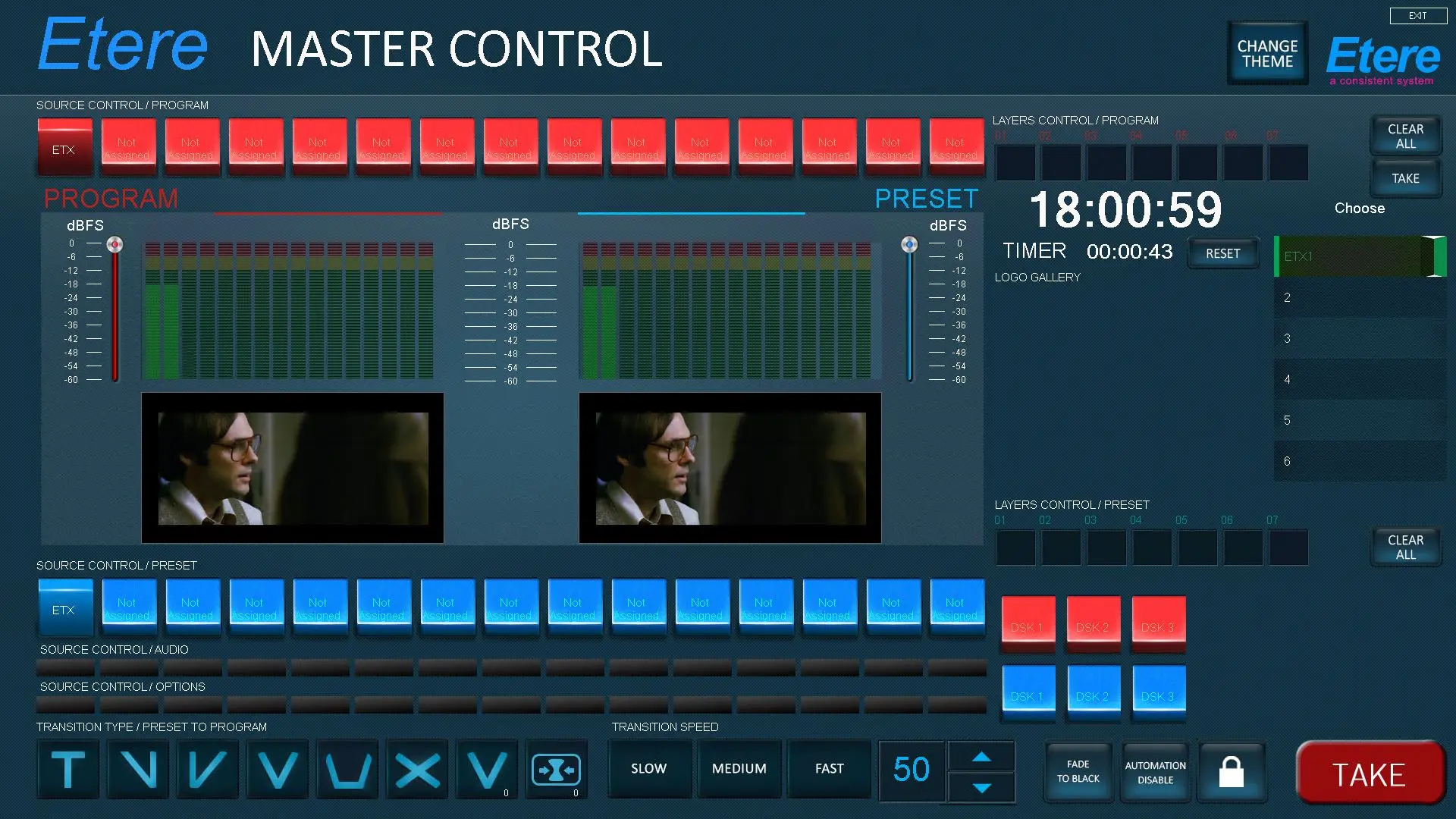 etere_mcp_dsk