72.2.1.19 Export and Import Configuration File
When a search criteria has been configured, you can export the search configuration to a physical file and import the configuration file in other workstation to achieve the same search criteria.
To export search configuration file, right-click on any Search type (e.g. Standard, Full-text, etc) and select Export Configuration.
Export Configuration
From File explorer, select an appropriate path to store the configuration file and click <Save> button to complete the exporting.
At the destination workstation, launch Media Library and open the Search function. In Search tab, right-click on any search type and select Import Configuration.
Import Configuration
From File explorer, select the directory path where the search configuration file was copied to, and click <Open> to start import the saved configuration file into Media Library.
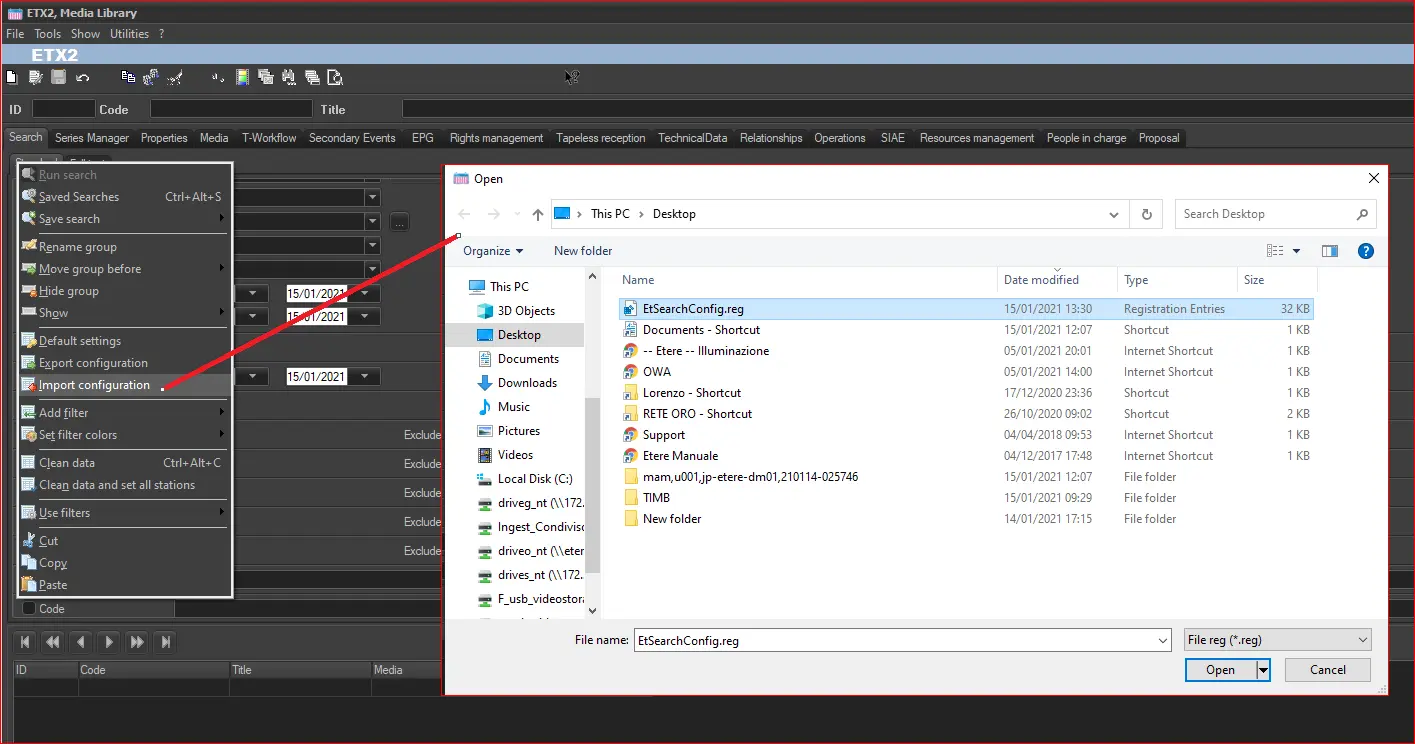 Import_Configuration
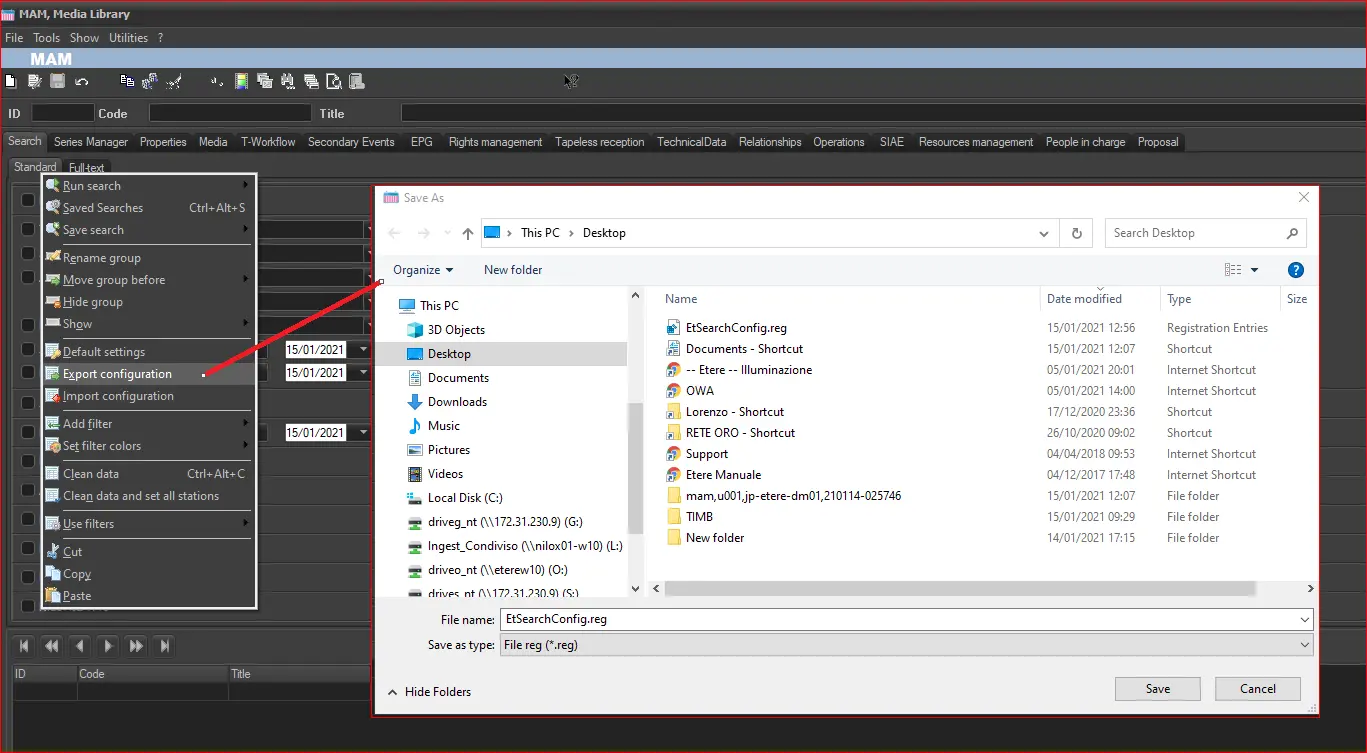 Export_Configuration