79.4.8.15 Stories Template
In Nunzio Stories, is possible to start creating and managing stories by relying on Templates.
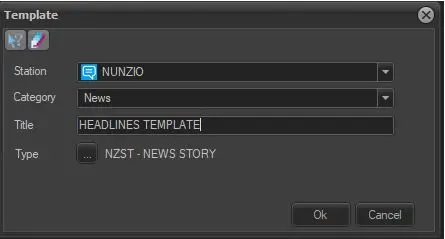
In main menu, select Edit > New Story Template to create a new template.
4796_Template
- Station: Select a station where the template would be created.
- Category: Assign a category to the story, e.g. Sport.
- Title: Assign a title to the story.
- Type: Click the browse button and select a defined type from the list.
Click <OK> to create the template.
Once the template is created, you can start adding content to it.
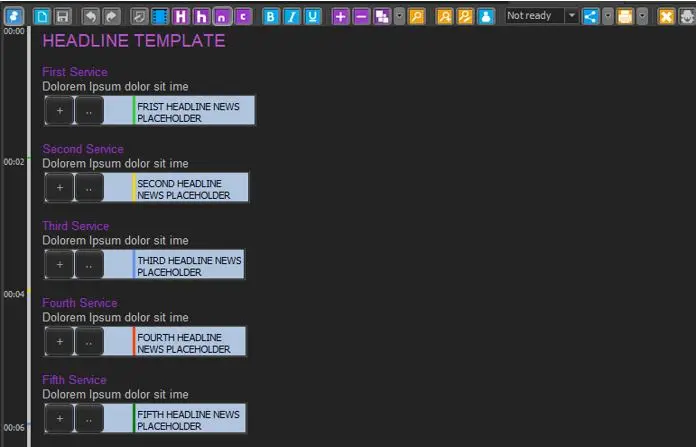
An optimal procedure would be start creating a template for each category, such as Headline News, Intro, First part…, etc
Within the Template Body is it possible to start adding text such as Heading, Subheading, and Comments to the template. It is also possible to add PLACEHOLDERS for video similar to adding PLACEHOLDER for stories exist in Nunzio.
Based on above, it is possible to have a framework to start a new story, depending on the Story category / format.
4797_Headline_Template
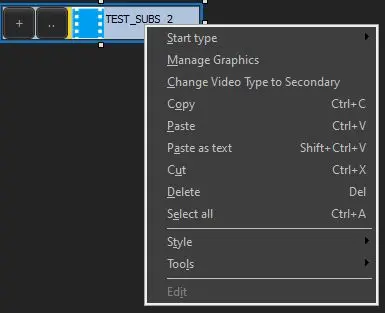
Here you'll have also plenty of options by right-click on the stories:
7849_story_contex_menu.JPG
The most important to mention is Manage Graphics, which will open a Graphic Editor:
7850_nunzio_graphic_editor.jpg
Here you can mange each segment and add custom graphics to them.
To add a graphic along a certain segment, position the video on the desired time code point, then press the Add button, then use the SOM and EOM buttons in the list to set in and out point.
Finally press the Graphic button in the list to choose a graphic and eventually edit its parameters.
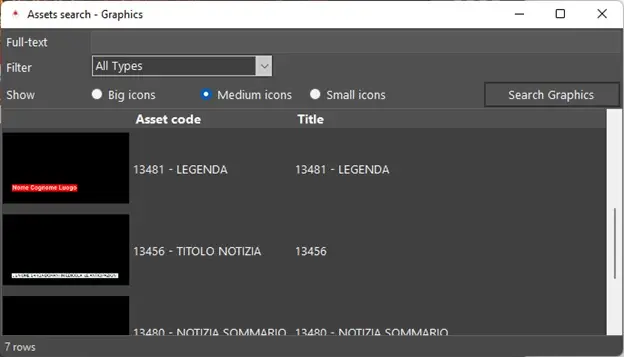
Form to search and select a graphic:
7851_graphic_search.jpg
Search the desired graphic by full-text, then double click to select it.
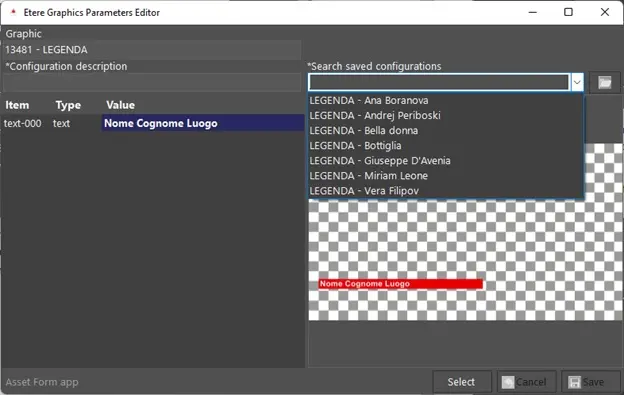
Form to edit or search for a configured set of graphic’s parameter:
7852_graphic_parameters_editor.jpg
If there are already some configuration saved for the selected graphic, you can just load one of those using the Search saved configurations combo-box, note that you can type into combo-box to filter the list.
Once selected a configuration, press the Load button nearby.
Otherwise you can directly create a new configuration by editing the graphic’s fields in the grid on the left, give a description and save it pressing the Save button on the bottom.
 Template
 Headline_Template
 story_contex_menu
 graphic_search
 graphic_parameters_editor