208.5.2 EVS Integration Tools
EVS Integration tools are extension services that enable Etere DataMover to communicate with EVS IP Director systems to exchange assets and keep the media library aligned with EVS systems. EVS Integration tools seamlessly integrate EVS IP Director (controlling system for networked XT2 servers) with the Etere T-workflow, allowing the creation of assets in ETERE for media ingested in EVS servers.
EVS Gateway
EVS Integration tools consist of a local web service which allows Etere systems to communicate with the IP Director's web service to receive notifications every time a clip is transferred or deleted on an EVS IP Director. The main characteristics of this solution are:
➢Descriptive metadata is read from EVS and stored in the Etere media library.
➢HD content stored in EVS XT2 servers can be managed via Etere T-workflow.
➢Retrieved operators can control information at any time.
➢Operations are fully automated and transparent to users.
➢Notifications can be filtered to process only transferred or ingested media.
The functioning of the EVS Integration tools application is performed following the steps described below:
1. When EVS Integration Tools is launched and started, it automatically subscribes to the IP Director web service.
2. EVS IP Director sends a notification to Etere every time a file is transferred (from an XT2 server to a Nearline storage) or deleted (from an XT2 server).
3. EVS Integration Tools would perform a series of actions (to align the system with the XT2 servers) depending on whether the file has been transferred or deleted:
Transferred - A new asset is created* within the Media Librar,y linking it to the HD file stored in the EVS XT2 server; the names of files describe the media content and are inserted with a maximum length of 30 characters. A T-workflow is automatically launched for the asset to transfer and transcode the file.
* The asset code is generated based on Configuration > Settings > Basic > Media Library rules.
Deleted - The deleted file is removed from the Etere Media Library, and a T-workflow is launched.
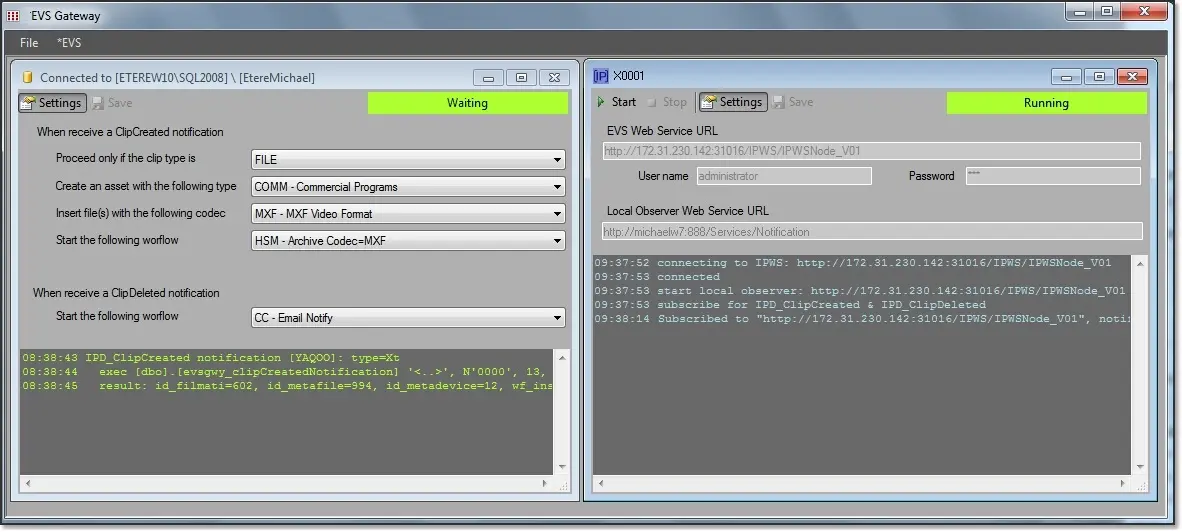 EVS_Gatewey