201.15.6 Configuration Settings
Before start scheduling music assets, it is required to configure the main settings used to classify assets according to their music properties. Most important settings includes the following ones:
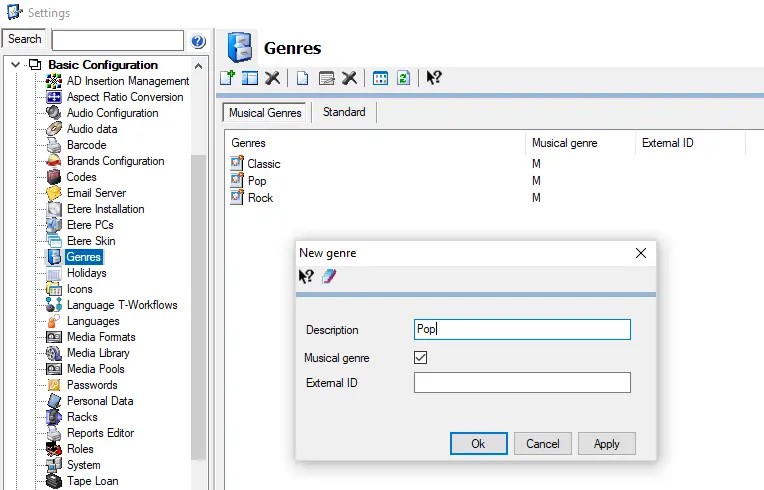
Genre (Etere Configuration > Settings > Basic Configuration > Genres)
Create or modify the custom genre categories and subcategories to be used within music formats. For instance, define a Genre category called 'Music Type' and create it subcategories such as Rock, Pop, etc).
Musicformat_genres_new
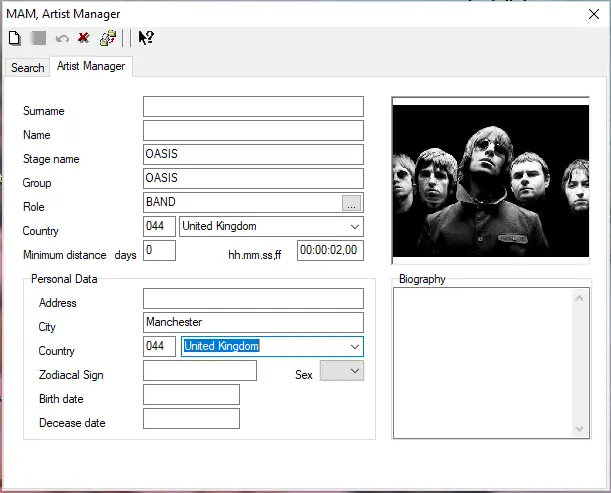
Artist (Etere Configuration > Artist Manager)
Relevant data regarding artists (e.g. name, country, stage name, group, role , etc) can be stored into the database and can be retrieved when necessary.
An important field in the music scheduling process is 'Minimum distance', user can define the minimum time-between-play-outs of same artist songs (e.g. 'days: "0" and 'hh.mm.ss,ff : "00:00:02,00" means the minimum time between the onset of two songs of this artist is (0 days and) 2 minutes).
Musicformat_artists_new
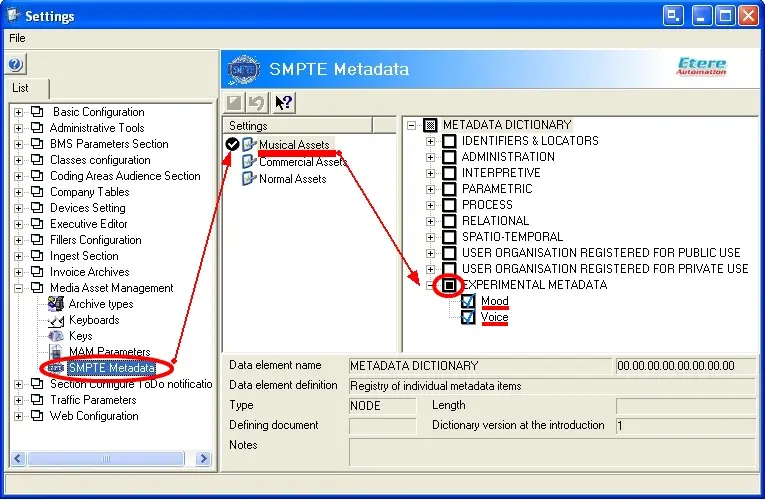
SMPTE (Etere Configuration > Settings > MAM > SMPTE Metadata)
Useful Metadata (e.g. technical comments, descriptive names, intellectual rights, etc) can be activated, defined and subsequently inserted through the SMPTE option in the Media Library module. It is also important to note that custom Metadata can be created in the leaf 'Experimental METADATA', in the example below the new properties 'Mood' (which can be either happy, sad, angry or love) and 'Voice' (which can be either man, woman or instrumental) have been created for being used by all the musical assets.
Musical Rotation (Etere Configuration > Settings > Basic > Audio Data)
Musicformat_smpte
Set the method (and its parameters) for selecting the music track to be scheduled among a set of assets matching a certain music format. When scheduling music tracks, Etere assigns priorities to the set of assets available for scheduling (i.e. those matching a certain music format) to prevent artists/tracks repetitions.
 Musicformat_smpte
 Musicformat_genres_new
 Musicformat_artists_new