71.16.2.13 Quality Check
Select the Video Server(s) where the Quality Check will be performed.
Quality Check
•Video server Resource to be used (main): Select the main server resource to perform the Quality Check on video files.
•Video server Resource to be used (backup): Select the backup server resource to perform the Quality Check on video files.
•Proxy: Enable the “Check” option to use the preview function in Media Library if the video server resource is not available.
•Update Schedules: Select one of the following option to update the asset in schedule upon Quality Check.
❑Only those saved: Update the saved video file to schedule.
❑Also those published: Enable this option to also update those video file already published into schedule.
NB: It is recommended to standardize the settings in all Ingest workstations performing the Quality Control task, this would ensure that assets are updated when Quality Control is performed on any ingest workstation.
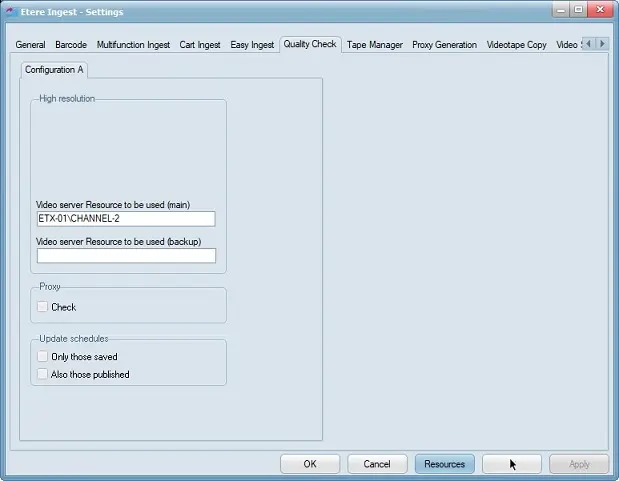 Quality_Check