59.5.4.104 Total Revenues
Report Description
The Total Revenues report allows you to print off details of the total earnings by End User, Customer, Agency or Media Centre between a user-defined period.
The report program extracts the master orders, including the child orders that are linked to the master orders. In the report view (see below), the master order is appended to its child order, indicated by its master order number within the square bracket [ ].
Total Revenues for the end user
Report Filters
All the parameters that permit a detailed report generation have been spread across seven different tabs to allow a more manageable configuration. By default, all filters are disabled (i.e., either blank or unselected); to enable them, it is enough to configure at least one parameter inside. Available filters include:
•Based on: By default, the report is generated for all companies; however, here, it's possible to indicate if the information will be generated based on a specific end user, Customer, Agency or Media centre. Independently of which entity is selected, it will be possible to set it in the checkbox below (named in the same way as the criteria chosen),
•Payments: Narrows the data retrieval to only those revenues performed using a specific payment,
•Asset types: Specifies the only kind of assets that will be taken into account in the report,
•Date range (from-to): Indicate the period from which invoicing data will be retrieved,
•Stations: Select the station(s) to which the report is related, that is, the station from which invoicing data will be retrieved,
•Report type: Indicate the kind of report you intend to generate; available types are:
- Global report by order/subject: A table containing all the revenues derived from all the orders invoiced within the selected date range,
- Monthly global report by one or more stations: A table containing the monthly revenues derived from each selected station during a specified date range,
- Daily global report by each station: A table containing the revenues from each day of the selected time range.
•Program Block: Narrows down the data from the selected program block. The "all" selection selects all program blocks from which the related invoicing data will be retrieved.
Report Preview
The [Settings] permits configuring the page layout of the outgoing document; once filters and settings have been set, it will be possible to select between displaying a preview using the related [Preview] button or printing the document directly using the [Report] button. Please note that some reports permit the export of the generated document in the most common formats (pdf, CSV, doc, xls, XML, etc) just by using the [Export] button.
- Global report by order/subject:
Total_Revenues_preview
- Monthly global report by one or more stations:
Monthly_global_report_by_one_more_station_preview
A daily global report by each station:
daily_global_report_by_each_station_preview
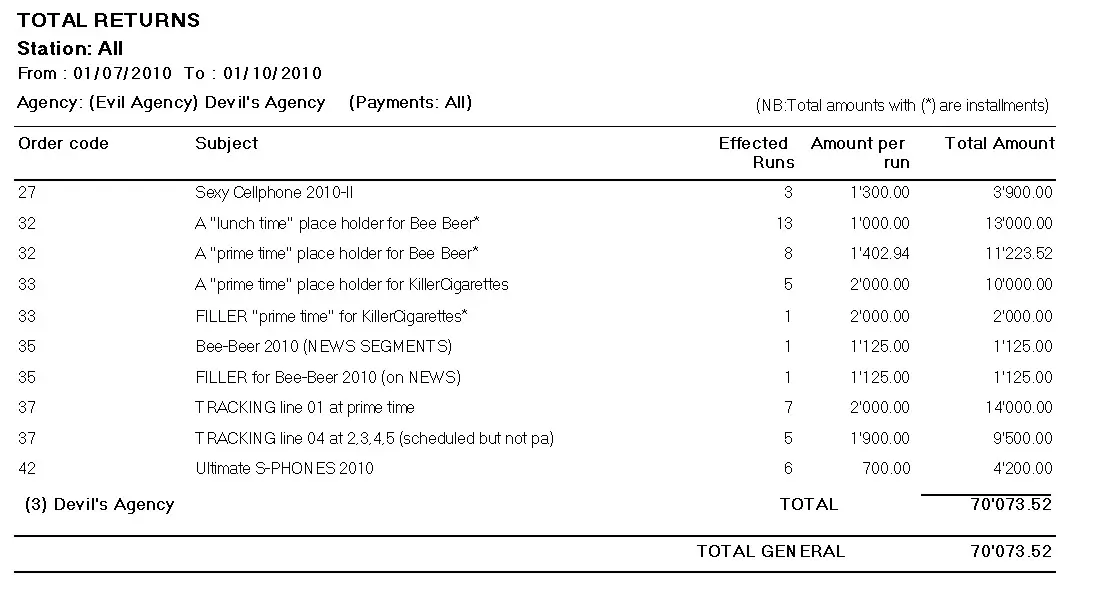 Total_Revenues_preview
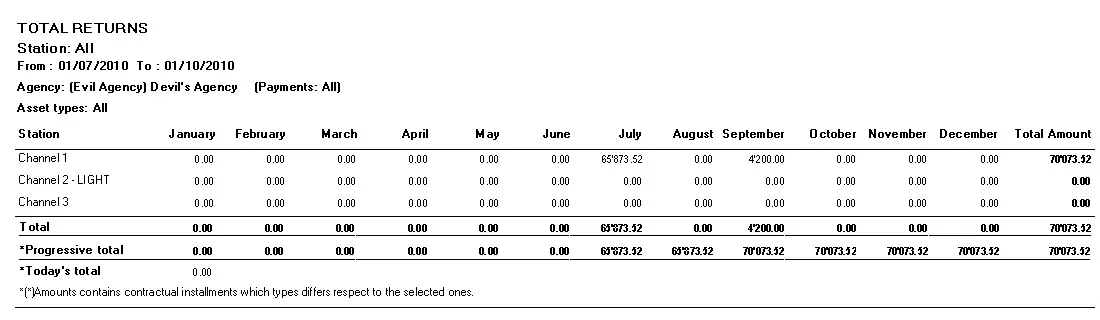 Monthly_global_report_by_one_more_station_preview
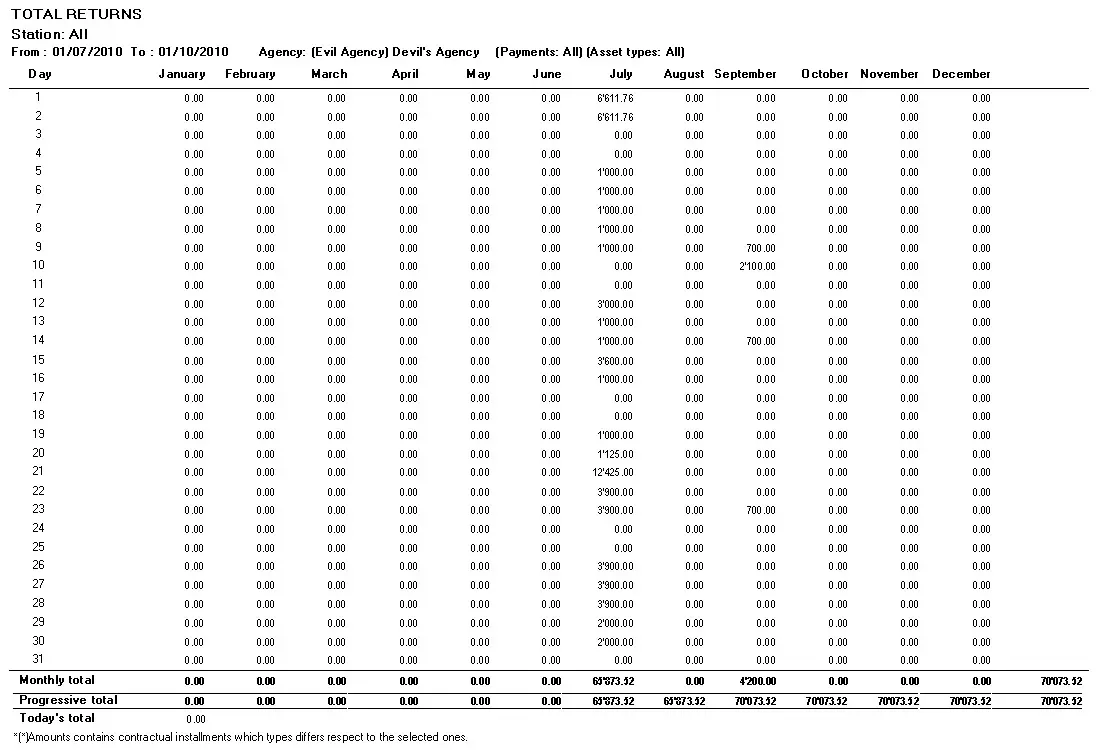 daily_global_report_by_each_station_preview