59.5.4.72 Breakdown Spot per Program from Invoice
Report Description
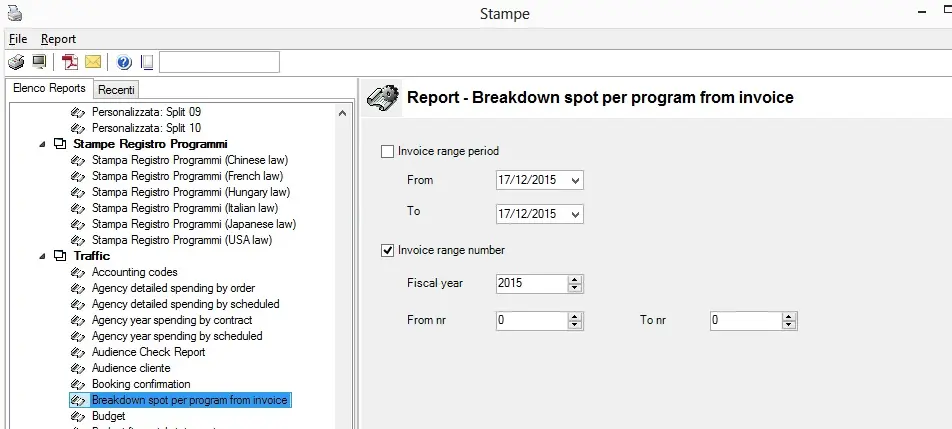
The Breakdown Spot Per Program from the Invoice report allows the generation of the list of the spots contained in the scheduled program that are invoiced within a selected period.
Report Filters
All the parameters that permit a detailed report generation have been spread across seven different tabs to allow a more manageable configuration. By default, all filters are disabled (i.e., either blank or unselected); to enable them, it is enough to configure at least one parameter inside. Available filters include:
•Billing Date: This represents when the billing invoice is generated.
•Classification: This field represents the spot code.
•Order Code: This corresponds to #; in Etere, this is the order code.
•Customer Code: Customer or agency code associated with the sap code; in Etere, this can be the renamed code of the client.
•Billing Period: Start and end date of billing.
•Program Name: Season name can be derived from the title or description of the asset code belonging to a season.
•Project Code: This field represents the season note field.
•Quantity: This field represents the actual quantity that aired. The generated data is marked by separate lines per program and per version of the commercial.
•Unit Cost: This field represents the cost per spot.
•Total: This field represents the quantity multiplied by the unit cost.
•Season Title: This field displayed the season title
•Program Code: This displays the program code located at the commercial note at the Season manager.
•Group by block season name: This field represents the results by block season name.
Report Preview
The [Settings] permits configuring the page layout of the outgoing document; once filters and settings have been set, it will be possible to select between displaying a preview using the related [Preview] button or printing the document directly using the [Report] button. Please note that some reports permit the export of the generated document in the most common formats (pdf, CSV, doc, xls, XML, etc) just by using the [Export] button.
BreakdownSpot_per_Program_from_Invoice_preview
 BreakdownSpot_per_Program_from_Invoice_preview