72.6.4 Preview Form
The Preview Form allows to preview either, a single segment if launched from the Segments List or an entire sequence if launched from the Conforming Playlist, providing in both cases the following features:
Preview Form
Playback functions
Go to start - It moves the playback indicator to the first frame of the clip.
RW (Rewind) - Press it to quickly move backward the playback (i.e. shuttle -30).
Step -1 - This button shifts the playback backward of one frame.
Play - This button starts the playback of the media from the current timeline slider position.
Stop - It simply interrupts the video playback (i.e. pauses it).
Step +1 - It simply shifts the playback forward of one frame.
FF (Fast Forward) - Press this button to quickly move forward the playback (i.e. shuttle +5).
Go to end - This button moves the playback indicator to the last frame of the clip.
Loop - Play back the video in an indefinite loop.
Jog & Shuttle - Drag the indicator either to the left or right to play the media at variable positive or negative speed respectively.
Timeline slider - This bar permits to freely position the playback just by dragging and dropping the indicator (the playback will be paused).
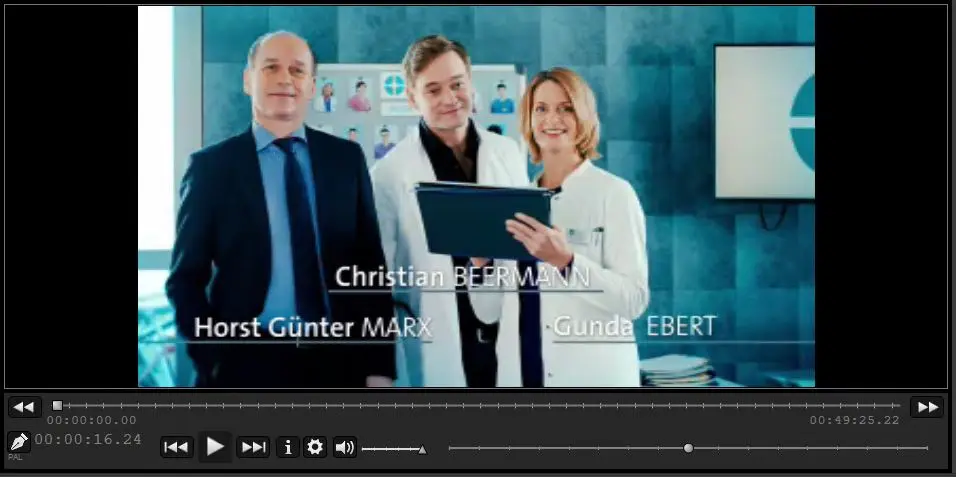 Preview_Form