72.2.2.17 Annotations - Virtual Assets
What is a Virtual Asset?
A virtual asset is an asset that combines different segments belonging to other different assets; Virtual Assets can be used to schedule (and then broadcast) different video segments as a single event.
Virtual assets can be used, for example, to manage different EDL versions of a same asset.
How to create a Virtual Asset?
The procedures described below explains how to create a virtual asset using the Media Library module:
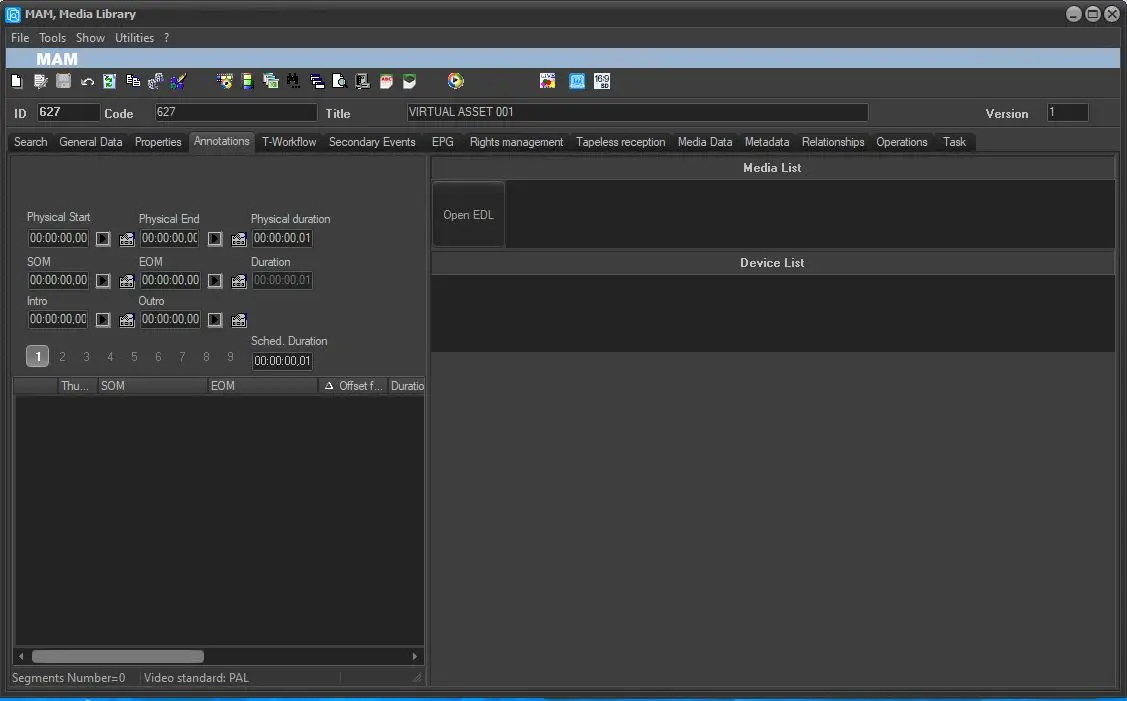
1. Open\create an asset with no media linked.
1_Media_Library
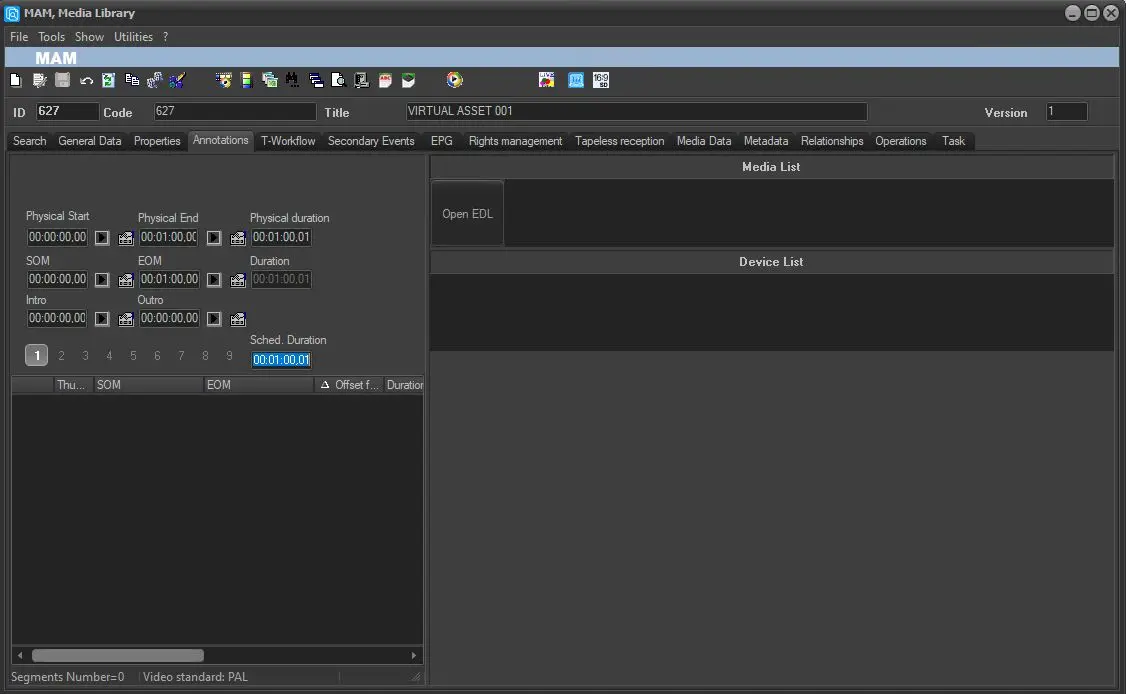
2. Set a duration and press on EDL.
2_Media_Library
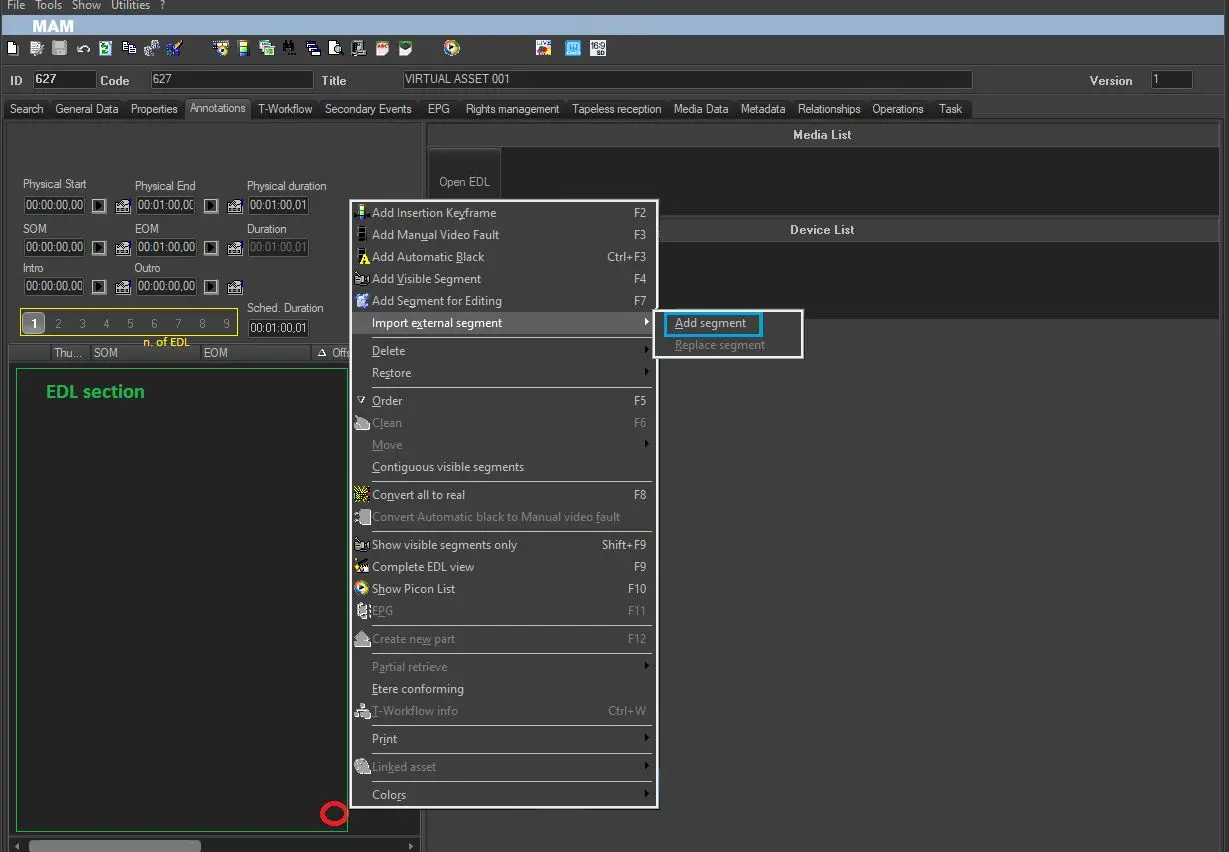
3. Go on EDL section selecting the correct number of EDL that you need to modify then click with right key of the mouse in an empty space of this form then select Import external segments – add segment.
3_Media_Library
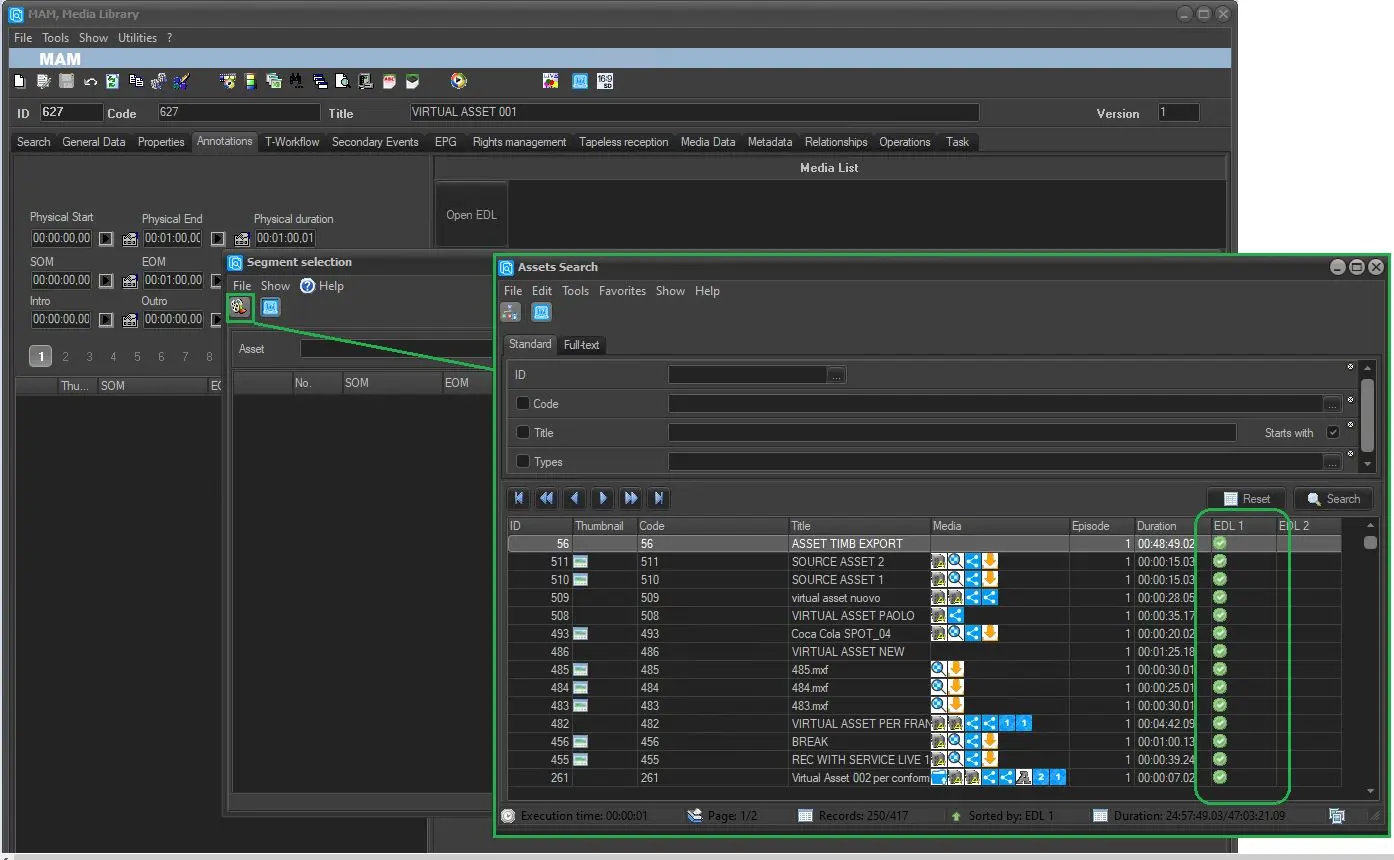
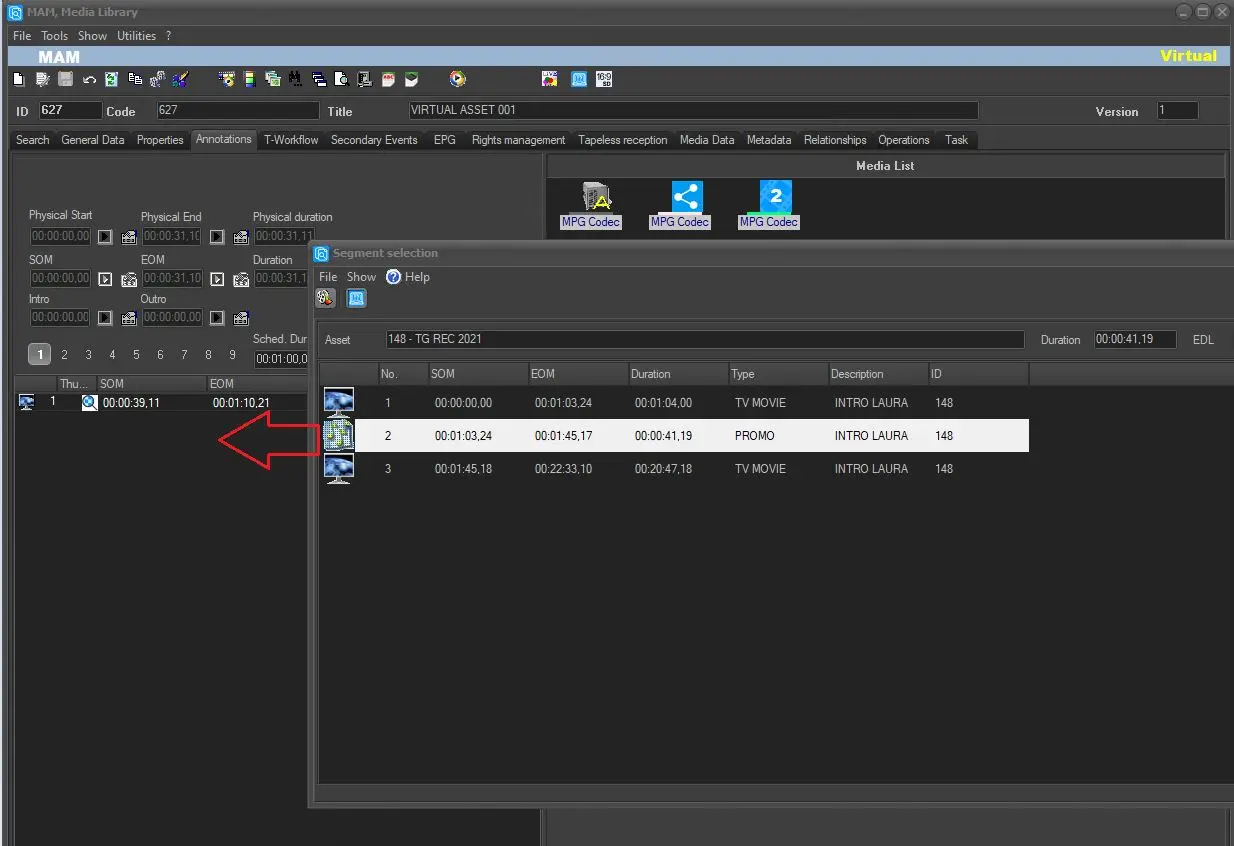
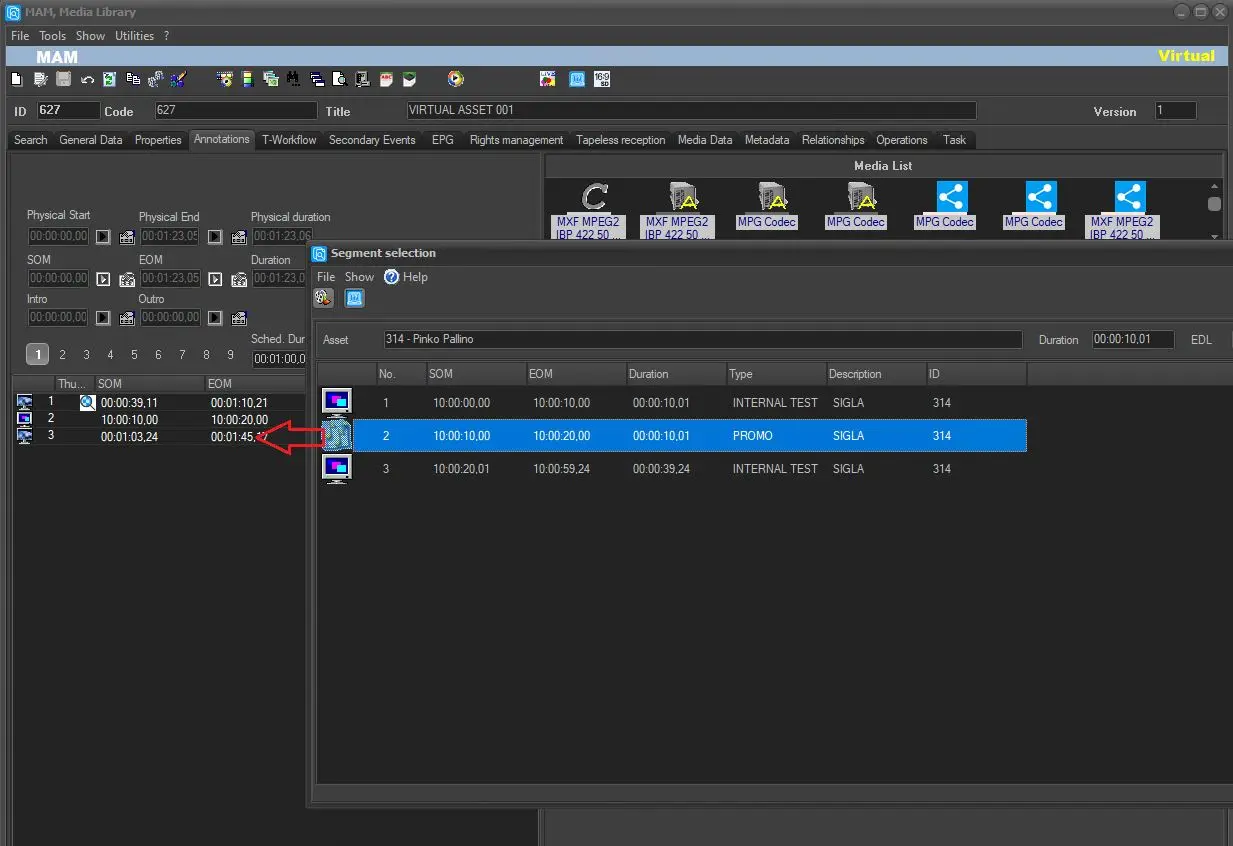
4. Press the ASSET icon and search for any asset with an EDL and segments inside it. Then, when you have chosen the correct asset, double click on it and it will be displayed exploded in the window below. Finally, select the correct segment to import into the virtual asset and double click on it with the left and this will be inserted into the virtual asset just created. NB: VIRTUAL ASSET will appear at the top right
4a_Media_Library
4b_Media_Library
4c_Media_Library
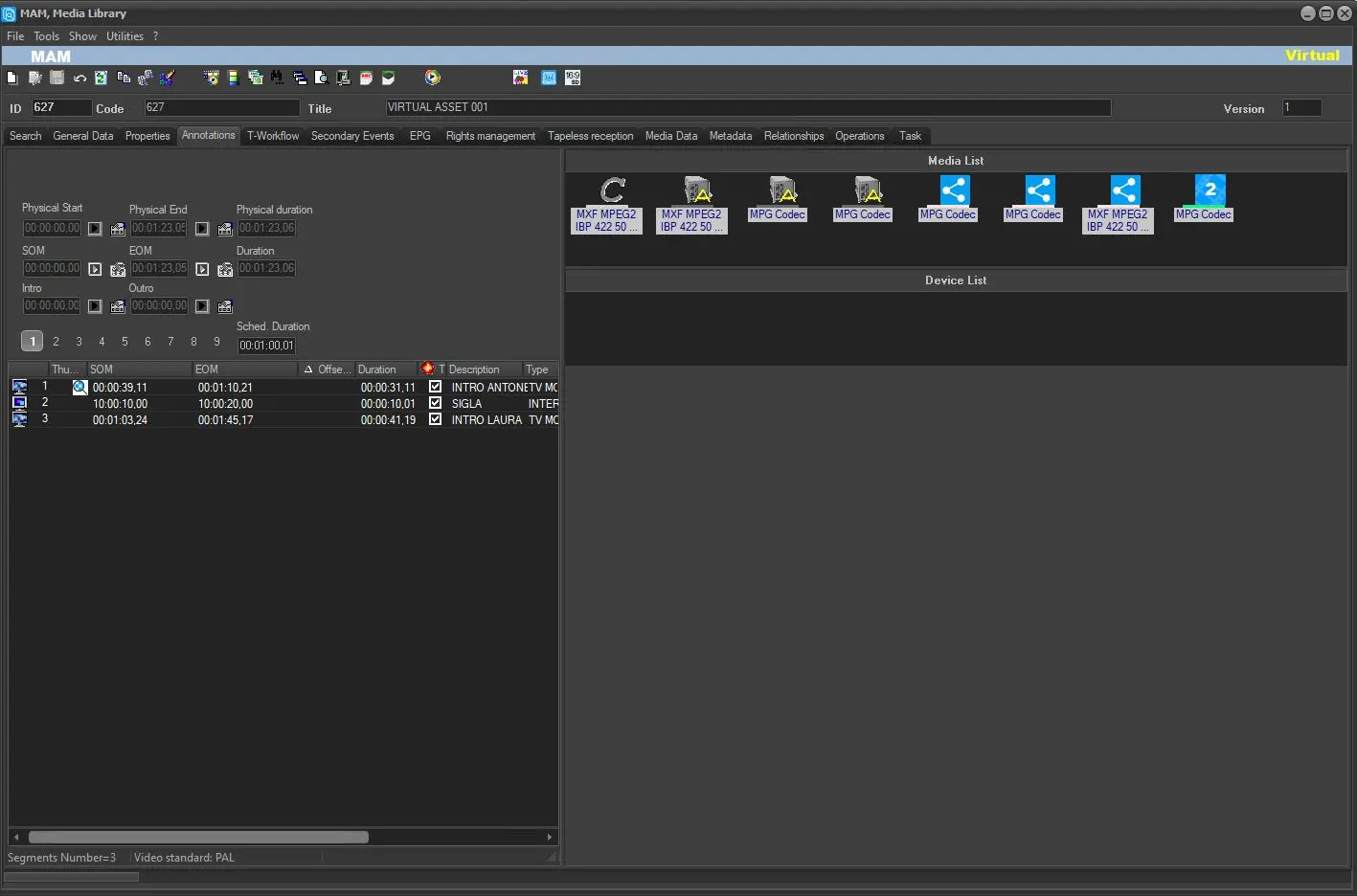
5. Select the segment you want to add and save. Now the asset is labeled as Virtual.
5_Media_Library
6. Repeat if necessary the operation to add other segments from other assets.
- The virtual asset is ready to be broadcasted. The segments will be restored by the Restore WF automatically.
- The virtual asset can be conformed by T-workflow.
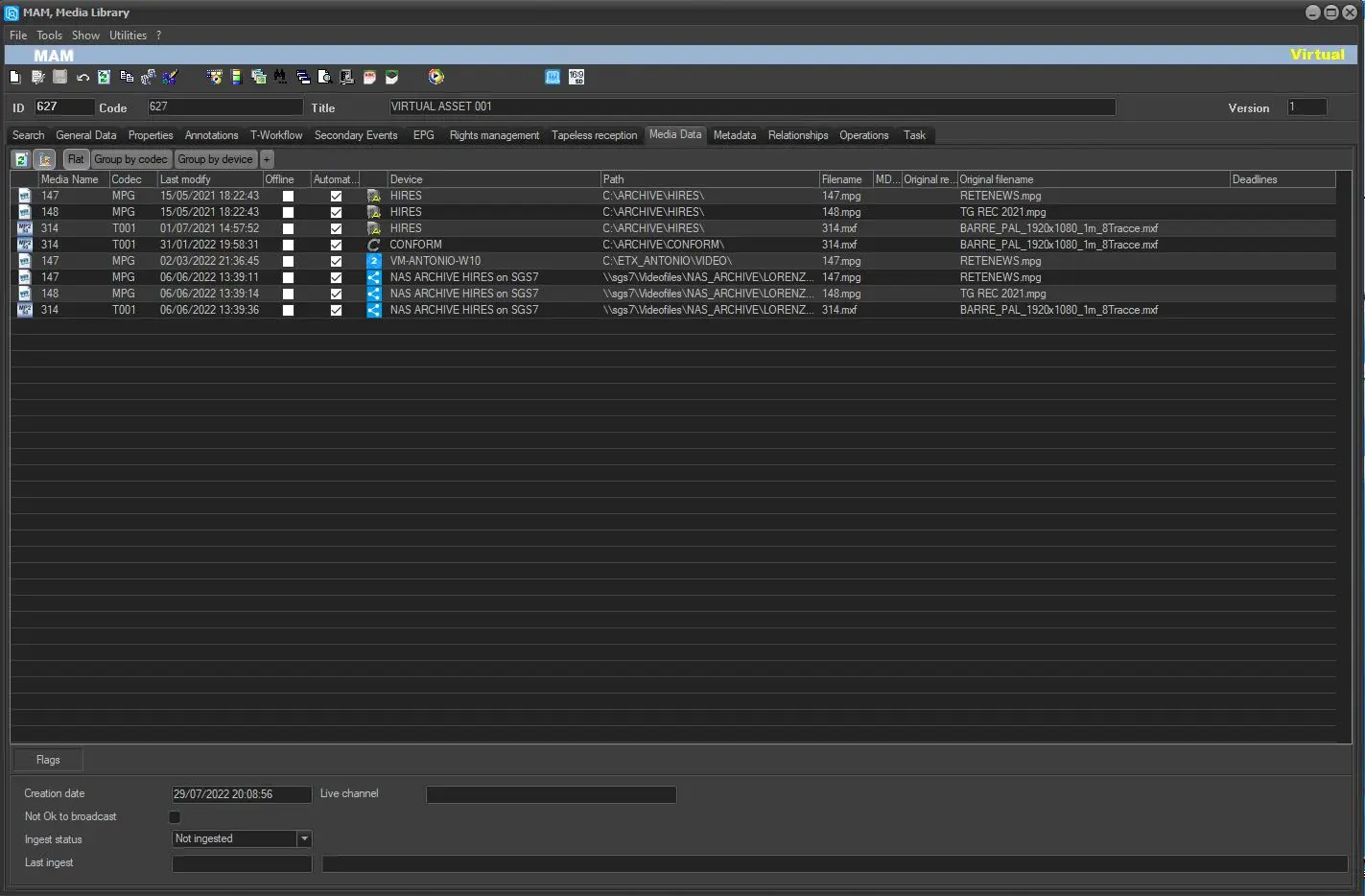
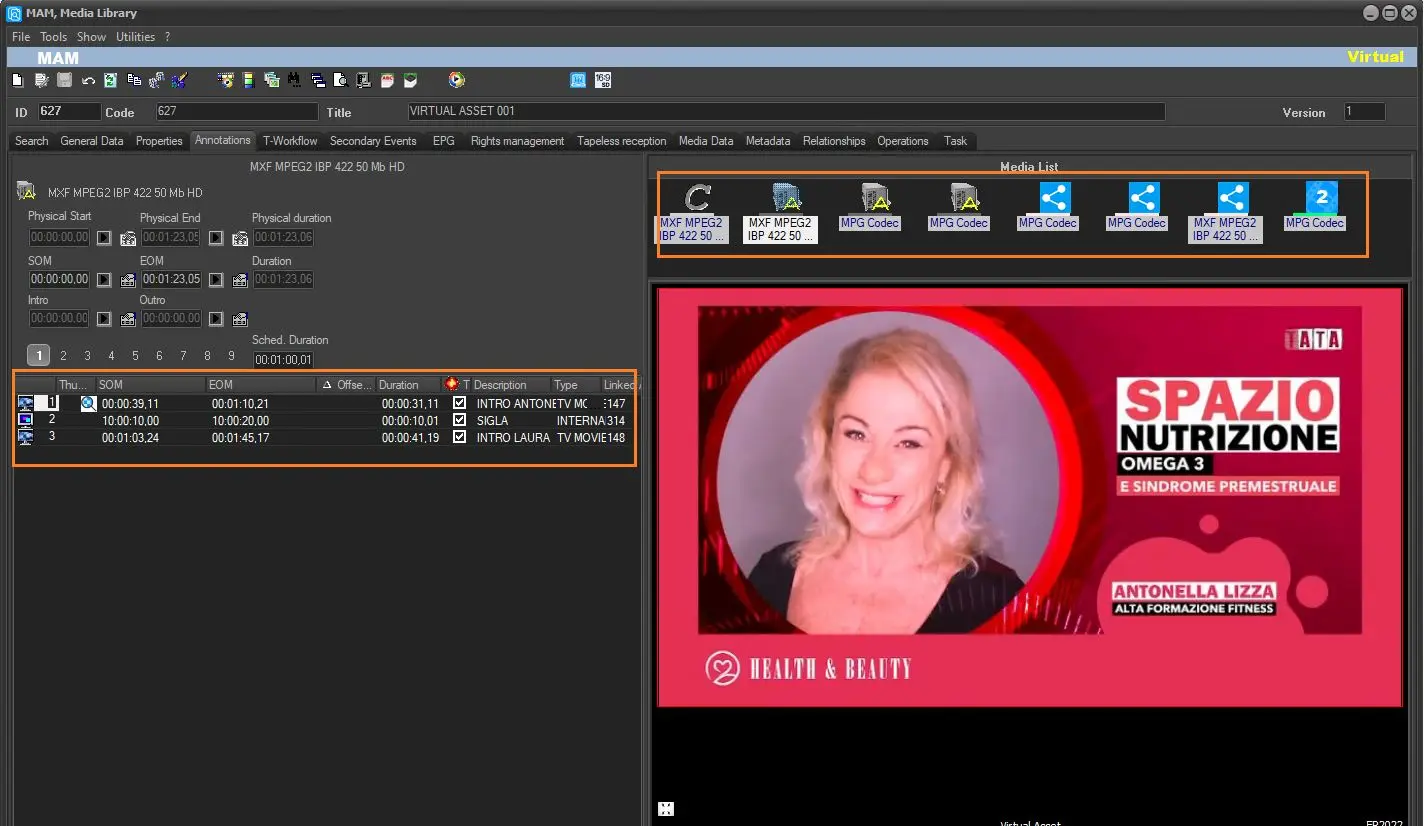
It's worth mentioning that whenever a segment is inserted in the given Virtual Asset a link of their related metafiles would be automatically created by the system.
The metafiles order would maintain the segment placement order.
6_Media_Library
6a_Media_Library
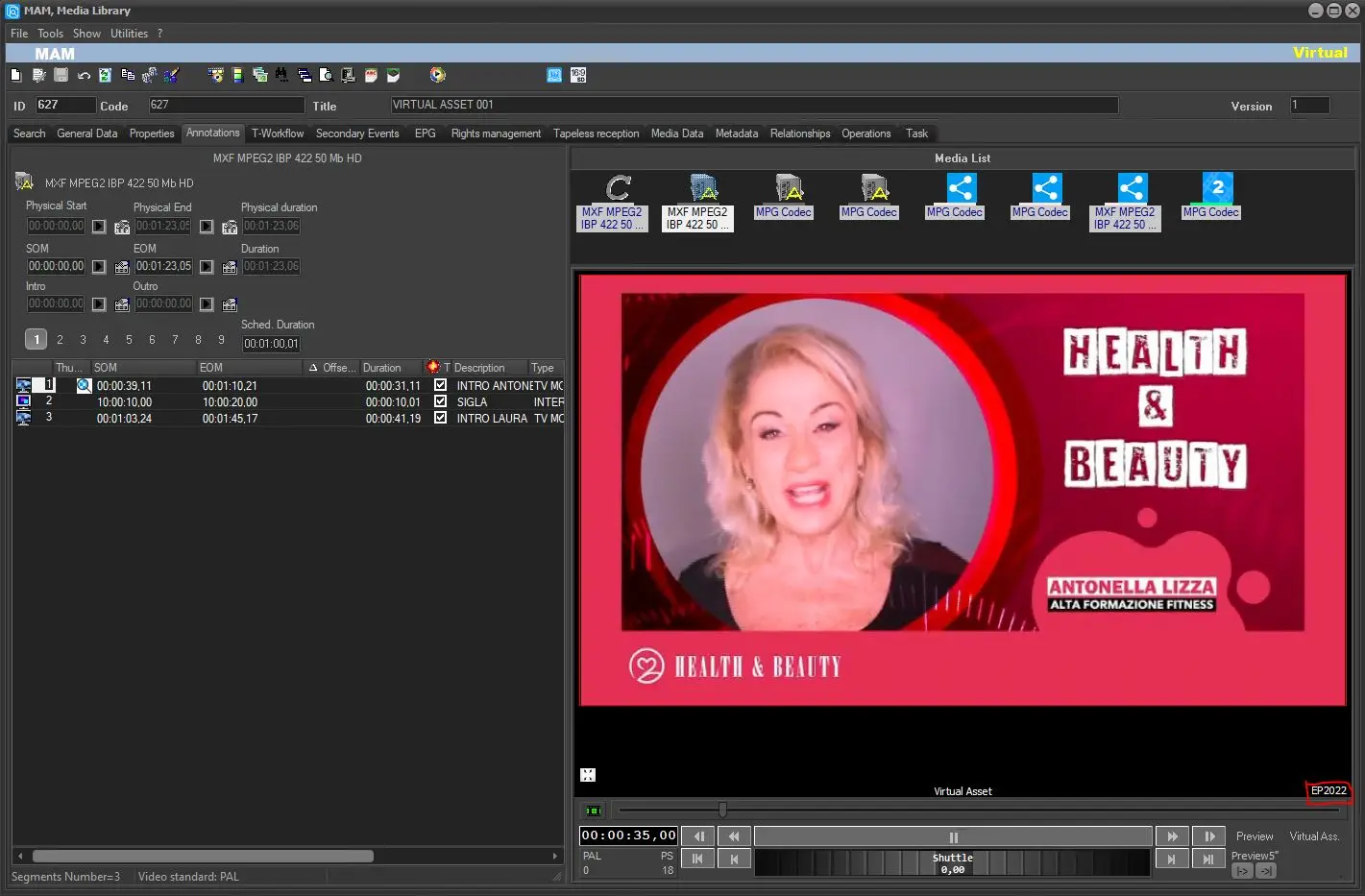
The same Virtual Asset can be previewed in Etere MAM but it must have the lowres version linked to it with the default lowres codec.
7_Media_Library
 1_Media_Library
 2_Media_Library
 3_Media_Library
 4a_Media_Library
 4b_Media_Library
 4c_Media_Library
 5_Media_Library
 6_Media_Library
 6a_Media_Library
 7_Media_Library