8.1 HSM Media
The HSM Media module provides a platform for operators to manage tape media in HSM Library; you can delegate tape media inserting and ejecting to a dedicated team that does not have access to the central server. Appropriate permissions must be granted to users accessing this module.
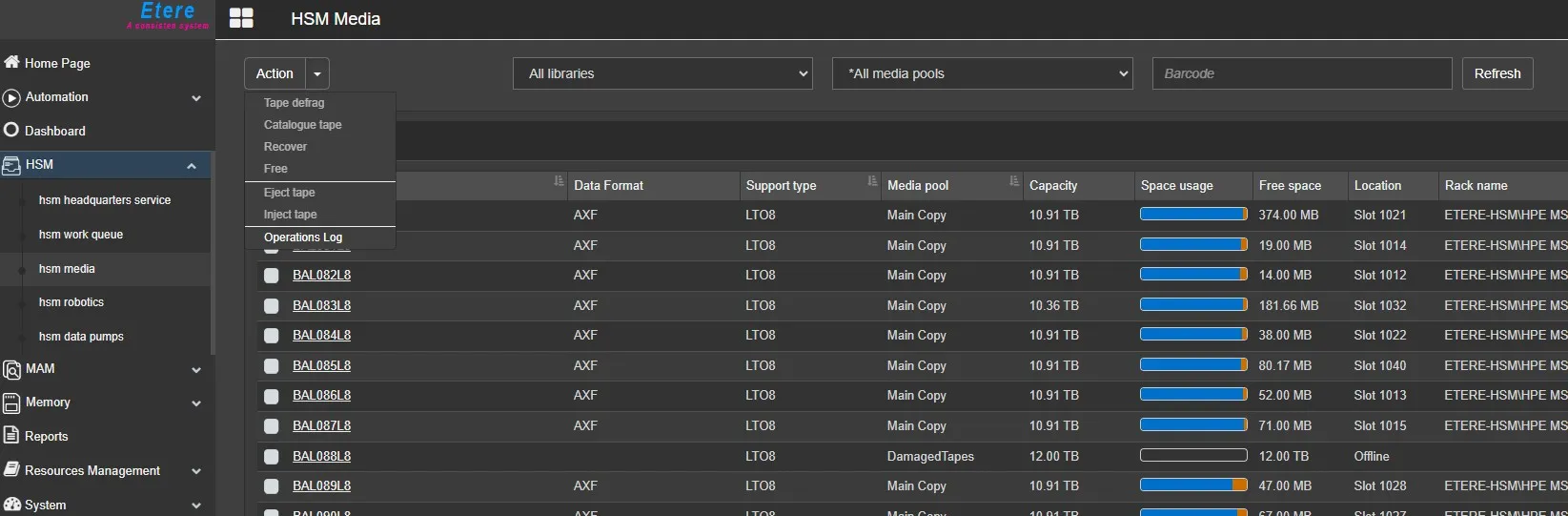
You can view a list of tape media when you log in to EtereWeb and select the HSM Media module.
HSM_Media
You can select which columns you want to view on this page; refer to Web HSM Media in the Configuration module for more information.
Available Actions:
-Tape defrag: submit an operation to physically delete the files marked as “logically deleted” from the selected tape and recover free space.
-Catalogue tape: submit an operation to read physical contents of the selected tape in order to realign its contents in the database.
-Recover: submit an operation to recover a tape marked as unusable or invalid. Once the recovery terminates successful, the tape media would be marked as usable.
-Free: submit an operation to physically delete all contents from the selected tape and recover all the space of the tape. Warning: the deletion is not recoverable.
-Eject tape: submit an operation to move the selected tape from the slot where it is to an I/E port of the library, so it can be manually extracted.
-Inject tape: submit an operation to move the selected tape from the I/E port of the library (where it was manually inserted) to a slot.
-Operations log: Show the HSM Operations log page of the selected tape or of all tapes if no tape is selected.
Filters:
Libraries filter: select a single library or search through any installed libraries.
Media pools filter: narrow the search for tape media by selecting the Main Pool or another Media Pool to which the tape media has been assigned.
Barcode filter: type the barcode (or part of it) to search, and press Refresh button.
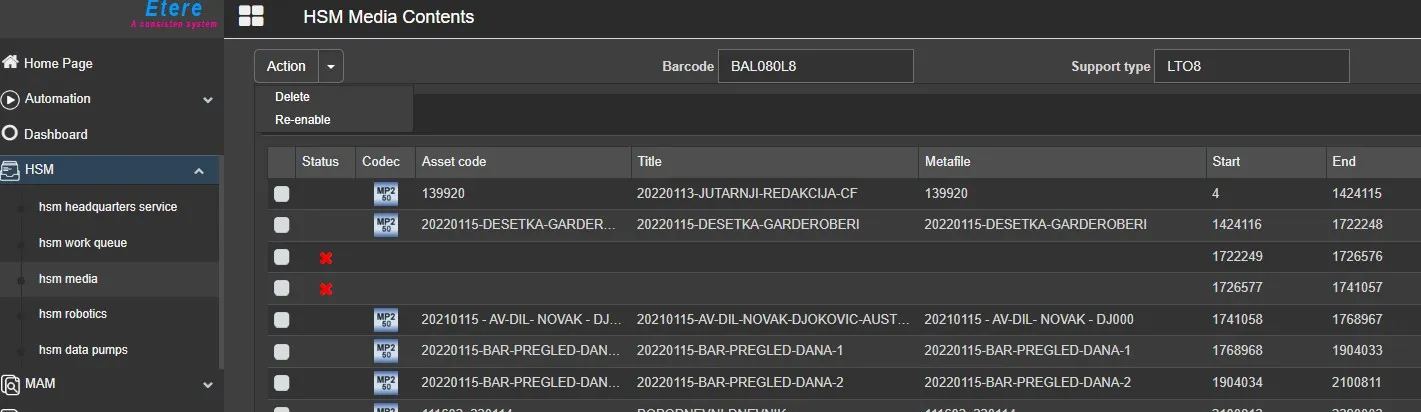
Media contents:
click on the barcode of a tape to show the HSM Media Contents page.
Actions:
-Delete: logically deletes selected files.
A file logically deleted is yet physically present in the tape but no linked to asset by any metafile.
-Re-enable: re-enable selected logically deletes files, by recreating a metafile that links it to its asset, if possible, eg:
if the metafile already exists in a tape of the same media pool, the file will be not re-enable, or if the parent asset cannot be recognized by the file or metafile name, the file cannot be re-enable.
 HSM_Media
 HSM_Media_Contents