70.3.4.7 Archiving Memory Files
Parameters
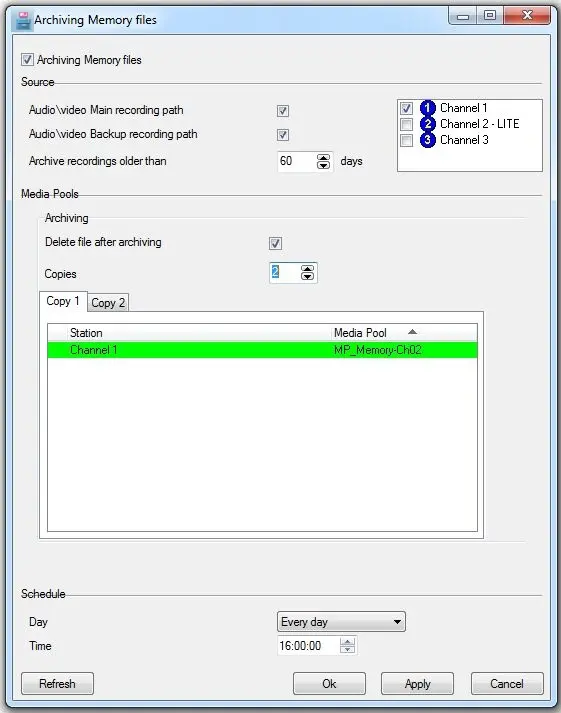
Set in this section the parameters that will dictate Etere HSM how to archive those files generated by Etere Memory, available parameters include:
Archiving Memory Files
•Archiving Memory files: Enabling this feature, Etere HSM will archive the file created from Etere Memory.
•Source: It is possible to set the following options:
Audio video main recording path: Enabled to archive all memory files stored on the Memory's main recording path.
Audio video backup recording path: Enabled to archive all memory files stored on the Memory's backup recording path.
Archive media older than: Set the number of days that must be passed since the recording of a memory file in order to archive it.
Stations: Tick all the stations for which memory files will be archived.
•Media Pools: It is also possible to set some information regarding the media pools (i.e. groups of tapes used to store contents of the same type or with the same properties) on which memory files will be archived:
Delete files after archiving: Either enable this option to delete the source memory file once it has been archived.
Copies: Indicate the number of copies to be created for each memory file as well as the media pools in which they will be stored.
NB: If you are archiving 2 copies of files, the 2 tapes must be mounted on the respective drives so that the archive operations can starts and ends simultaneously. Taking into consideration the latency of the remote SQL database, you might want to re-execute the control query one minute after the archive operation is completed to ensure that the file archive status are updated.
•Schedule: Specify here the frequency with which Etere HSM will check for memory files to be archived, it is possible to set:
Day:The day (i.e. Monday, Tuesday... Sunday, or everyday) at which the check will be performed.
Time: The exact hour at which the check will start.
Once all parameters are set, press the [Apply] and then the [Ok] button, Etere HSM will schedule all archiving operations as configured here, creating an asset form for each Memory file.
NB: An SNMP message (14500021) will be sent in case Etere HSM is unable to archive (find and access) any file from any station
Report
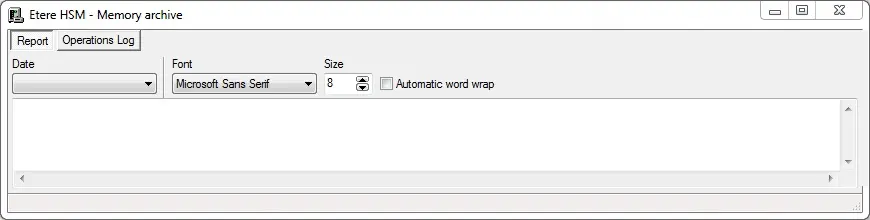
The report function will display a list containing all archiving operations related to memory files and performed at a certain date:
Etere HSM - Memory archive
Moreover, the operations log will provide a detailed report of all operations processed by Etere HSM, allowing to filter operations by data, type, final status and device.
Management
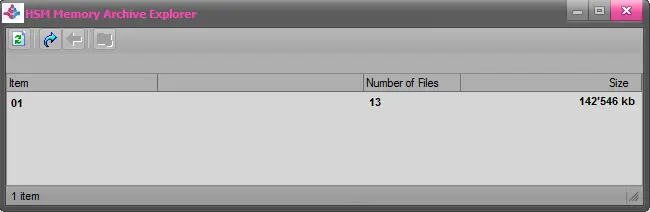
Open the "HSM Memory Archive Explorer" tool, which allows viewing all memory files archived on tape and also restoring them into disk:
HSM Memory Archive Explorer
 Etere_HSM_-_Memory_archive
 HSM_Memory_Archive_Explorer
 Archiving_Memory_Files