59.2.24.1 Preliminary Considerations
Before starting using Etere Database Disaster Recovery, the following requirements MUST be accomplished:
Main & Recovery parameters
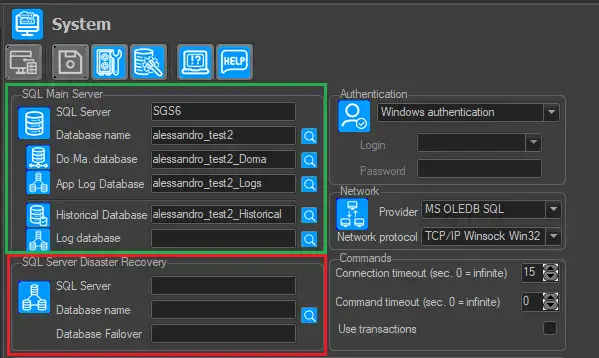
Open the Etere Configuration > Settings > Basic > System module and set the mirrored main and recovery databases (both of them must exist and come with recent system maintenance):
System
Manage the Historical Transaction Logs
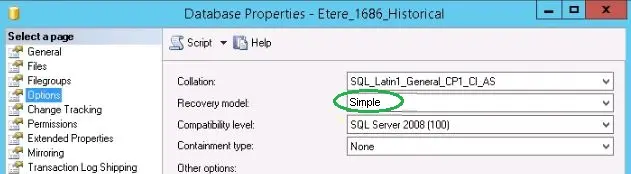
The Recovery model is assigned to control how the active transactions are logged and log maintenance. You need to consider the following setting when managing the historical transaction logs.
Simple
•Simple: This setting would automatically reclaim log space, eliminating the need to manage the log file size and space.
•Full: The transactions are back up to an arbitrary point in time for a full recovery. You would require huge disk space to accommodate the huge historical log file.
Schedules copy
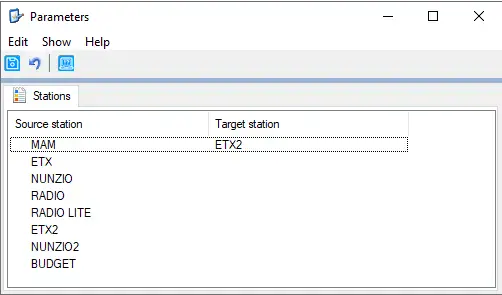
Set under the "Parameters" section of the Disaster Recovery application the stations from/to which scheduling playlists will be copied during the switch:
Parameters
(e.g. copy the "Channel 1" scheduling playlist to "Channel01 Recovery")
SQL Server requirements
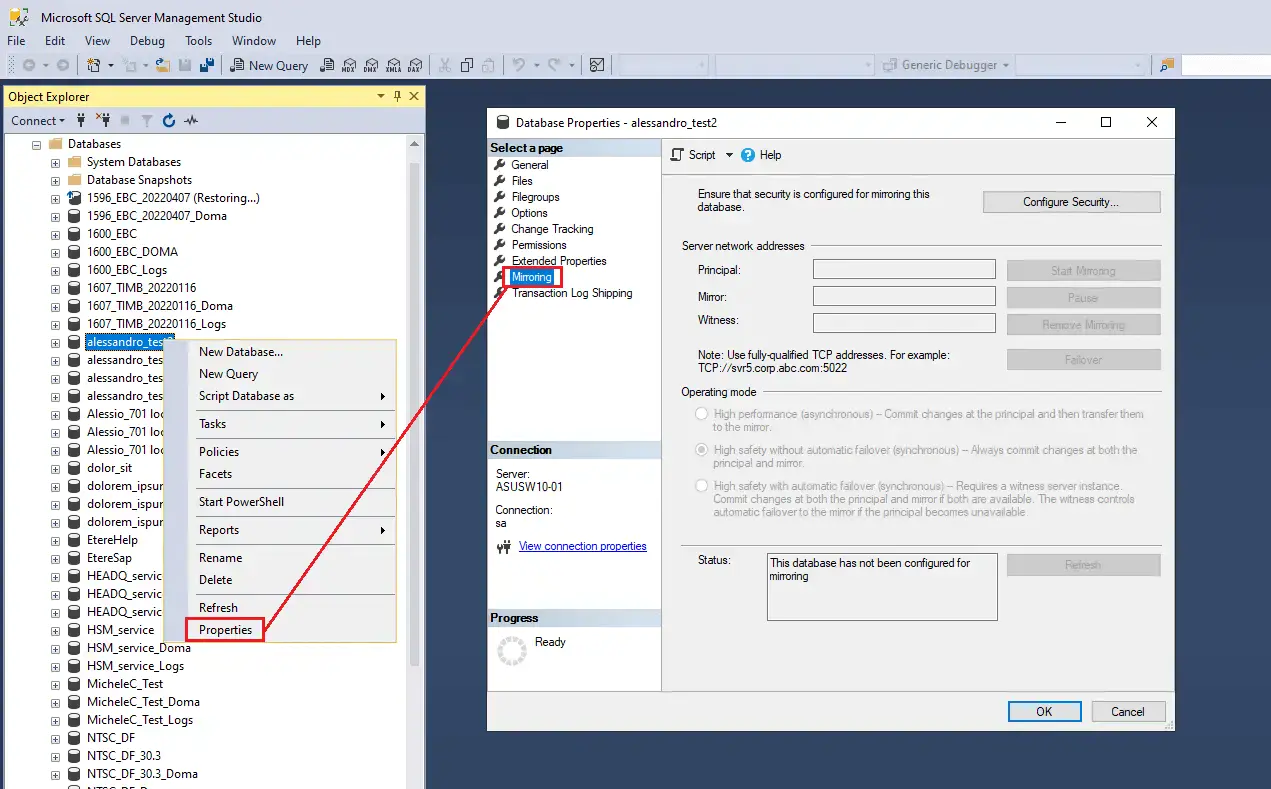
The two databases specified as main and recovery databases must be installed in two SQL Servers with the same version. Moreover, these databases must be set in "full recovery mode" (not simple mode) and mirrored, as shown in the example below:
Mirroring
Further information on how to mirror databases can be found in the Mirroring Databases on SQL Server chapter.
Required files
The file required for this tool is etDisasterRecovery.exe; it can be found in the Etere installation package and installed as any other module.
 Simple
 Mirroring
 System
 Parameters