84.2.6.3 Video Assist - Set the Video Server
Perform the system maintenance
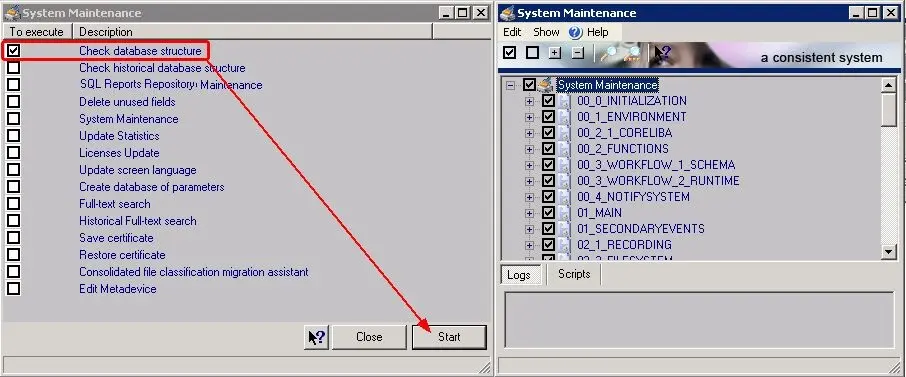
In case the database to be used for the Video Assist is new (i.e.: just created), it must be necessary to launch the Etere Configuration | System maintenance operation on this database to create a proper database structure that will made it usable by Etere:
5021_System_maintenance
Configure the system resources
Since the Video Assist tool is based on Matrox MTX video servers, it is required to configure the devices intended to be used for the Video Assist, it is needed to configure it under both, Etere Configuration | Resources and Etere Configuration | Resource Editor:
•Etere Configuration | Resources
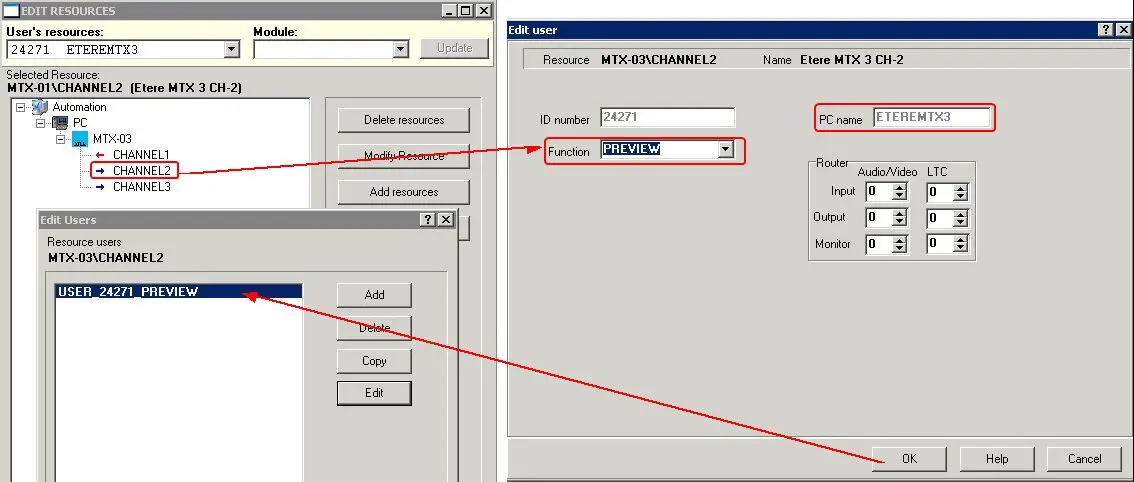
Once the Etere MTX resource has been created (as explained in the Etere MTX | Resources chapter), enable all the output channels intended to be used for Video Assist by selecting them one-by-one and clicking on the ''User button, where it will be possible to set the user to be enabled indicating also that the channel will function as Preview:
5025_Resources
•Etere Configuration | Resource Editor
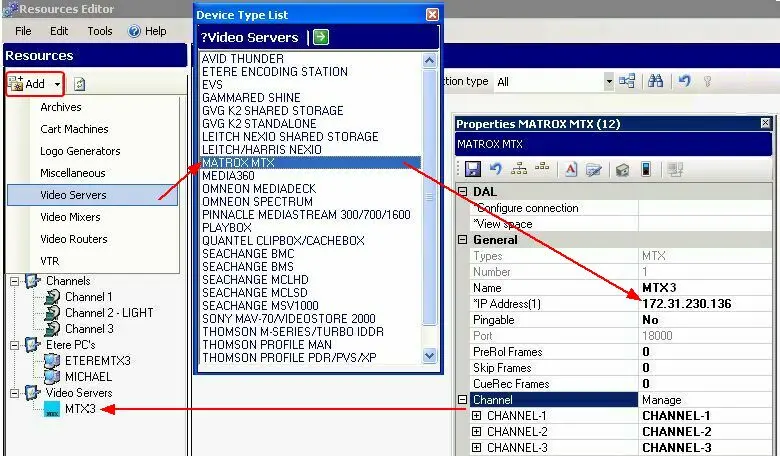
It is also required to create the metadevice resource as explained in the chapter Etere MTX | Resources:
5026_Resource_Editor
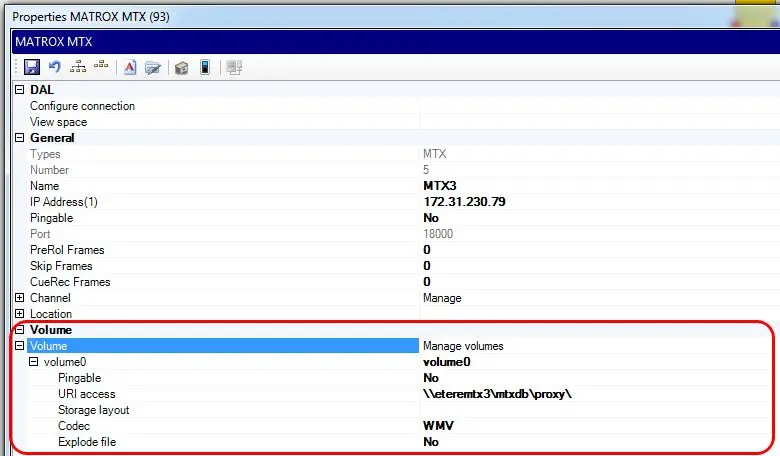
Once created, add a volume pointing to the MTX proxy folder, this path will be required in case of using the Video Assist preview features.
5024_mtx_resources
Set the scheduling parameters
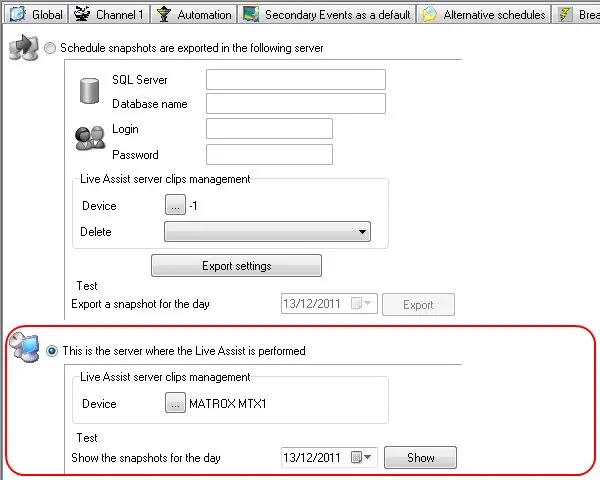
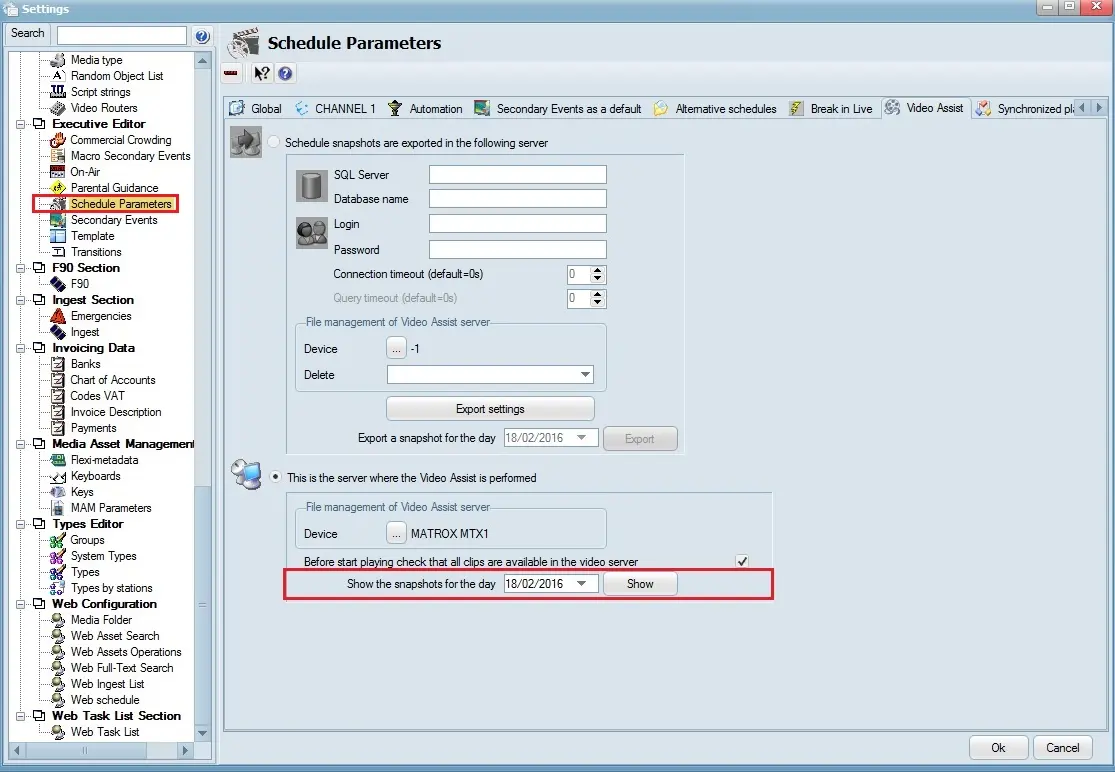
The next step consist on going to the Etere Configuration | Settings | Executive Editor | | Video Assist section, selecting the 'this is the server where the Video Assist is performed' option (i.e. the Video Assist server) and compiling the following parameters:
5020_Video_Assist
Device: •Video Assist server clips management: Indicate the resource to be used as the Video Assist server, only Etere MTX resources are allowed for Video Assist. Moreover, please note that, in order to be displayed here, MTX devices must be enabled, under the Etere Resources module, for the User that will use the Video Assist with the Preview function enabled.
Test: Test > Show function shows the review for the day selected.
5022_Schedule_Parameters
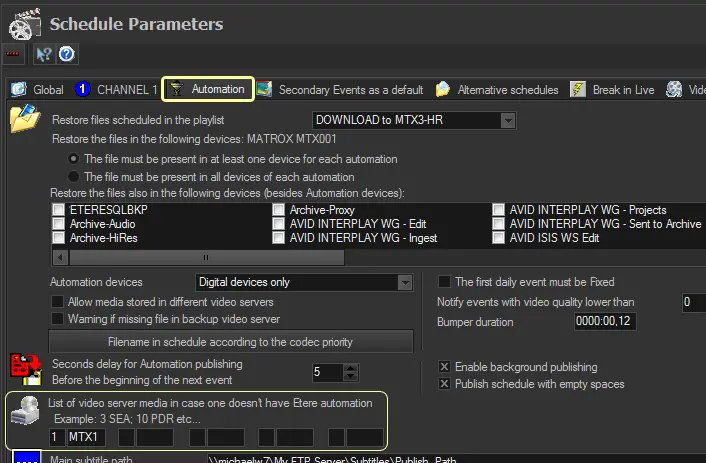
Under "Etere Configuration > Settings > Schedule Parameters > Automation", in the "List of video server media in case one doesn't have Etere automation" parameter, set the ID (from Legacy Resources) and Media Type of the MTX resource.
5023_Automation
Note: This parameter allows Etere to known that files are available in the MTX server, even if they are displayed in playlists with other media.
 5021_System_maintenance
 5025_Resources
 5026_Resource_Editor
 5024_mtx_resources
 5020_Video_Assist
 5022_Schedule_Parameters
 5023_Automation