69.2.2.5 LA7 XML ASSET
Import Scope
The F90 - LA7 XML import can be used to import all the assets contained in the file and creates new asset form for those which are not present in the database.
Import Parameters
The required fields that must be compiled for this import are listed below:
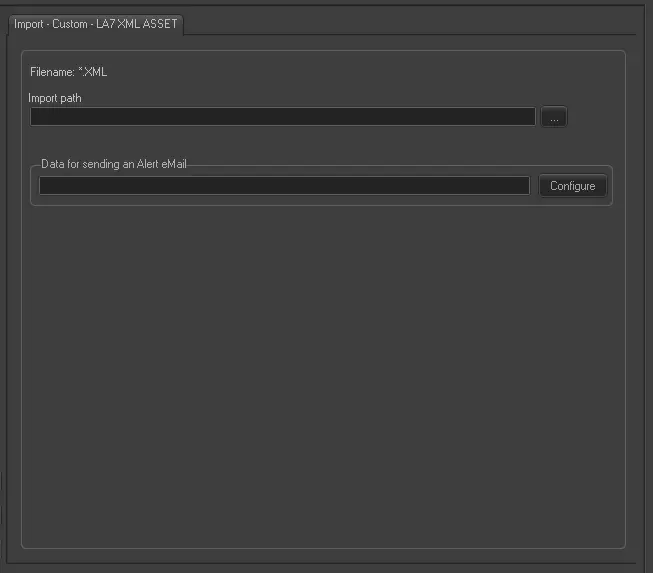
Import - Custom - LA7 XML ASSET
Filename: *.XML - The file to be imported can be named in any way (e.g. CLA7ddmmyyyy.XML).
Import Path: Specify the path where the file to be imported is stored. Leave it blank to not import anything.
Data for sending an alert eMail: Set the data to send an email in case F90 finds that an asset is already existing in the database.
● Host (SMTP Server) & port: The IP address of the SMTP server and the port where F90 have to connect through.
● Username & password: The credentials to access to the mail account.
● From: The address of the sender.
● To: The address of the recipient.
● CC: Optional email address which will receive a copy of the mail.
Scheduling related import
This import doesn't require any configuration under the Etere Scheduling module.
 Import_-_Custom_-_LA7_XML_ASSET