EE Menus
84.2.2.22 BMS
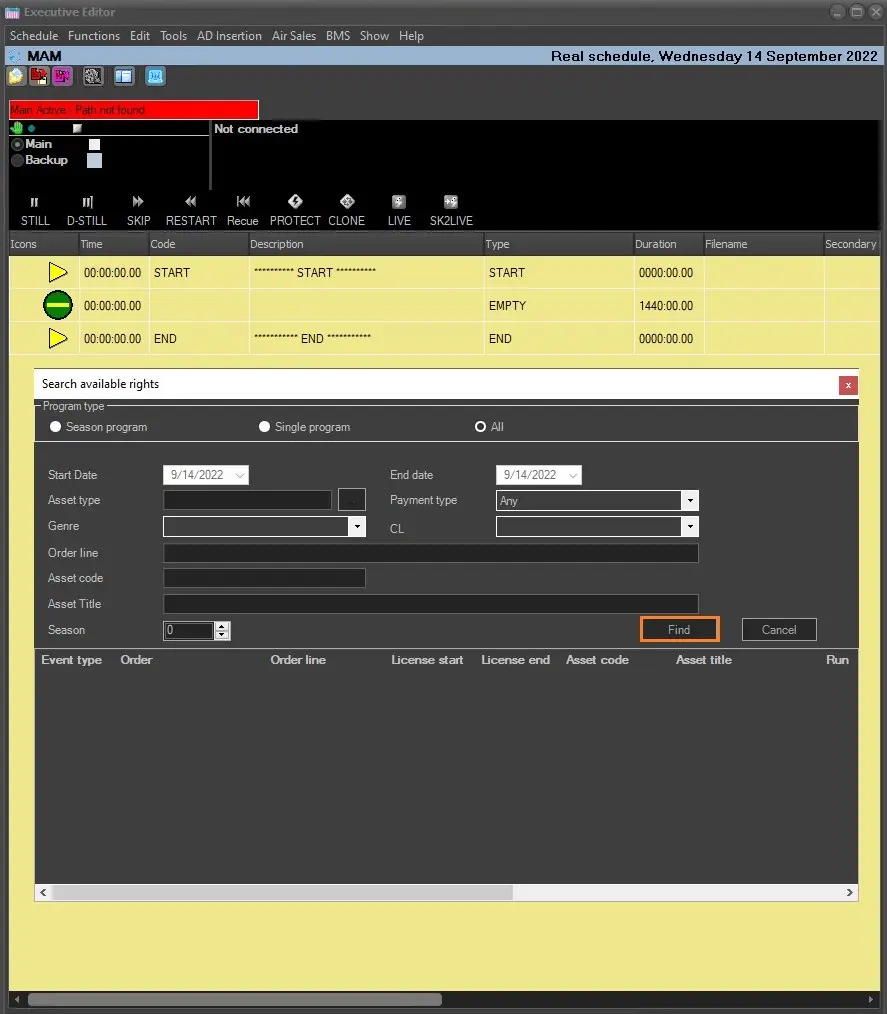
The BMS menu allows to search for available valid rights for the events and insert them into schedule.
From BMS menu, select Search Available Rights to launch the search form.
• From the schedule, select a row where the event would be inserted.
• Next, double-click the event in search form to insert it before the selected row in the schedule.
find_button_fixed
• Next, use the Rights recalculating function to update the inserted event in schedule.
The Definitely remove BMS events from the trash function simply delete the selected BMS events from the trash bin.
Note: The above functions are available only if BMS license EA1448 is included.
 find_button_fixed