65.1.2.4 Channels
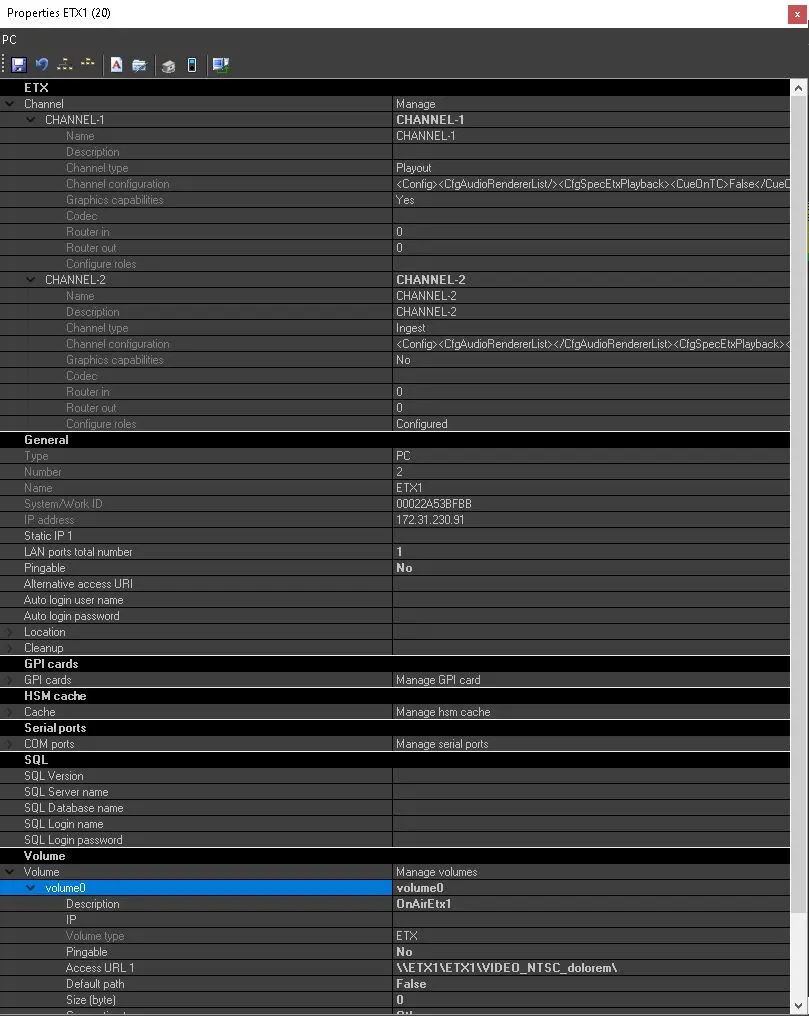
In order to start the Channel Configuration, just click on the “Manage […]” button, located at the edge of the Channel Configuration Field; the Configuration Dialog would eventually appear.
4885_etx_obj_prop
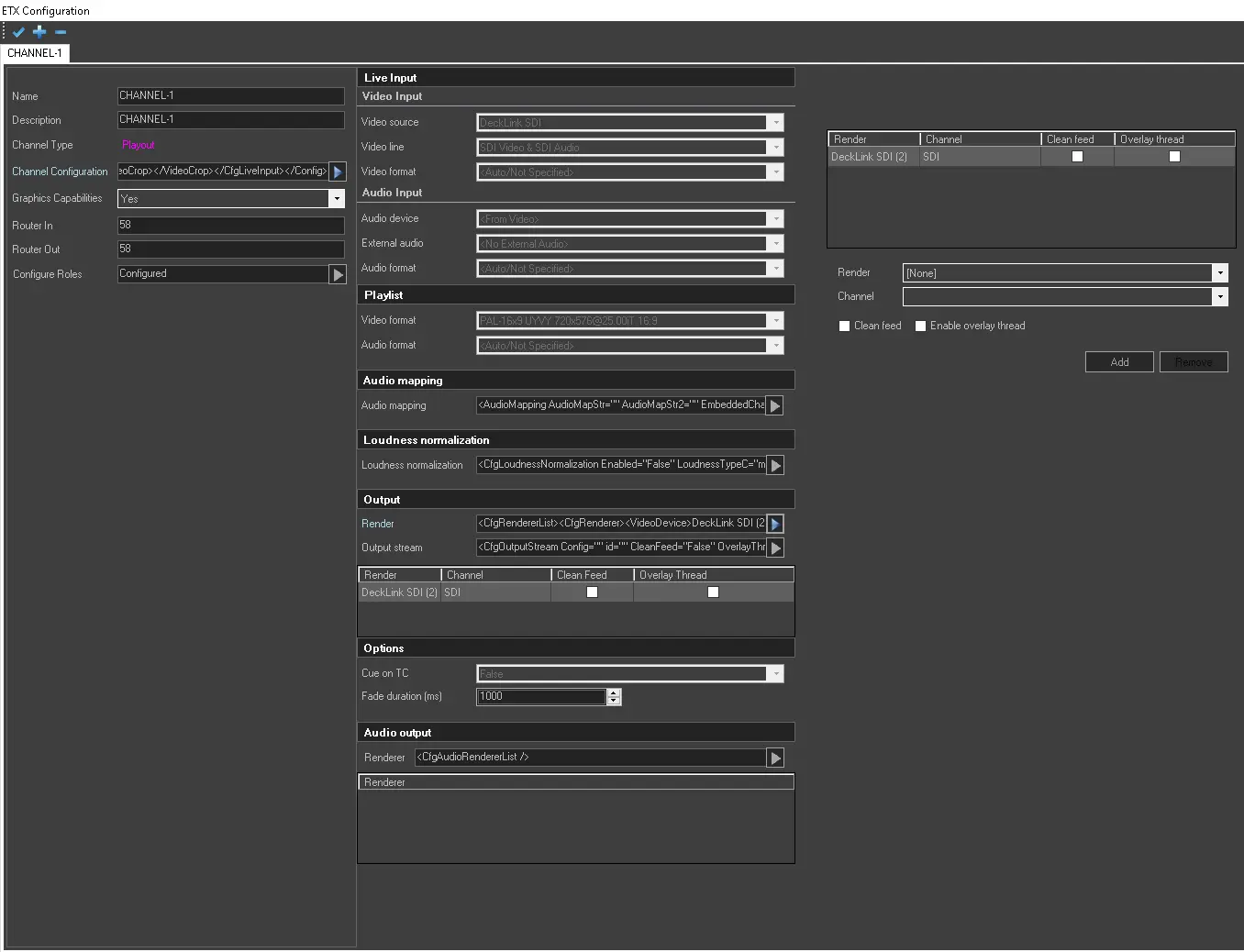
The Channel Configuration consist of 4 main areas:
- All the available channels are grouped in TABS in the upper Panel. Their Channel Number would be assigned Automatically in a progressive way by Etere System.
- The Left Panel allows to define some general or basic parameter such as Channel Name and Channel Type. In order to access a more advanced configuration, expand it by clicking the arrow-shaped button located on the edge of the Channel Confuiguration field.
- While configuring the channel, you can click on the “Attributes” arrow button to view the auto-compiled channel attributes in the right panel.
4893_etx_ch_config
The general parameters in Channel Configuration are described in the table below:
- Name: The channel name is assigned automatically (progressively) and it is not editable.
- Description: By default set as the channel name when the channel is created, but it's useful to describe briefly the channel.
- Channel type: Etere ETX allows the possibility to set and configure different channels types, such as Ingest, Playout, Master Control, and Preview.
- Channel configuration: Open the advanced configuration, as already explained above.
- Graphic capability: If set to YES, allows the Etere ETX capabilities to manage and air any given graphics object, such as for instance, animated logos, static logos, image sequence, tickers, crawler and so on.
By default it's set to “Yes” for any Playout and Master Control channels, and set to “No” for any Ingest and Preview channels. It is recommended to leave this field as default when configuring different channel type.
- Router in / Router out: Set the router’s input and output ports that must be used by Etere Automation through the channel. They must correspond to the router channels settings in Etere Configuration > Settings > Video Routers.
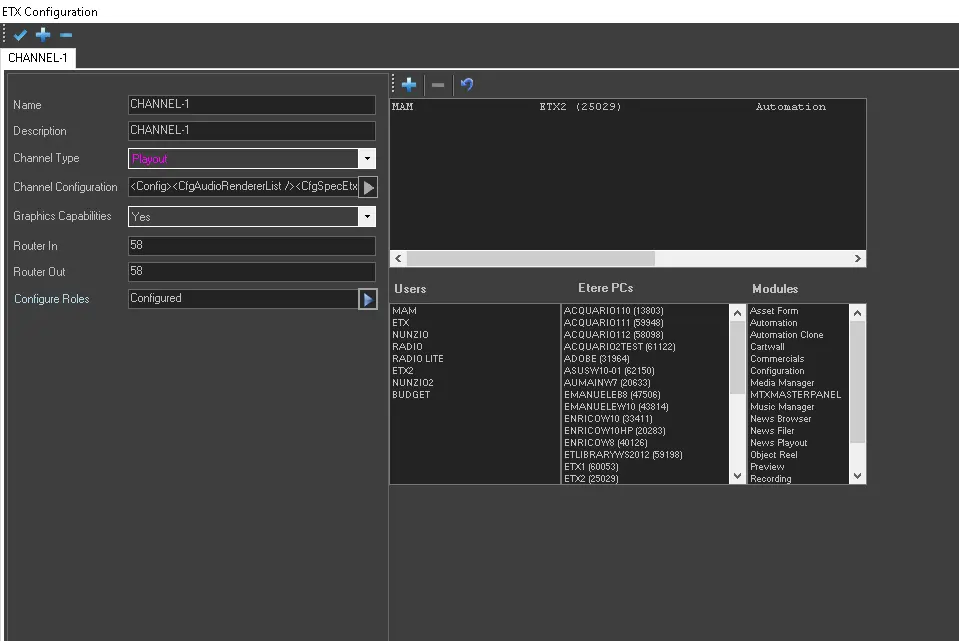
- Configure roles: Click on the arrow button at the end of the field and assign the channel to one or more users (stations) and workstations to carry out specific tasks. Roles are automatically saved when they're added in the form.
In the example above, the channel has been assigned to Station “MAM” to execute the main “Automation” function (must be Playout or Master Control channel) in workstation “ETX2”.
 etx_obj_prop
 4893_etx_ch_config
 4894_etx_role_config