79.5.5 OpenAI (ChatGPT)
From version 33.3.230.7050, Etere Nunzio is able to integrate with OpenAI API, providing to the users the possibility to make requests to ChatGPT while editing a story.
Preliminary operations
First of all, a new feature is required to be installed: AI Management (OpenAI/ChatGPT).
ai_feature_installer
In order to use this feature, it is mandatory to set the secret API key in Etere Configuration > Configuration Editor > AI Management > OpenAI. See the related chapter of this manual for more information.
How to generate an API key
Follow the next steps in order to generate the secret key:
1. Go to https://platform.openai.com/
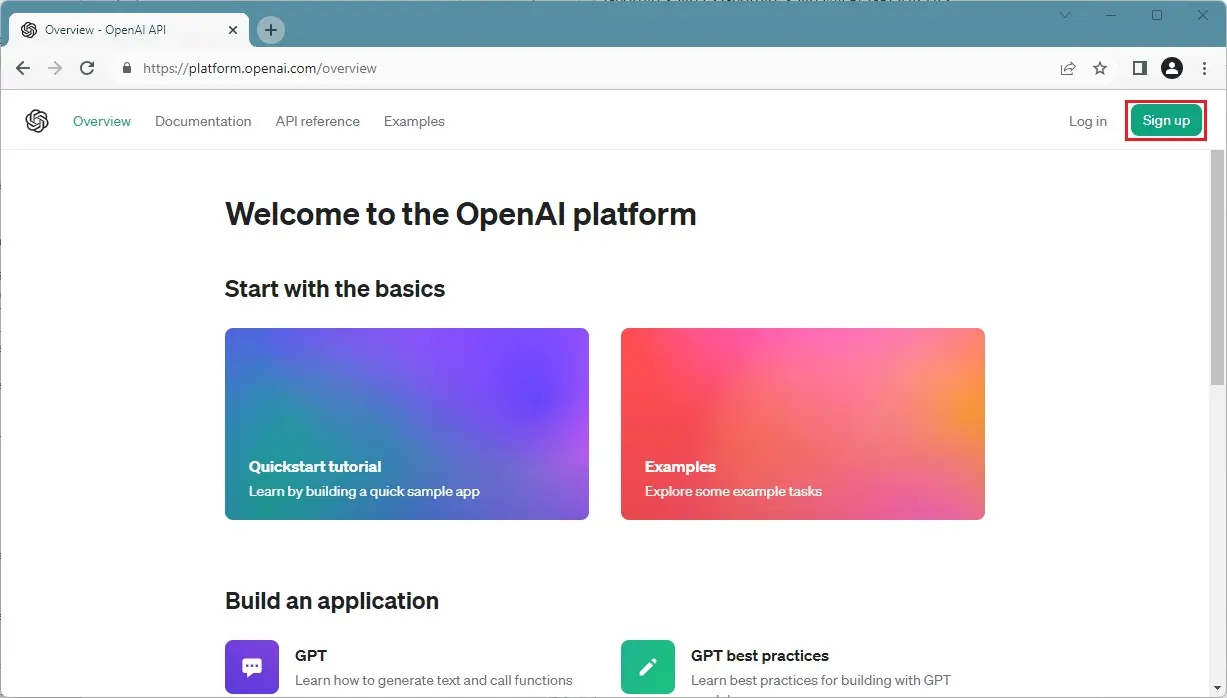
2. Click on Sign Up button to create an account (or log in to an existing one, in case it has been already created)
openai_signup
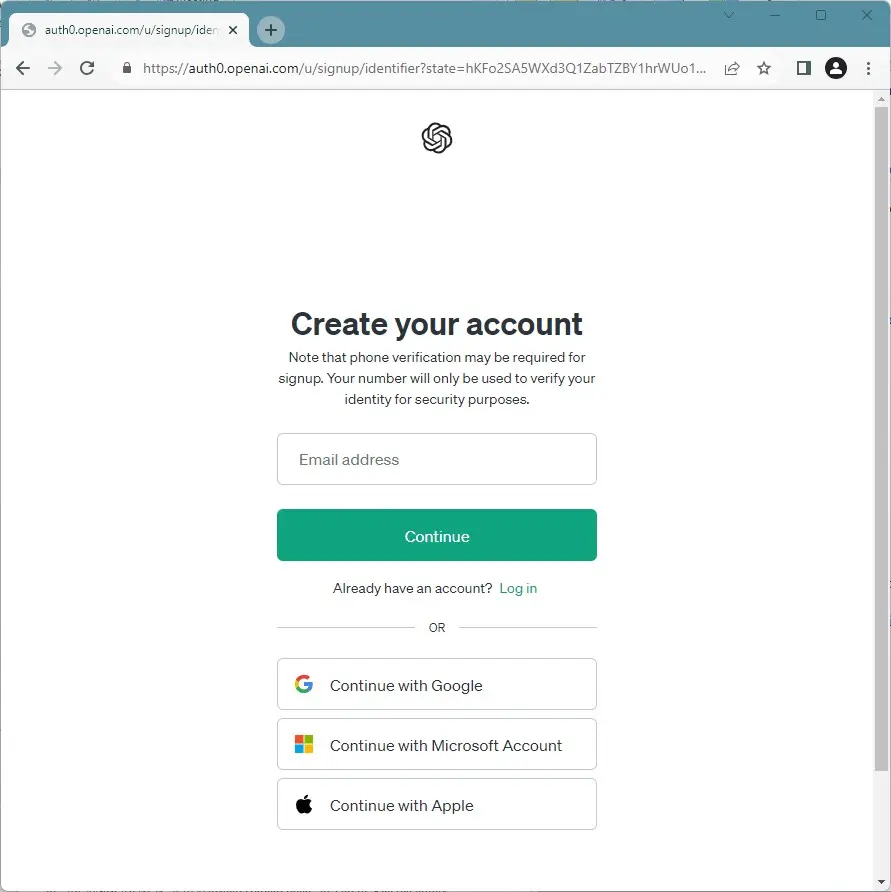
3. You will be redirected to the following page, where a valid email address is required:
openai_create_account_1
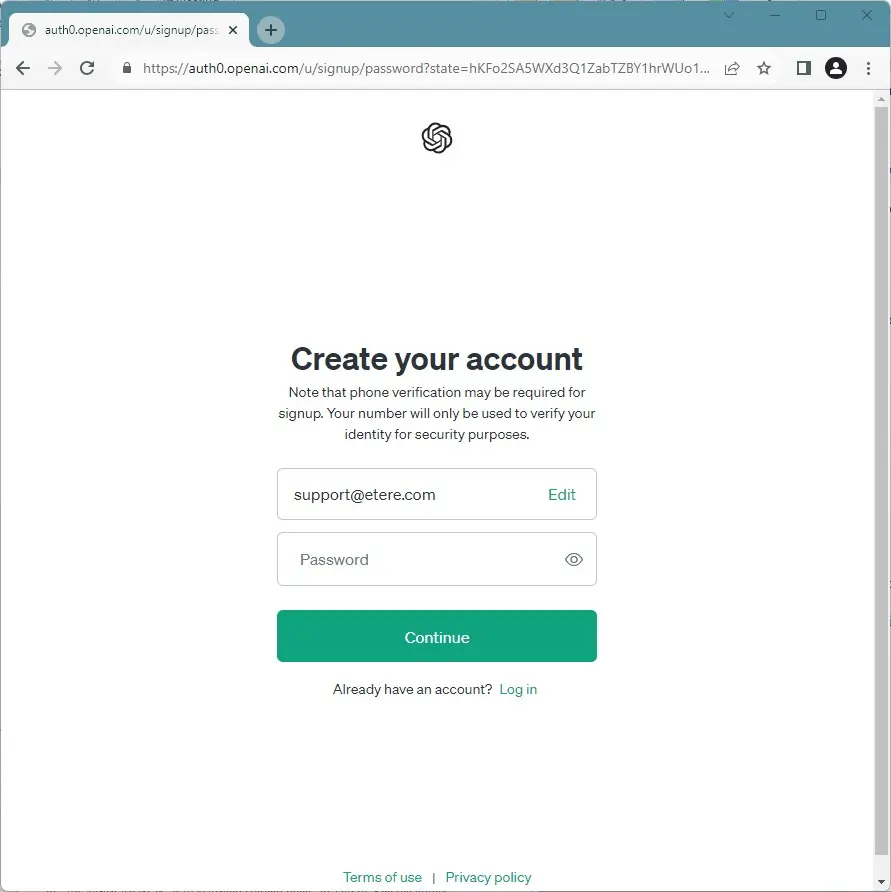
4. Next, the creation of a password is required (it must contain at least 12 characters)
openai_create_account_2
5. A verification link will be sent to the email specified. Click on the button Verify email address and proceed to the next step.
6. Provide some information about you such as name, surname, organization (optional), birth date and a valid phone number. Once inserted, an OTP code will be sent by sms for the verification of the phone number. Enter the code on the page and go ahead.
Your account is now created and you can start using OpenAI products. However, in order to generate the key required for the Nunzio feature, proceed to the next step.
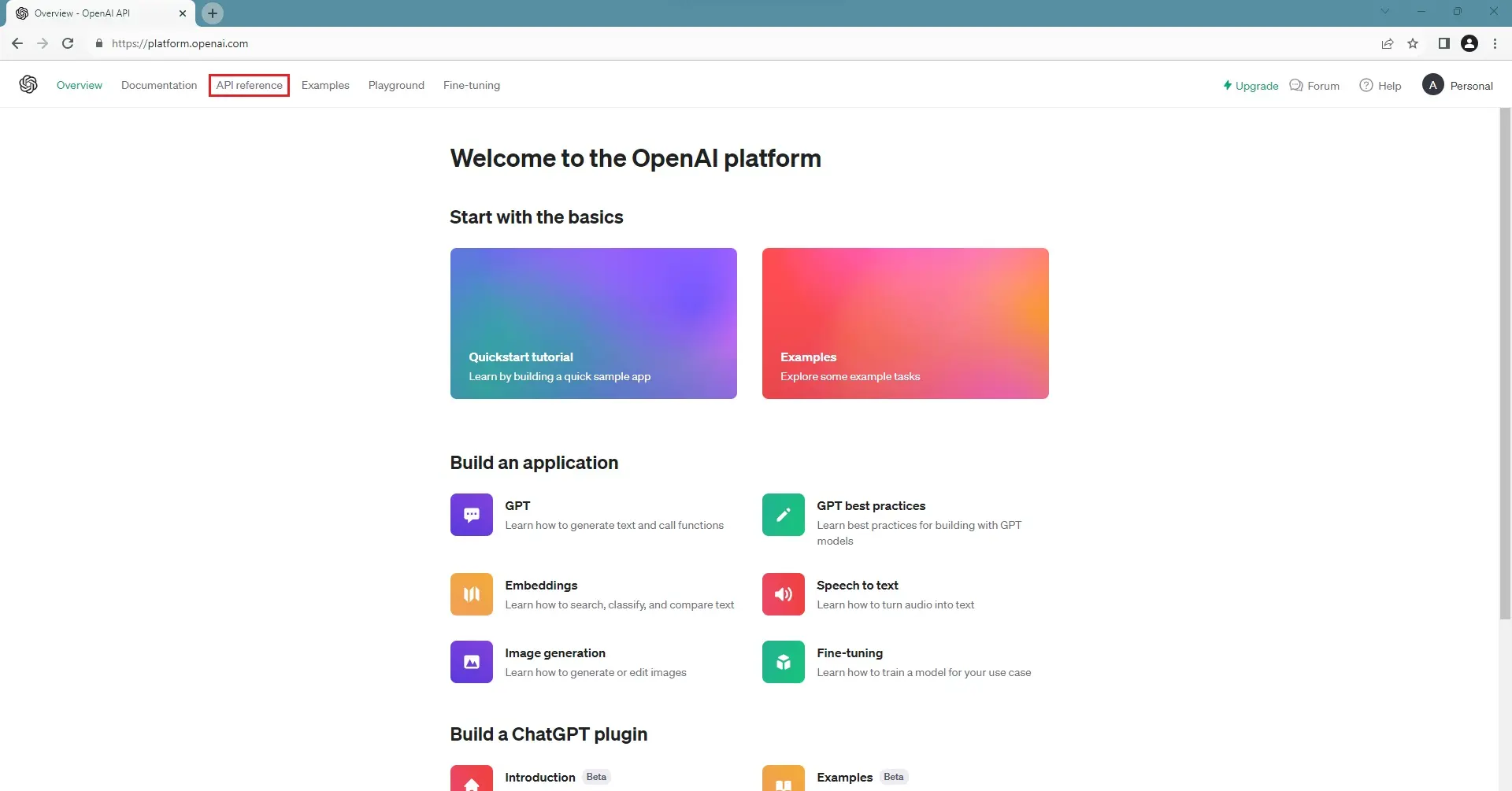
7. Go back to the page https://platform.openai.com/ and click on the API reference menu
openai_api_reference_menu
8. Click on API Keys link shown in the image below:
openai_api_keys_link
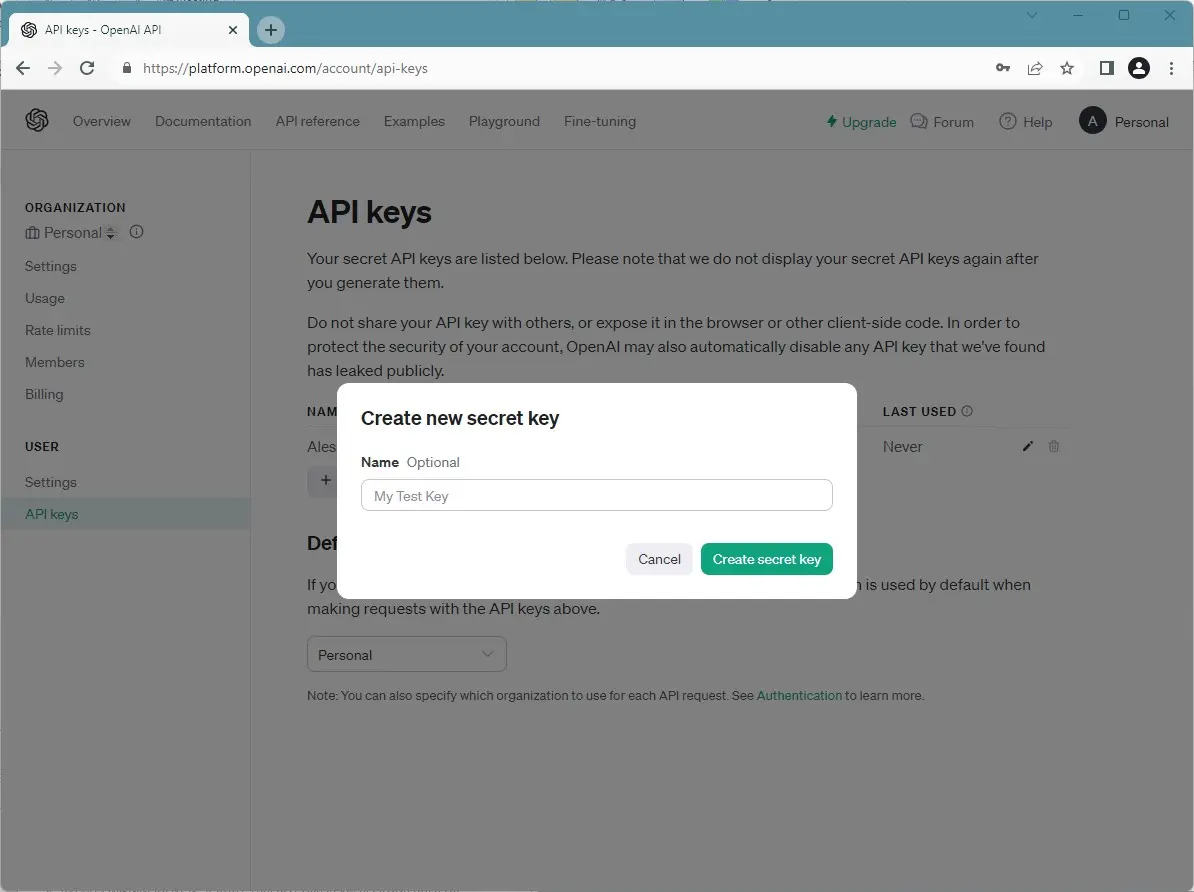
9. In the next page, click on Create new secret key button. The following window will pop-up:
openai_create_key
10. Give a custom name to the secret key. In case you have created more than one secret key, it is useful to recognize them.
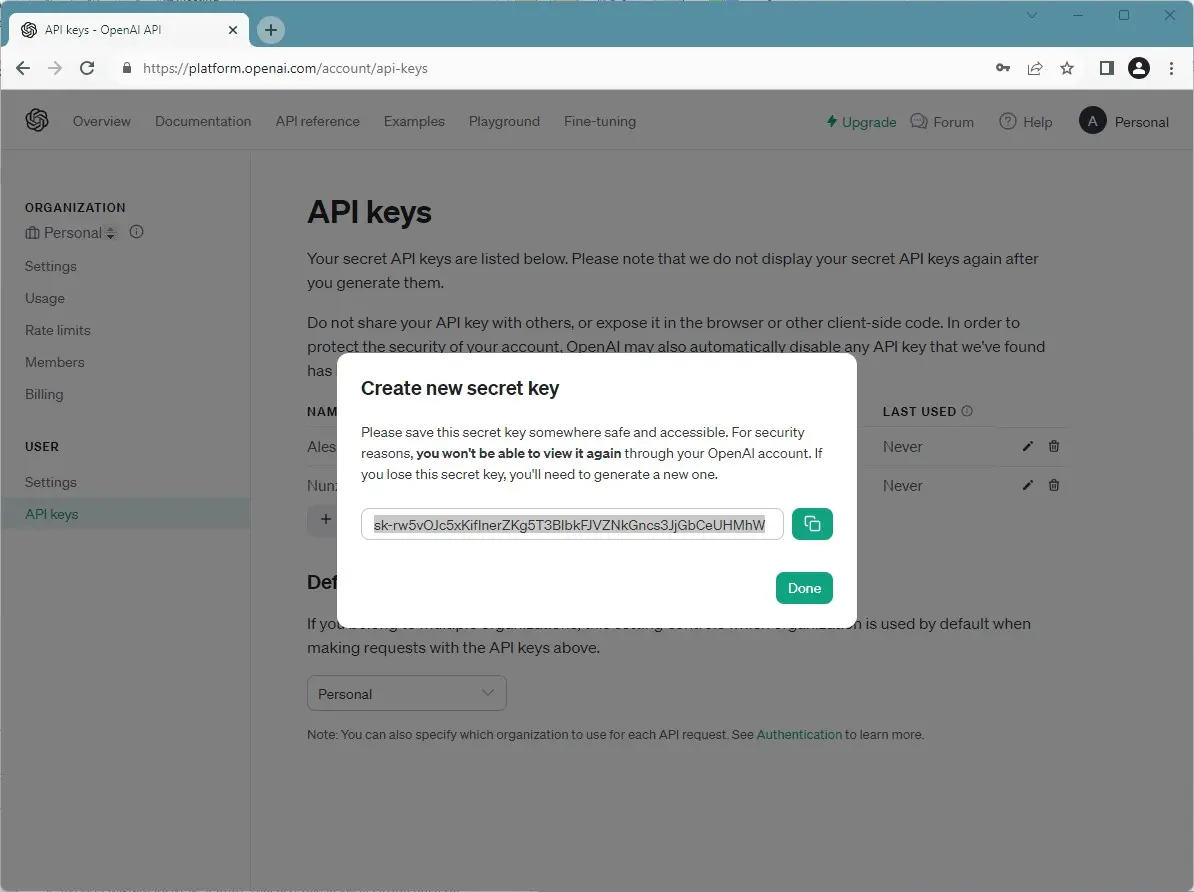
11. Once the name is confirmed, go ahead to generate the secret key. As shown in the image below, here it's possible to copy the key, so you can paste it in Etere Configuration > Configuration Editor > AI Management > OpenAI.
openai_key_ready
IMPORTANT: Once this window is closed, it won't be possible to see again the secret key. It's highly recommended to save it somewhere accessible before closing, otherwise you will need to generate a new key.
How ChatGPT works in Nunzio
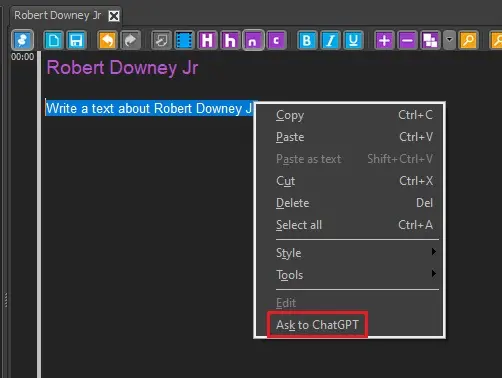
If everything has been setup correctly, in the story editor the option "Ask to ChatGPT" will be available in the contextual menu.
ask_to_chatgpt
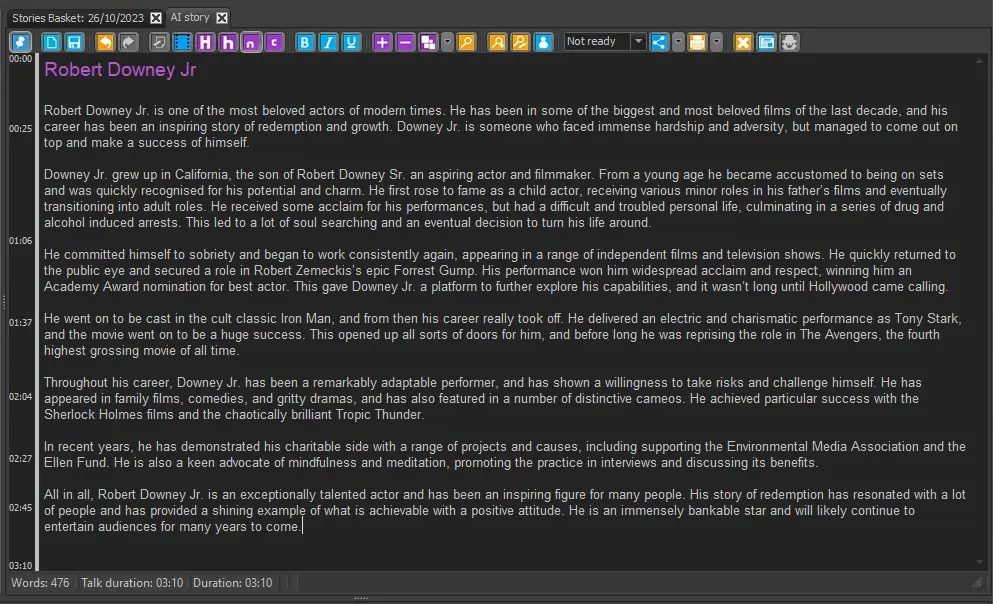
Users can type a request on the body of the story and select the mentioned function to send it to ChatGPT, which will provide the result:
request_complete
In case something is not correct (on Etere side or on OpenAI account side) the response will be replaced by an error message.
If the flag "Activate AI search history" in Etere Configuration is enabled, it will be also possible to launch a report that shows the requests made in the current day by the current user to ChatGPT.
If the flag "Also save the search result" is enabled too, the report will show also ChatGPT's responses to each of the archived search requests.
To launch it, just select the option "AI search history" from the Reports button on the story toolbar.
ai_report_launch
 ai_feature_installer
 openai_signup
 openai_create_account_1
 openai_create_account_2
 openai_api_reference_menu
 openai_api_keys_link
 openai_create_key
 openai_key_ready
 ask_to_chatgpt
 request_complete
 ai_report_launch