Required Configuration
72.7.4.2 Language configuration
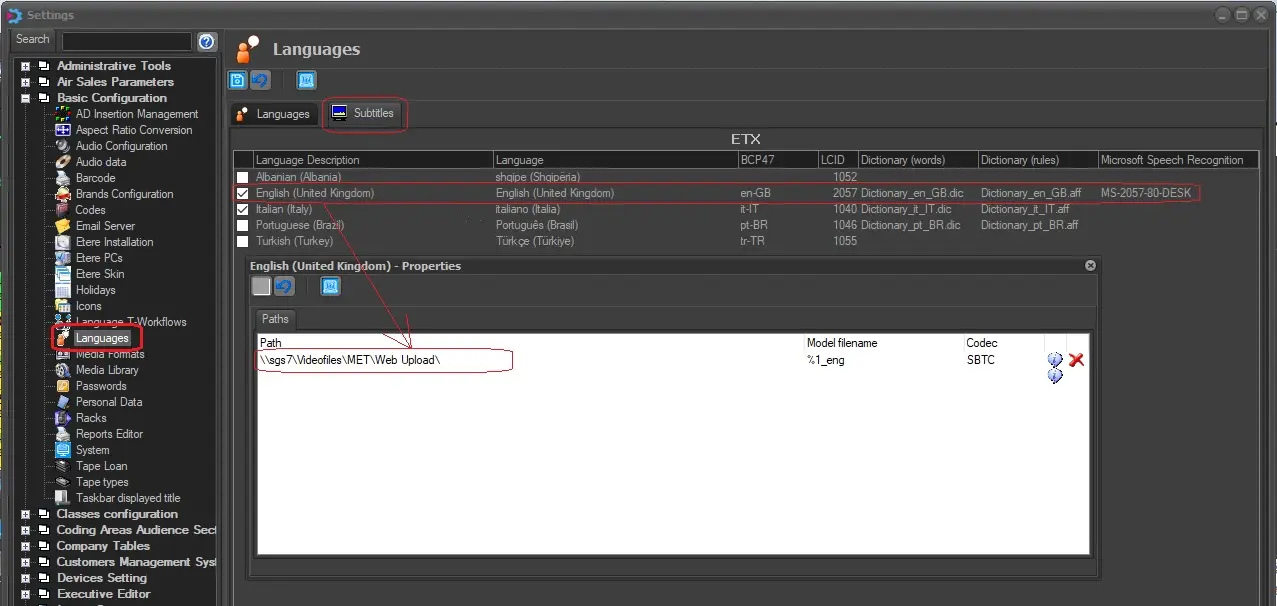
1.Open the Etere Configuration > Settings > Basic > Languages section,
2.Under the Languages tab select the subtitles language(s) to be used (e.g. italian, english, etc).
3.Under the Subtitles tab specify the format (path, model filename and codec) with which subtitles are stored:
Languages tab
NB: Etere suggest to set the default subtitle name to '%1' since the default subtitle must be named exactly as the asset's ID (e.g. asset007.smi) order to be shown.
 Languages_tab