59.3.11.1 Parameters Options
Tables
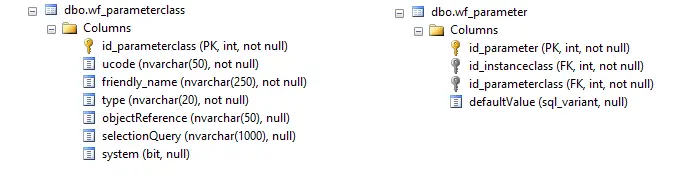
Two tables have been added, namely the registry parameters (wf_parameterclass) and the relationship between parameters and T-workflow (wf_parameter):
parameters workflow
Creation
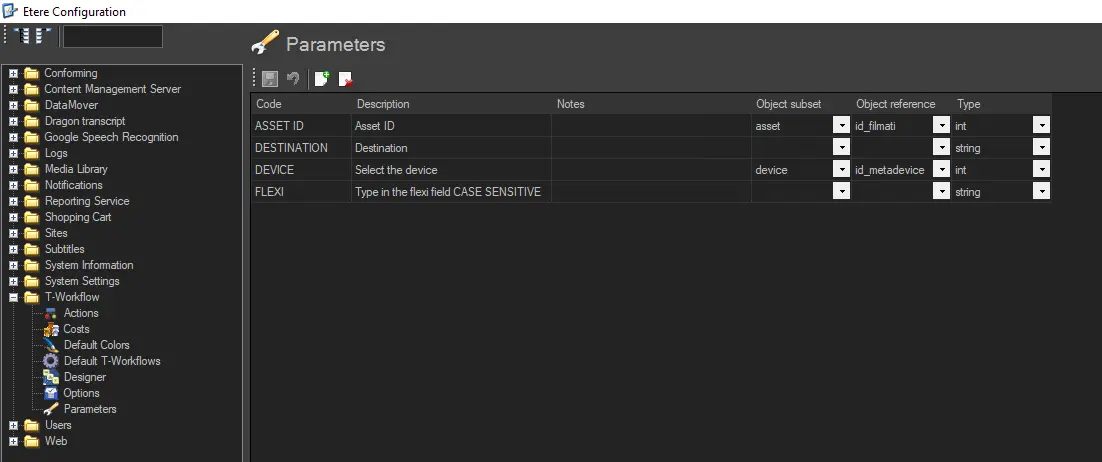
In the T-workflow parameters table, you can define the information of T-workflow parameters:
configuration_editor_workflow_parameter
Parameters- Code
Description: It displays the name of the variable used in the T-workflow.
Parameters- Description
Description: A short description of the variable.
Parameters- Notes
Description: In addition to the variable name and description, provide a short instruction to notify the user during runtime. For example, what needs to be inserted as a variable in the T-workflow?
Parameters- Object subset
Description: Specify the subset object used in T-workflow, e.g. system asset, codec, device, etc.
Parameters- Object reference
Description: Specify the object type reference, e.g. timecode, id_filmati, id_codec, id_metadevice, etc.
Parameters- Type
Description: Specify the variable type, e.g. string, int, real, bit, date, time, etc.
Export Powershell Variables into T-Workflow Param
To create an export of Powershell variables into T-workflow params, you need to compile all required data following the procedure detailed below.
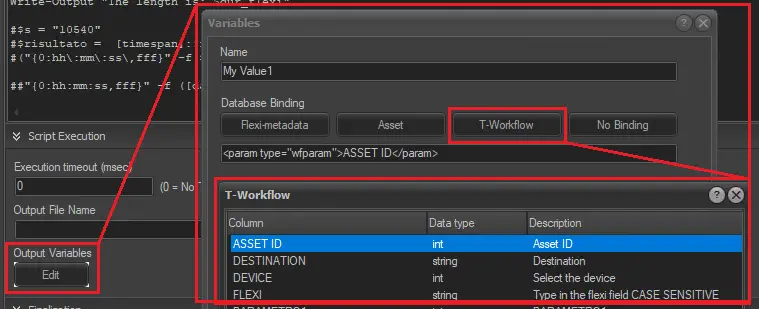
Go to Output Variables in the Powershell action and configure a new binding: enter the name of the Powershell variable, select "T-Workflow" database binding and finally select which parameter you want to write to.
Export_Powershell_Variables_into_T-Workflow_Param
Using T-Workflows
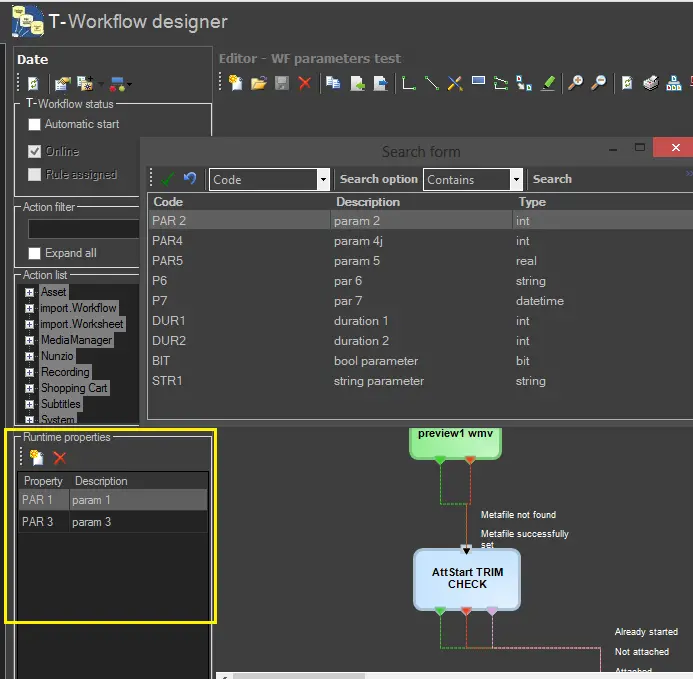
Add the parameters you need using T-workflow Designer:
Using_T-Workflows
If a T-workflow launches another T-workflow, all the parameters on the main T-workflow are forwarded to the second T-workflow.
Read/Write
To read and write the value of a parameter, use the following function and procedure:
function dbo.wf_api_getInstanceCustomParameter (@Id_Instance int, @Parameter nvarchar(50)returns nvarchar(200)
procedure dbo.wf_api_setInstanceCustomParameter @Id_Instance int, @Parameter nvarchar(50), @Value nvarchar(200)
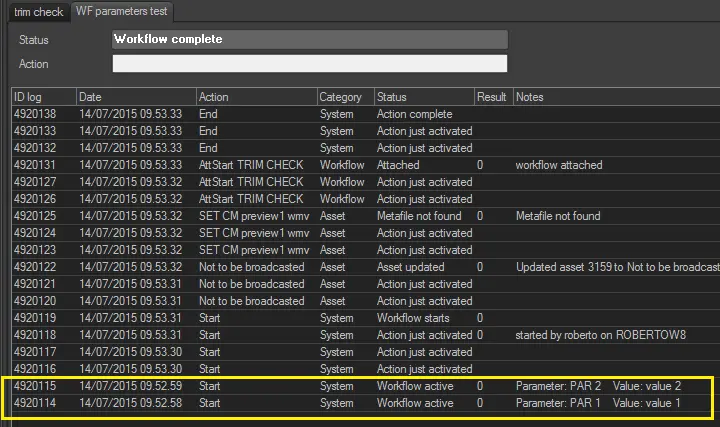
The setting of a parameter is also reported in the logs T-workflow.
wf_parameterstest
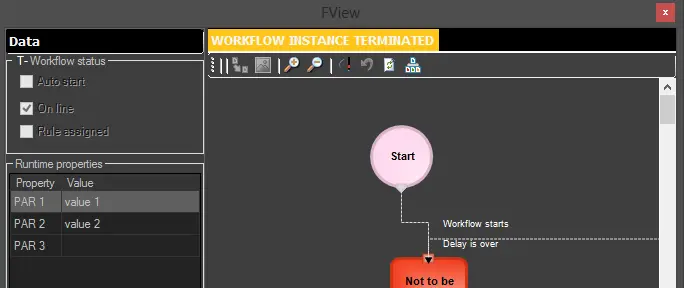
The T-Workflow viewer displays a list of parameters and their values.
workflow_viewer
Actions Operating Parameters
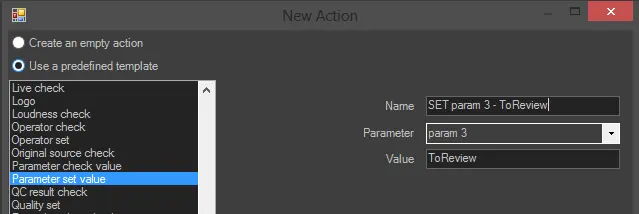
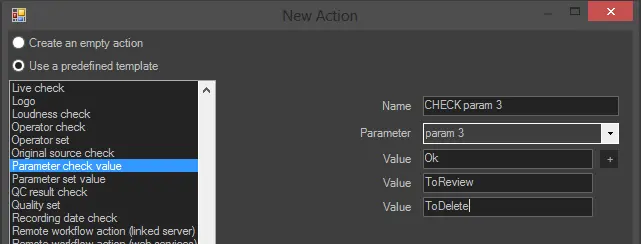
You can execute actions that set a parameter or T-workflows that control the value through the appropriate entries in the wizard.
parameter_set__value
parameter_check_value
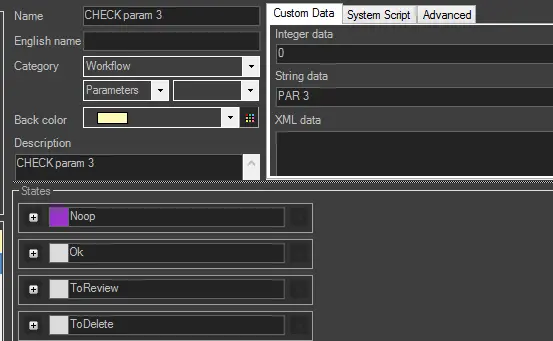
Up to a maximum of 9 outputs can be defined for actions that control the value. In each case, the output "noop" is always presented. It has no significant effect.
Custom_data
Conform with Parameters
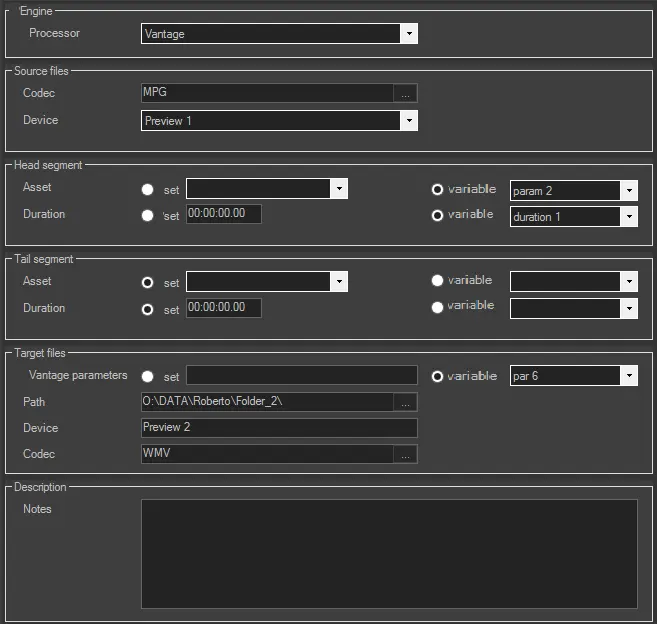
It is possible to set specific parameters with a fixed value and to read the instance of the T-workflow at runtime.
Conform_with_Parameters
To view the list of all parameters that are represented, for example, a string, select ucode, friendly_name from wf parameterclass with (no lock) where [type] = 'string'
For a list of all parameters that represent a timecode, select ucode, friendly_name from wf parameter class with (nolock) where object reference = 'Timecode'
Check Parameter
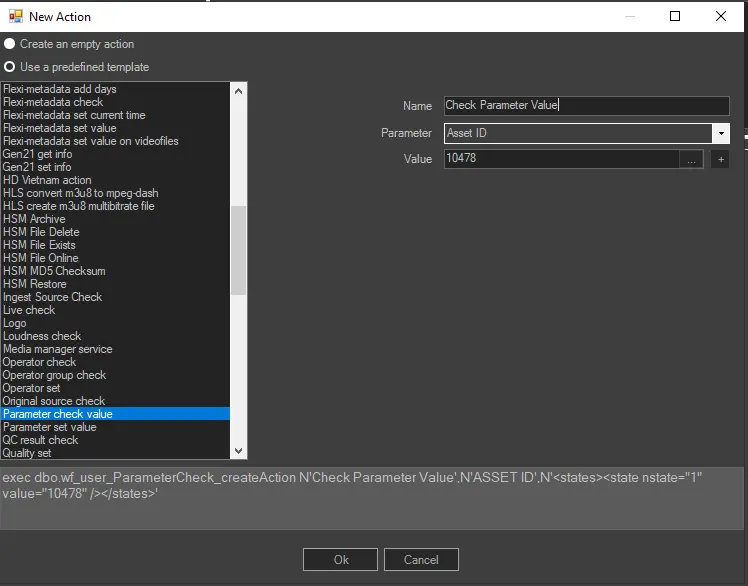
It is possible to check the parameter value using the related action "Parameter Check Value".
Parameter_Check_Value_
Reference and Notes
It was decided that the T-workflow parameters can be launched only from the Etere web, so these T-workflows do not appear in the list of available T-workflows inside the 'media library' or the search tab of Win applications.
 parametersworkflow
 configuration_editor_workflow_parameter
 Export_Powershell_Variables_into_T-Workflow_Param
 Using_T-Workflows
 wf_parameterstest
 workflow_viewer
 parameter_set__value
 parameter_check_value
 Custom_data
 Parameter_Check_Value_.
 Conform_with_Parameters