59.3.10.9 Replacing actions
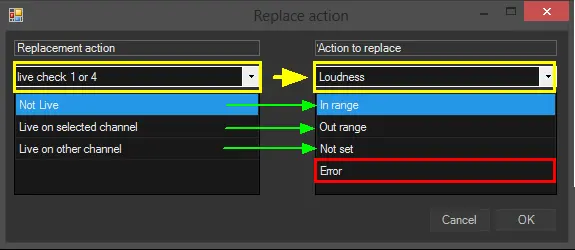
Etere provides three different methods to replace actions within T-workflows; whichever the chosen method is, the replacement is set and confirmed using the "Replace Action Form":
Replacing_actions
As shown above, the "Replace Action Form" outputs of the replacement and replacing action will be mapped individually. However, it is possible to change their order by selecting them and moving them up or DOWN.
Please note that it's possible to replace actions using replacements with a different number of outputs with the following behaviour:
➢If the replacement has fewer outputs than the replacing action, all exceeding connections will be lost
➢If the replacement has more outputs than the replacing action, all original connections will be maintained
The three methods for replacing action blocks within T-workflows are explained:
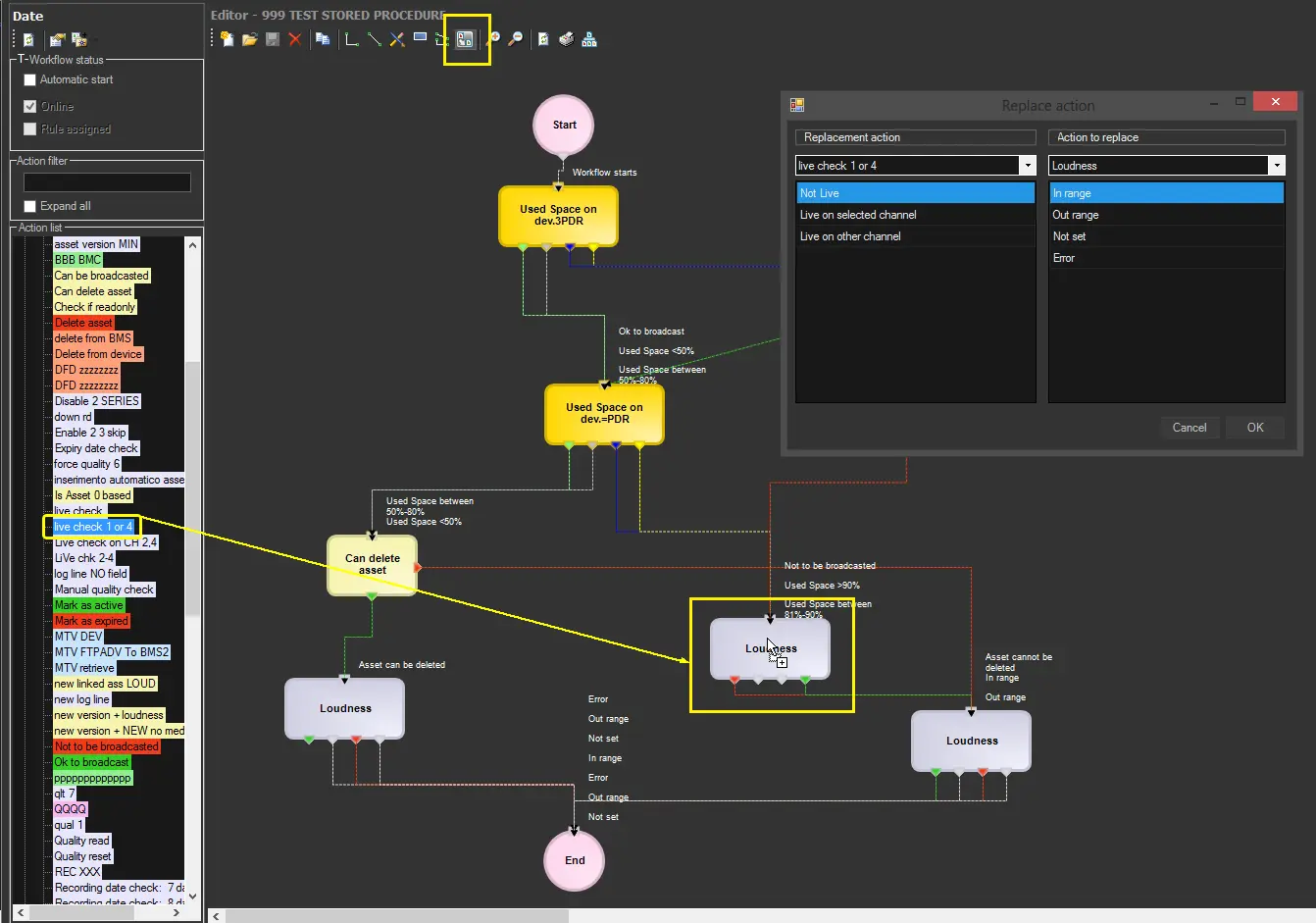
1. Replace one action
To replace a specific action (e.g. loudness), it's enough to select it, activate the "replace mode" and drop over it a replacement action (e.g. live check) dragged from the Action List and set the replace action form as required:
live_check
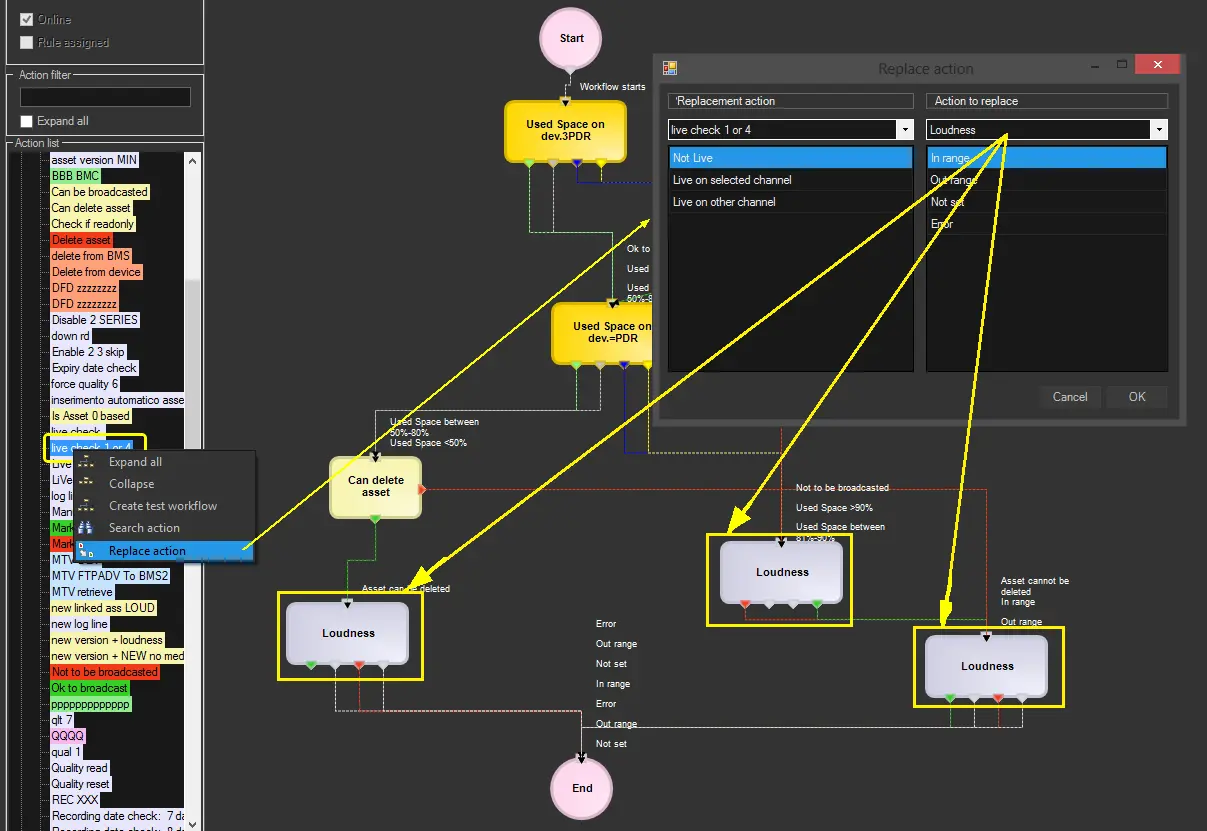
2. Replace all actions of a certain type
To replace all actions of a certain type (e.g. loudness) within the T-workflow, select the replacement action (e.g. live check) under the Actions List, right-click and select the "replace action" function and set the replace action form as required:
replace_action
NB: Please note that ALL actions of the same type (e.g. file length) will be replaced within the T-workflow.
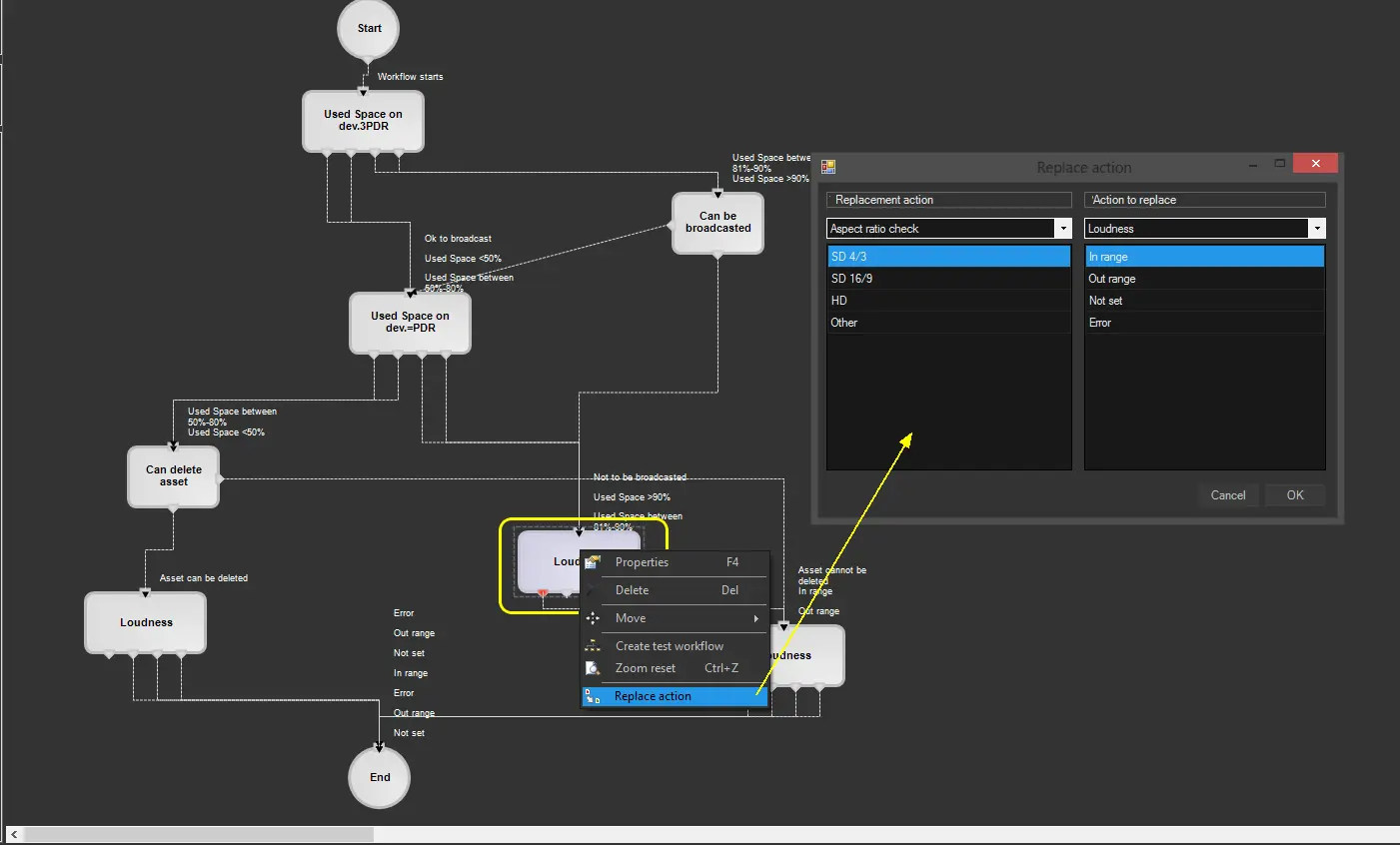
3. Replace a previously replaced action
To replace an action already replaced in the past (within the current or any other T-workflow), it will be possible to quickly replace said action with any of the replacements formerly used; it will be enough to select the action to be replaced (e.g. loudness), make right-click on it, select the "replace action" function and set the replace action form as required:
Replace_a_previously_replaced_action
 Replacing_actions
 live_check
 replace_action
 Replace_a_previously_replaced_action