VOD
6.3.3 VOD Delivery Status
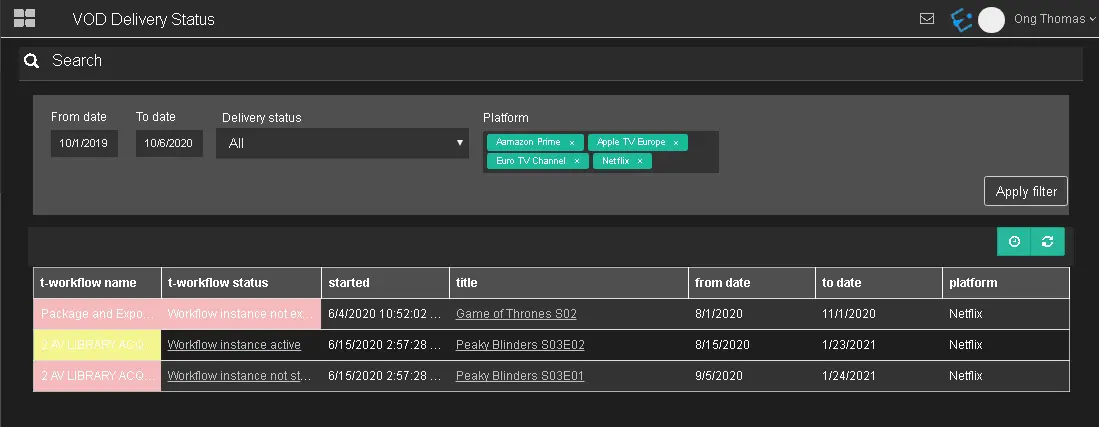
The VOD Delivery Status displays T-workflow information to trigger the seasons' events, titles, and the start and end dates when the seasons would be broadcast.
VOD_Delivery_Status
- From date - To date: Indicate the date range to filter the events;
- Delivery Status: Select a delivery status to filter the contracts that matched the status, or select "All" to include all delivery statuses;
- Platform: Select one or multiple platforms to extract the events.
Once the filters are confirmed, click <Apply filter> to extract the VOD delivery workflows that match the filters, along with the related information about the assets, delivery status and so on.
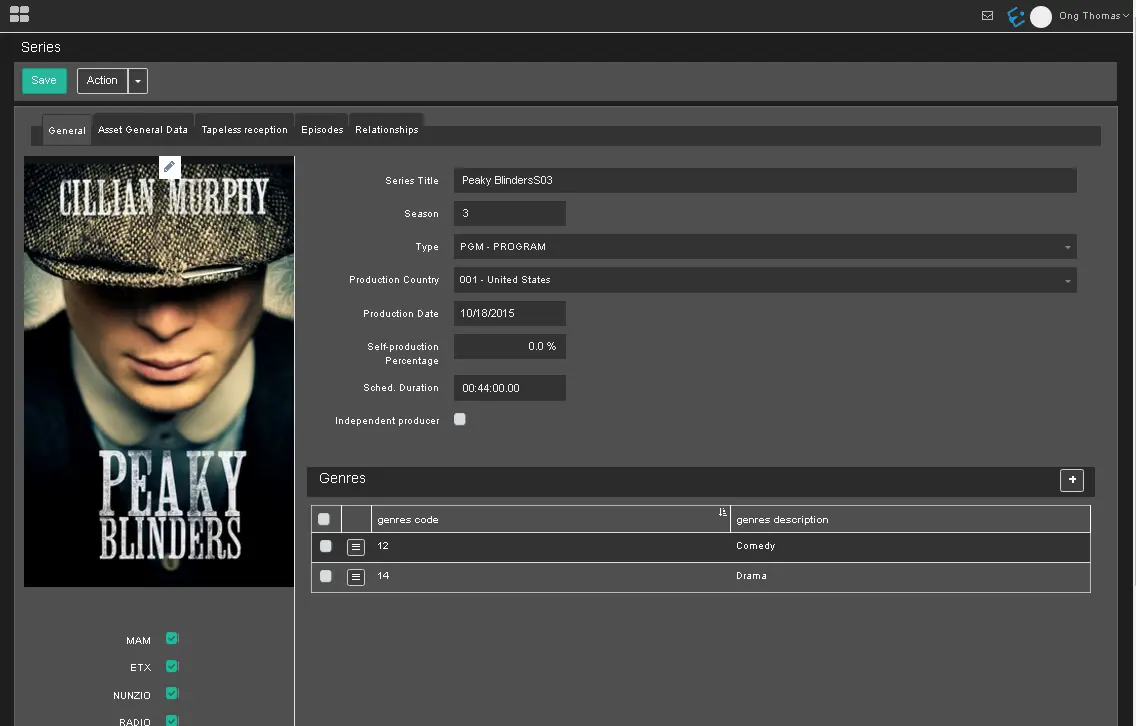
You can click on the event seasons Title from the search result to view the details information.
seasons_Title
In the filtered list, the following information is available:
- When you click on the asset Code, it opens the episode;
- When you click on the asset Title, it opens the season;
- The Season Title column would display the title of the season.
 VOD_Delivery_Status
 seasons_Title