Stories
79.4.8.9 Search
The Search node allows an accurate search and selection of stories matching a given criteria (e.g. title, creation date, etc.).
There are 2 types of search mechanism, Standard search and Full-text search.
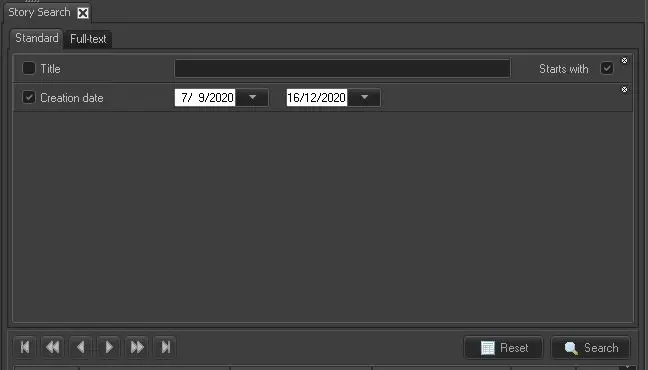
- Standard search: it search specified asset or all assets based on the specific search criteria, beside, you could also filter assets classified as News in the search results.
Search by <Creation Date>: by specifying the date range parameters, you can filter all stories created within the specific dates. Beside the story creation dates, other information includes asset ID, story title, media material, episode number and its duration.4752_Full-text_search_1
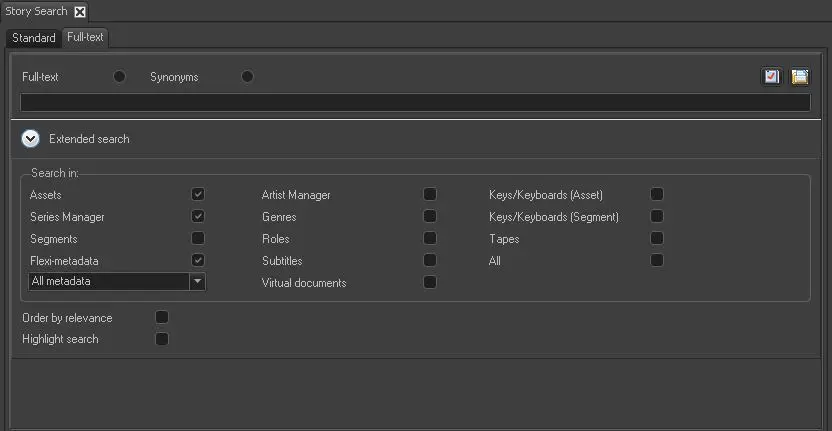
By enabling the “Keys/Keyboards” option, you can search for single keyword or multiple keywords in the stories.
- Full-text search: it functioned as a google-like search that search for asset objects across all databases with a set of asset data in whole words, or part of the whole words. In full-text search, you could also filter asset classified as News to be included in the search result. This feature is only applicable to Nunzio modular.
4753_Full-text_search_2
When search for text or word in stories, it does not highlight the specific text or word when it is found. Instead the entire row of the text line would be displayed in blue. If the story text is embedded with special character(s), you can insert a wild card (e.g. *) in the search filter to achieve the desired results.
 Full-text_search_1
 Full-text_search_2