Scheduled Ingest
9.4.1 New Periodical Recording
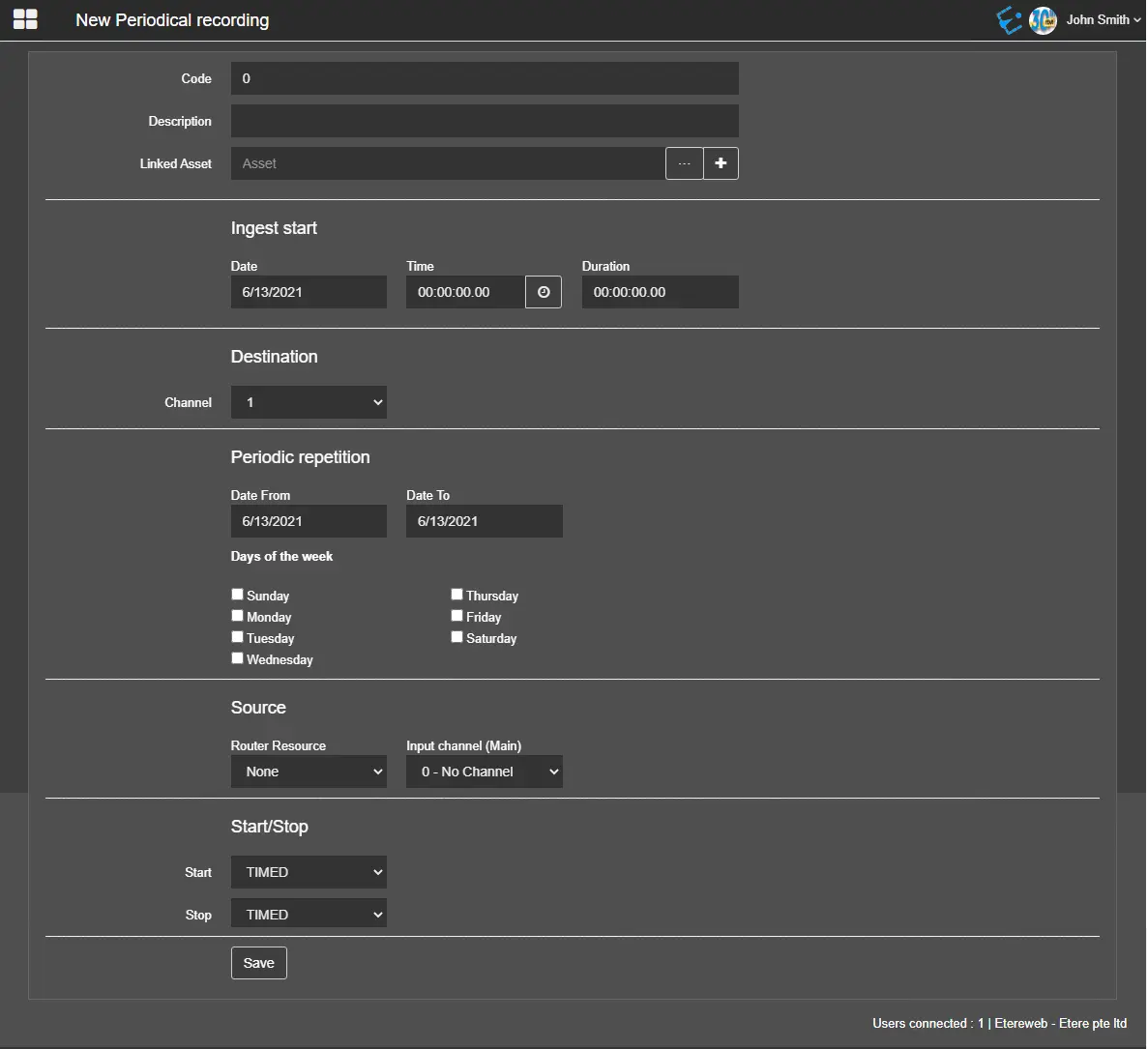
It's possible to plan periodical ingest operations to be performed at a specific date and time by defining the following parameters:
New_Periodical_Recording
- Code: An automated attribute code to be assigned to the ingest operation. The Code is always displayed as “0”; a new code would be automatically assigned when saving ingest records to the database.
- Description: A short description to identify the ingest operation.
- Linked asset: Associate an asset to the ingest operation. You can click on the browse button to search for assets in the database. By clicking on the Create new asset button, you can directly create a new asset and select it to be ingested.
INGEST START
- Date: Indicate the date to start the schedule ingest.
- Time: Indicate the time to start the ingest operation.
- Duration: Indicate the duration of the ingest operation.
DESTINATION
- Channel: Specify the destination device channel used for ingest.
PERIODICAL REPETITION
- Date from - Date to: Specify the start date and end date for scheduling the periodical ingest;
- Days of the week: Select a day or multiple days within the week to schedule the periodic recording. The exact schedules would be repeated every week until the programs are modified;
SOURCE
- Router Resource: Indicate the router resource used for ingest;
- Input channel (Main): Indicate the main input channel to be used for ingest operation;
START / STOP
- Start: Select an option to start the ingest operation at a fixed time or start to ingest via GPI signal;
- Stop: Similarly, select an option to stop the ingest operation at a fixed time or stop ingest via GPI signal;
When the parameters are defined, click the<Save>button to confirm and save the settings. A popup confirmation message would appear if the settings form were saved correctly.
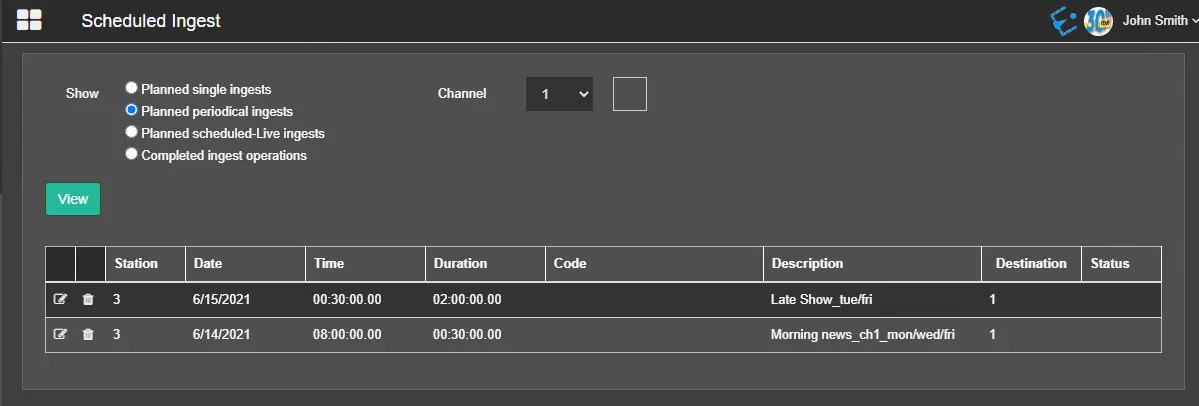
When returned to the Scheduled Ingest main page, the configured periodical ingest operation can be viewed selecting the option Planned periodical ingests.
Planned_periodical_ingests
 New_Periodical_Recording
 Planned_periodical_ingests