59.2.2.3 Fillers
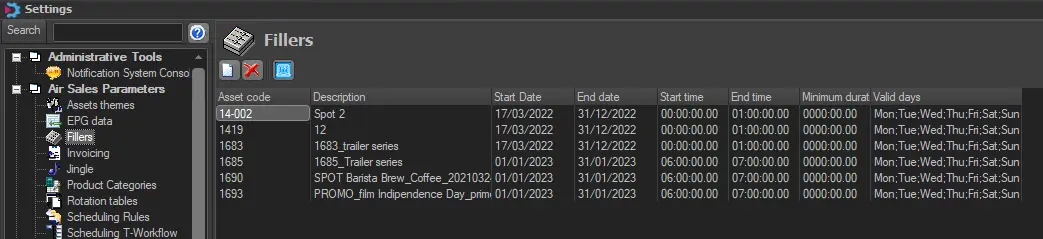
Fillers are filling events of variable duration created specifically to keep aligned a schedule where split events are present. In this section, all the Fillers will be inserted.
fillers
To define a filler, press the [New] button and search the Media Library window for the asset to be used as a filler by double-clicking on it. Once selected, provide the following parameters to make use of the filler:
•Asset code: code of the asset inserted.
•Description: asset description.
•Start Date: validity initial date of the filler.
•End Date: validity end date of the filler.
•Start Time: validity start time of the filler.
•End Time: validity end time of the filler.
•Minimum duration: minimum length of duration of the filler.
•Valid Days: the days the filler will be available for insertion.
Existing filters can be removed by right-clicking on filler and selecting the "delete" option from the contextual menu.
Using Fillers
Fillers are mainly used to make the splitting duration equal when scheduling events from:
•Etere Air Sales > Strategic Editor
•Etere Scheduling > Executive Editor
 fillers