84.4.5.65 CUSTOM > LOUISE ASSET CSV
Import Scope
The LOUISE ASSET CSV import allows importing a file in CSV format containing new assets intended to be inserted in the Etere system. The import is performed following the specifications below:
The text file must be a comma-separated-values (CSV)
Each line contains data related to one asset
All lines must have 31 commas (i.e. 32 asset fields), otherwise the import won't be started
Only new assets will be imported, existing assets will be omitted
Assets will be inserted in the database with a "0000" type
Missing asset codes will be automatically created in a consecutive sequence (i.e. ZZ-000001, ZZ-000002 and ZZ-000003)
The "description - duration" pair is unique per asset, assets with a duplicated pair won't be imported but logged in the "Errors" tab
Assets with nonexistent "genres" will be imported, genres will be automatically created in Etere
Assets with nonexistent "artists" (actors, directors) will be imported, artists won't be created but logged in the "Errors" tab
As some data is imported as Flexi-metadata, the following metadata must exist in Etere's Flexi-metadata in order to allow the import to be performed:
Flexi-metadata -
Type :
Flexi-metadata - Tx scheduled date
Type : datetime
Flexi-metadata - Distributor_f
Type : string
Flexi-metadata - Description Season French
Type : string
Flexi-metadata - Episode Title French
Type : string
Flexi-metadata - TX External
Type : string
Flexi-metadata - Category_f
Type : string
Flexi-metadata - Categorie CSA - 79
Type : bit
Flexi-metadata - Original Audio EOF
Type : bit
Flexi-metadata - Not European
Type : bit
Flexi-metadata - Quota Autres - 80
Type : bit
Flexi-metadata - Quota Independent - 81
Type : bit
Flexi-metadata - OEUVRE - 34
Type : bit
Flexi-metadata - Quota directive Europeen - 82
Type : bit
NB: Metadata can be created in "Configuration > Settings > MAM > Flexi-metadata".
Import parameters
This export allows the following parameters to be set and then [saved]:
Import_custom_louise_asset_csv
•File to import: Browse and select the subtitles file to be imported into the system.
NB: Please note that only files with CSV extension are supported.
Launch the import
Once all parameters have been correctly set, just press the <Import> button to launch the import operation.
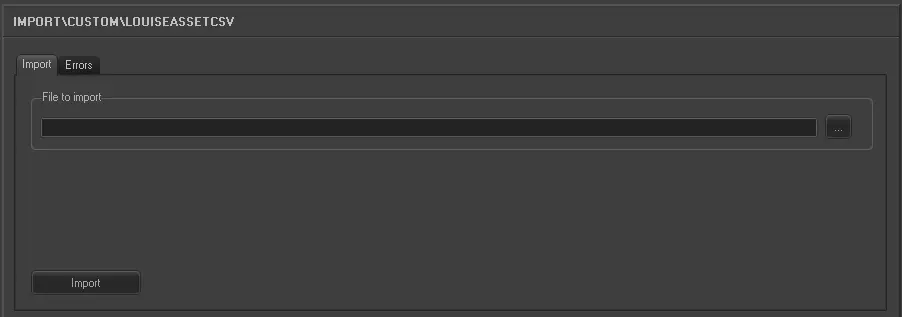 5276_Import_custom_louise_asset_csv