59.2.7.5 Remote access tab
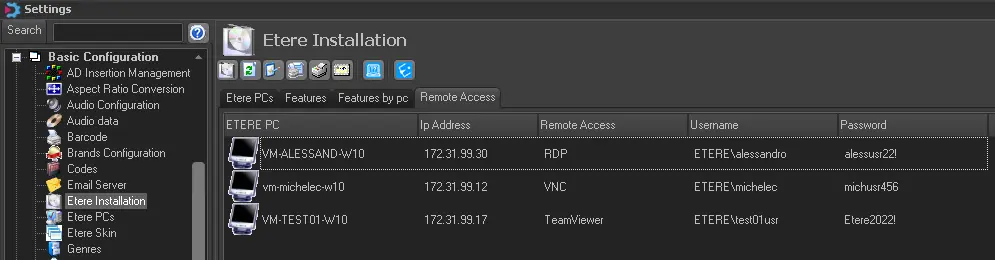
The Remote Access tab allows entering the credentials required by Etere's customer support service staff to access Etere PCs upon request by the customer remotely.
The information defined in the table includes a list of Etere’s PC names and IP addresses, the type of remote access used by Etere's customer support service staff to access the remote PC (e.g. RDP, TeamViewer, VNC, etc.), and the username and password used to authenticate the remote access.
remote-access
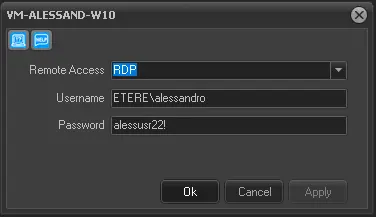
To add a credential (i.e., username and password), double-click on the desired PC and enter a username and password.
remoteAccess_addCredentials
If the number of Etere installed PCs does not match the list of Etere PCs in the network, you can access the PC not listed in the Etere PC section, right-click and execute “Etere Update” to perform a software update on the workstation.
 remoteAccess
 remoteAccess_addCredentials