59.2.43.15 Editing Flexi-metadata
The Flexi-metadata Editor can be accessed by right-clicking on a certain Flexi-metadata Profile and selecting the 'Flexi-metadata Editor' option.
Flexi-metadata_Editor
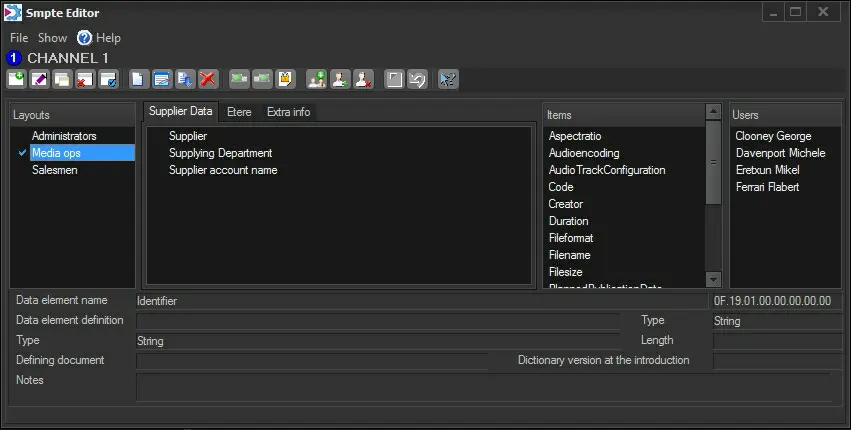
The Flexi-metadata Editor allows for creating custom layouts and assigning the layouts to specific users, thus managing specific layouts for specific users. Available sections and their functions are explained:
Layouts
The layout of a profile is a set of items grouped in specific tabs and assigned to particular users. Layouts can be managed through the following functions:
New - Create a new layout.
Edit - Edit the name of the tab.
Copy - Create a new layout featuring the current layout's same data (i.e. tabs, items, users).
Delete - Delete the current layout. All its tabs and items would be deleted.
Set as default - Set the current layout as the default layout for all users.
Save [Ctrl-S] - Apply all changes performed to the current layout.
Undo [Ctrl-Z] - Undo the last change performed to the current layout.
Tabs
The tabs of a layout allow the grouping of items for better management. Tabs can be managed through the following functions:
New [Ctrl-N] - Add a new tab to the current layout.
Change name - Edit the name of the tab.
Sort alphabetically - Sort all tabs in alphabetical order.
Delete [Ctrl-D] - Remove the tab from the current layout. All its items would be deleted.
Move back - Shift the tab to the previous location.
Move forward - Shift the tab to the next location.
Toggle read-only - Set the tab as read-only for the current layout.
Toggle mandatory - Set the Flexi-metadata as "mandatory". See "Mandatory Flexi-metadata".
Right-click on a tab's item will allow you to move it to a different tab quickly.
Items
An item is a Flexi-metadata that can be added to tabs using drag & drop.
drag_&_drop
Items can be removed by dragging and dropping them back into the "Items" list.
Users
Users from the Personal Data to which the current layout is applied.
Add users group - Search and select a user group to assign the current layout.
Add user - Search and select a user to assign the current layout.
Remove user - Remove the selected user from the list of layout users.
NB: If an added user already has an assigned layout, the former layout will be automatically replaced.
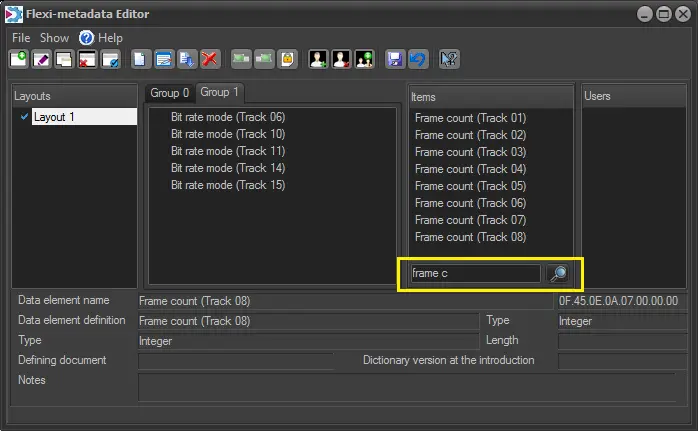
Flexi metadata filter for unused items
A filter has been added to make easier the search of items that are still unused.
Flexi_metadata_filter_for_items_that_are_unused
Click the [Save] button after performing changes on layouts.
Note that you can also set the SMPTE for multi-asset selection.
 Flexi-metadata_Editor
 drag_&_drop
 Flexi_metadata_filter_for_items_that_are_unused