59.6.2.197 Orad - How to define CTM Scripts
Etere's .ctm script files count with a preview section (used by the preview driver) and the preset and take sections (used by the playout driver).
Commands present within .ctm files have the command format:
•tt=AX & command=ccccdata (cccc=four characters that identify the command). Supported commands include:
- SAVE (AXSAVEId|%001|...|%nnn). It creates a new template based on the existing template ID, passing the values from fields %001,...,%nnn. The unique template ID will be internally stored in the driver until a new SAVE, or PREW overwrites itREW (AXPREWId|%001|...|%nnn). It has the same function as SAVE plus the display on the preview form of the new updated template.
- CLEA (AXPCLEA). It deletes the last template generated by either SAVE or PREW commands.
- LOAD (AXLOAD). Display the last template generated by SAVE and PREW commands. It can be used after a SAVE because PREW performs the visualization.
- LOA1 (AXLOA1Id). Show the template ID. (data=command parameters separated by a |)
•tt=CI & command=C (chyron command).
-V (CIV\command1\command2\command3\...command-n): (commands are separated by using a \)
Below is a sample of a CTM file to trigger the preview of a logo:
>>OradLogoPreview.ctm file sample>>
[PREVIEW]
1=AXPREW00000007|%001|%002|%003|%004
2=AXCLEA
[PRESET]
1=CIV\5\13\1\1\00000009\0\\
[TAKE]
1=CIV\6\1\\
[PARAMETERS]
1=
2=
3=
4=
[DESCRIPTION]
caption=LOGO Test Preview
Using CTM files in Etere
In Etere, CTM files are defined in the proper Script Strings section of the Etere Configuration module;
Script_Strings
Once defined, they can be used from Etere Scheduling as a Secondary Event attached to an asset to send a certain command, in this particular case, a preview command:
Secondary_Event_attached_to_an_asset
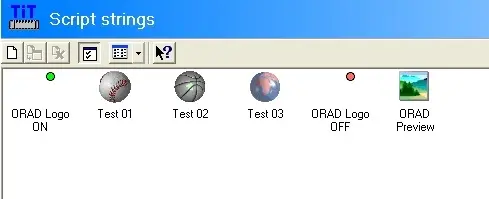 Script_Strings
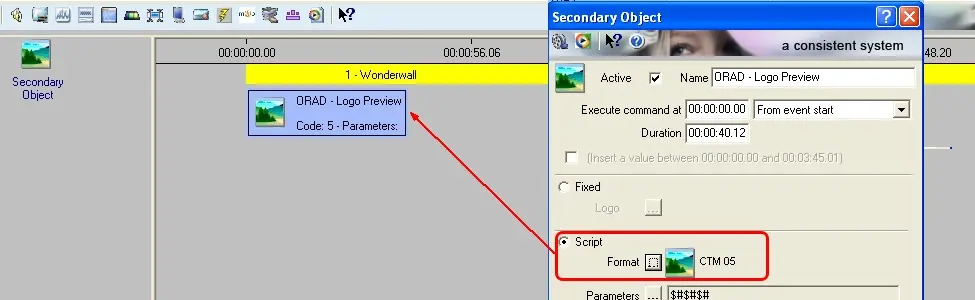 Secondary_Event_attached_to_an_asset