4.7 Reports in Air Sales
The Reports module stores all the available Air Sales reports.
In the toolbar, the following functions are available:
• Expand/Collapse all: Opens or closes the Air Sales and Favorites nodes in the reports tree.
• Add to favorites: Select one or more reports in the Air Sales node and use this function to add them on top of the reports tree in the Favorites category. This function is useful to find quickly the most frequently-used reports.
• Remove from favorites: Select one or more reports in the Favorites node and use this function to remove them from this category.
Top_Favorites
It's possible to show the reports' parameters clicking on their name.
Once they've been set properly, click the Preview button to display the report on screen, or select a file format and click the Download button to save the report on file.
Preview_and_download
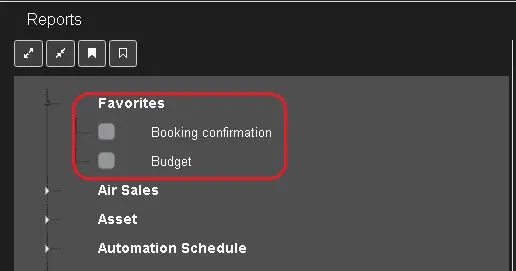 Top_Favorites
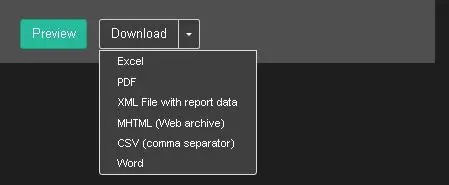 Preview_and_download